-
Can't boot HD-install
When I try to boot a brand-new installation of either beginner or debian (am on tenth reinstall of Knoppix 3.6 EN) it will just give me a bunch of 9's on the screen. lilo only works from the floppy, but fails saying something about the kernel stack overlapping lilo second-stage. Yes, I did verify disk integrity.
HDA1=swap
HDA2=destination
AMD K6-2, 128mb ram, 6.4gb HD, not much else. NO NETWORK CAPABILITY.
I will try to get more info.
A little help, maybe?
A newbie
Similar Threads
-
By AlfKnoppix in forum General Support
Replies: 0
Last Post: 10-23-2005, 11:43 AM
-
By adriansmith in forum General Support
Replies: 0
Last Post: 03-28-2004, 09:01 AM
-
By phillip in forum Hdd Install / Debian / Apt
Replies: 3
Last Post: 09-06-2003, 09:13 PM
-
By Vapor in forum General Support
Replies: 5
Last Post: 05-30-2003, 08:56 PM
-
By jmpereira in forum General Support
Replies: 1
Last Post: 05-08-2003, 12:28 PM
 Posting Permissions
- You may not post new threads
- You may not post replies
- You may not post attachments
- You may not edit your posts
-
Forum Rules


INTEL XEON E5-2680V4 SR2N7 2.40GHZ CPU
$11.00

Dell EMC PowerEdge R440 Xeon silver 4215 2.5GHz 16 GB ram 2x 550W PSU No HDD
$275.00

Intel Xeon Phi 5110P 60-Core 1.053GHz Coprocessor
$50.00

Dell Precision T7820 2x Xeon Silver 4114 2.20GHz 950W No RAM GPU HDD 4x SATA
$350.48

Dell Precision T5820 Workstation 3.70GHz W-2135 No RAM/ GPU/ HDD/ OS
$179.98

Intel Xeon E5-2699 V4 2.20GHz 55M 22-CORES LGA2011-3 Server Processor 145W SR2JS
$84.49

Lenovo ThinkStation P520c Intel Xeon W-2133 6-Core 3.60GHz -NO RAM/ HDD/ GPU/ OS
$127.54

Intel Xeon E5-2690 v4 SR2N2 14 Core 2.6GHz 35MB LGA2011-3 CPU *km
$15.99

Dell Precision Tower 7810 Xeon E5-2630 v3 @ 2.40GHz , 32GB Ram, NO HDD, NO OS
$239.99
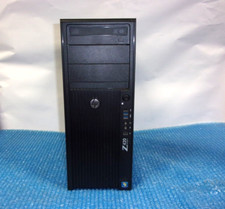
HP Z420 Tower Workstation Xeon E5-1620 3.60GHz, 4GB Ram, NO HDD, NO OS
$140.00



 Reply With Quote