

 Reply With Quote
Maybe there is a problem with QTparted or cfdisk that prevents it from making the tables correctly. I ended up with about 2 meg on either end of the drive that is free space. I might be able to live with it as long as it keeps working.


I also used fdisk. It did not work until I did it with fdisk.
Maybe there is a problem with QTparted or cfdisk that prevents it from making the tables correctly. I ended up with about 2 meg on either end of the drive that is free space. I might be able to live with it as long as it keeps working.
I find Linux to have a problem when quick formatting - it seems to not actually be able to forget what is underneath. You need to do an unconditional format of the partition. For lack of better tools I find that if you use FDISK from Microsoft and then format the partition as a FAT32 and then use CFDISK in Linux - only changing the type to a Linux Partition and not deleting it - then write - everything will always work fine. QTParted is a useless program I believe. Be sure to format after using MS FDISK.
cya
This is what I did to solve this problem.
I never use qtparted as I see it as buggy app. I use cfdisk to do the partitioning.
But before I run knoppix-installer, I will reboot first.
Rebooting seem solved my problem with installation.

Qtparted is odd isn't it? I mean it is a very good looking app but I have found it grossly buggy as well. It often displays a completely incorrect partition map to what I have and its operations fail for no reported reason. cfdisk works perfectly every time. I thought it was something about my machine but it seems a few people have reported these issues with Qtparted. I wonder what the developers are thinking?Originally Posted by shah
Can you clarify what you mean by item 3 (point bios to drive)
thanks
> 1. Make boot partition inactive.
> 2. Install
> 3. Point BIOS to drive
I have also had Linux fdisk give the 'rather strange filesystem' error when trying to read a partition with Knoppix on it; to resize it I had to first remove knoppix.
I have also tried QTparted...I found that using it I could get the partitions exact size with no dead space between them. It was a PITA trying to do this with parted as it would not autocorrect anything, it would even let you overlap partitions! I have succesfully used it to move & resize partitions which do not have Knoppix installed on them, it will do this without loss of data.
I agree with BubbaCola, do your partitions with MS fdisk then reformat to ext3 is the most reliable initial setup method. But if you have to resize afterward, QTParted does work & it has enough goof-proof in it that you are not really likely to slaughter anything.
Also, the version of parted that comes with Knoppix is an abbreviated version called 'parted-bf', perhaps the full version works better.
 Posting Permissions

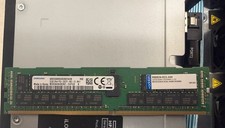
2x SAMSUNG 32GB DDR4 2RX4 PC4-2933Y SERVER MEMORY M393A4K40CB2-CVFC0 64GB TOTAL
$300.00

Dell EMC PowerEdge R440 Xeon silver 4215 2.5GHz 16 GB ram 2x 550W PSU No HDD
$275.00

VMware vCenter Server 8 STANDARD Perpetual License Key VC-STD-C (Legacy Pack)
$1599.95

RDS CAL - Remote Desktop Services Windows Server 2019 50 User/Device Connections
$63.00

Gigabyte 4U AI Server 10x Nvidia GPU 2x Xeon Gold 6150 36 Core 2.7GHz DDR4 RAM
$1625.00

Dell Poweredge R730xd 12LFF 2*2660v4 4*1Gbe h730 2x 750W Server CTO
$308.00

Dell PowerEdge C4130 1U AI GPU Server | 2x E5-2680 v3 | 32gb Ram | 2x 1600W
$409.99

Dell EMC PowerEdge R740 8 Bay Server w/ 32GB RAM 2x GOLD 6132 2x 1600W PSU H730p
$499.88

Dell Poweredge R630 2x Xeon E5-2680 v3 2.5ghz 24-Core | HBA330 | No RAM or HDD
$169.99

Dell Intel X710-DA2 5N7Y5 Dual-Port 10GbE SFP+ PCIe 3.0 x8 Network Adapter
$27.50