

 Reply With Quote
Maybe there is a problem with QTparted or cfdisk that prevents it from making the tables correctly. I ended up with about 2 meg on either end of the drive that is free space. I might be able to live with it as long as it keeps working.


I also used fdisk. It did not work until I did it with fdisk.
Maybe there is a problem with QTparted or cfdisk that prevents it from making the tables correctly. I ended up with about 2 meg on either end of the drive that is free space. I might be able to live with it as long as it keeps working.
I find Linux to have a problem when quick formatting - it seems to not actually be able to forget what is underneath. You need to do an unconditional format of the partition. For lack of better tools I find that if you use FDISK from Microsoft and then format the partition as a FAT32 and then use CFDISK in Linux - only changing the type to a Linux Partition and not deleting it - then write - everything will always work fine. QTParted is a useless program I believe. Be sure to format after using MS FDISK.
cya
This is what I did to solve this problem.
I never use qtparted as I see it as buggy app. I use cfdisk to do the partitioning.
But before I run knoppix-installer, I will reboot first.
Rebooting seem solved my problem with installation.

Qtparted is odd isn't it? I mean it is a very good looking app but I have found it grossly buggy as well. It often displays a completely incorrect partition map to what I have and its operations fail for no reported reason. cfdisk works perfectly every time. I thought it was something about my machine but it seems a few people have reported these issues with Qtparted. I wonder what the developers are thinking?Originally Posted by shah
Can you clarify what you mean by item 3 (point bios to drive)
thanks
> 1. Make boot partition inactive.
> 2. Install
> 3. Point BIOS to drive
I have also had Linux fdisk give the 'rather strange filesystem' error when trying to read a partition with Knoppix on it; to resize it I had to first remove knoppix.
I have also tried QTparted...I found that using it I could get the partitions exact size with no dead space between them. It was a PITA trying to do this with parted as it would not autocorrect anything, it would even let you overlap partitions! I have succesfully used it to move & resize partitions which do not have Knoppix installed on them, it will do this without loss of data.
I agree with BubbaCola, do your partitions with MS fdisk then reformat to ext3 is the most reliable initial setup method. But if you have to resize afterward, QTParted does work & it has enough goof-proof in it that you are not really likely to slaughter anything.
Also, the version of parted that comes with Knoppix is an abbreviated version called 'parted-bf', perhaps the full version works better.
 Posting Permissions


Kingston 32GB 64GB 128GB 256GB USB 3.0 Flash Drive Thumb Memory Stick Pen lot
$285.90

Microsoft Office 2021 Pro Plus USB for 1PC Windows 10 & 11
$62.55

MICRON MTA36ASF4G72PZ-2G6D1 32GB PC4-21300R DDR4-2666V RDIMM 2RX4 MEMORY DIMM
$139.99

TF/SD Card Adapter Camera Reader Android Type-c For iPhone17 Pro Max Plusm lot
$573.98

USB 3.0 Flash Drive 32GB 64GB 128GB Memory Stick Thumb Stick Lot Pack
$826.09
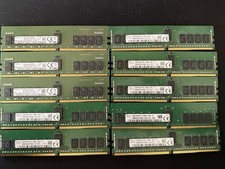
Lot Of 10 16GB DDR4 Server Memory
$650.00
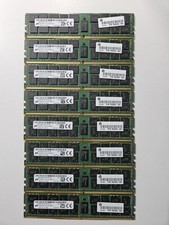
LOT OF 8 Micron 16GB 2Rx4 PC4-2133P-RB0-10 MTA36ASF2G72PZ SERVER MEMORY ECC
$500.00

USB 3.0 Micro SD SDHC TF Card Reader Memory Adapter for PC Laptop Camera lot
$3.75
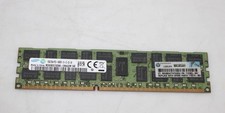
Lot Of 5 Samsung 16GB 2Rx4 PC3-14900R Server Memory RAM M393B2G70DB0, WORKING
$69.99

1/ 10/ 100pcs USB 2.0 2GB, 4GB ,8GB ,16GB ,32GB ,64GB 128GB USB Flash Drives Lot
$202.50