-
What language is this?
Hi I have a weird problem, for some reason I klicked on a wrong icon and now all of my root directory// applications and files are arranged in a language I don't understand. I have no idea what this language is and would very much like to reset it to English GB.
Also the live CD was spectacular, it detected all my hardware and set it up without any difficulty. But the problem is that now it won't auto mount my CD drives and my hardrives as the CD did. Further when I mount my DVD-r drive, or my CD Writer drive, I can only mount one CD drive at a time as there doesn't appear to be a device listing in /dev for a second CD rom drive. Is there any way to get it to add an entry to /dev that will allow both my CDRW drive and my DVD-R drive to be mounted at the same time?
Further, the CD version of knoppix doesn't appear to allow me to save anything I download or try to move from one directory to another (Ihave 460GB divided up over several partitions, one of which is a 30 GB fat32 partition set up to enable exchanging files with an NTFS drive). Do I need to be a super user, or root to move files accross directories and if so what is the su password?
Additionally Open Office appears to be the German version, which once more is not very helpful/useful to me. Is there a way I can change this? The spell checkers in all the office applications seem to be in another language too, even in ordinary accounts which I haven't converted accidentally to whatever langage I selected.
Lastly I am very interested to learn about aptget - and how to use it to get specific pagages. Say for example I wanted the latest version of Xine? What is the command for starting aptget and how would I write the command to aquire it? Do I need to give the version name and version number of the application I'm interested in?
All in all Knoppix rocks. But I wish it was able to set up my hardware and automount all my drives etc in the same way the CD version does. There ought to also be better support for HDD installs, with as people who try the Cd version will undoubtedly want to give the real thing a go.  Also I wish there was better international support as it is too centred on German and east European users. Apart from that, its great!
Q
Similar Threads
-
By fingers99 in forum Hdd Install / Debian / Apt
Replies: 2
Last Post: 03-08-2005, 12:46 AM
-
By jodef in forum Hdd Install / Debian / Apt
Replies: 4
Last Post: 07-21-2004, 02:53 AM
-
By allenf in forum General Support
Replies: 1
Last Post: 01-08-2004, 10:27 PM
-
By wk in forum Customising & Remastering
Replies: 1
Last Post: 09-06-2003, 06:44 PM
-
By dowser in forum General Support
Replies: 4
Last Post: 12-02-2002, 01:25 PM
 Posting Permissions
- You may not post new threads
- You may not post replies
- You may not post attachments
- You may not edit your posts
-
Forum Rules


Amiga Model 1080 RGB color CRT monitor - Parts Or Repair - Doesn’t Power On
$100.00

RGB2HDMI Amiga 500 UltraLong (Accelerator Friendly) HDMI Games, non-RTG A500
$50.00

Microbotics Starboard 2MB + SCSI Sidecar for Amiga 1000 Vintage Computer READ
$329.00
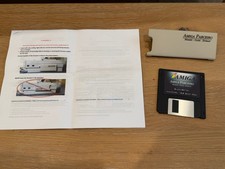
Parceiro 1.1 Black Edition for Amiga 1000, 8MB Fast RAM, RTC, 16GB SD, Tested
$249.99

Amiga Emplant Emulator Card For Commodore Amiga 2000 4000 3000
$249.00

Commodore Amiga 4000 Motherboard Rev B - untested
$225.00
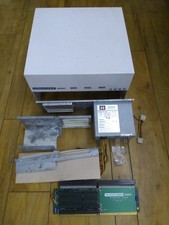
HighFlyer Amiga 4000 Tower & Bus Extender, Expansion Systems A4000T Kit
$888.50
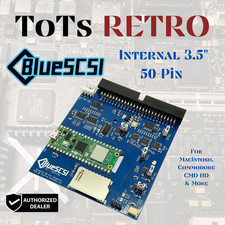
BlueSCSI v2 Internal 50-pin 3.5" SCSI Drive ,Wi-Fi,For Macintosh, Amiga, PC
$52.99

Best FlickerFixer RGB2HDMI Amiga HDMI Games, non-RTG A2000CPLDSlot v2.2
$75.00

Commodore VIC-20 Diagnostic Cartridge & Test Harness Set - USA seller
$39.99



 Reply With Quote