-
DHCP Assigning wrong IP?
I've got Knoppix 3.6 running on a Dell C600 laptop with a Netgear WG511 wireless card and a Dlink Wireless/Broadband router. The wireless card appears to have solid contact with the router (as monitored with wavemon and iwconfig). The router reports it assigned 192.168.0.3 to the Knoppix machine however Knoppix reports its IP (through ifconfig) as 192.168.1.14. Knoppix has the MAC address of the router correct (verified in iwconfig) and the router shows the MAC address of the laptop correctly. Obviously I can't connect to the other machines on the router or the internet. When I do route -n I see that the routing table is messed up. The table should show the gateway as 192.168.0.1 but instead shows 192.168.1.1
It appears Knoppix is interpreting the DHCP stuff incorrectly from the router, but why?
Note: another linux (SuSE) and windows 2k/XP boxes use the same router wirelessly and wired without trouble
-
Administrator
Site Admin-
Re: DHCP Assigning wrong IP?

Originally Posted by
jmh90
.... however Knoppix reports its IP (through ifconfig) as 192.168.1.14. ......
Are you living in a location where you might be seeing other wireless routers? When your Knoppix system is assigned 192.168.1.14 can it ping 192.168.1.1 and get a response? Have you used any "site survey" software (either something that came with the card or Netstumbler) to see all of the available access points in range? Boy, what a strange problem!
-
Yes, I can see between 1 and 3 other wireless routers from my house. After doing some "investigative work" if found the ESSID of a router we'll call "MR. X". When I reconfigure my wlan card using wlcardconfig and specify "MR. X" instead of my ESSID, then do a "pump -R", voila, I'm surfing the web as 192.168.1.14 without a hitch.
Of course, it's not my router, and I'm only 2 feet away from my access point. Why would my net card prefer another router? My only guess is that I have a 802.11 b/g card and my router is a 802.11b. Maybe the card firmware prefers 802.11g (assuming MR. X is a g router)? Very confused here why I can't dial in my own router. When I set wlcardconfig to use my ESSID, pump just doesn't seem to work - returns "Operation failed."[/quote]
-
OK, I finally was able to connect to *my* router by using a static IP *and* moving the laptop to a portion of the house that was in range to only my wireless access point. I still can't connect to my router with DHCP, even when I'm isolated from other APs. It is really strange to be connected apparently to one router but to have an IP leased from another. Apparently, that's what has happened.
(I'll also need to tell my neighbor to add some sort of filtering to his/her AP.)
Thanks for the help
-
Administrator
Site Admin-
Originally Posted by
jmh90
Thanks for the help
Glad you're making progress, but I didn't do much to help. Just figured DHCP just doesn't fail that way and that you mush have got that "bad" IP address from somewhere. How you managed to get it without putting in the SSID of Mr.X I don't know. Why you can't get a DHCP setup from your own system I don't know. But then, I haven't been able to get Knoppix to work with either my Belkin 802.11b (ver 2101) card or my dLink 802.11b DWL-650 card. It sort of see the Belkin card, but (running from CD) I can't quite get it to connect to my router (and I've tried it with a few routers). Not even using WEP. Wish I knew a lot more about the wireless stuff in Knoppix myself.
Similar Threads
-
By cooldude_i2k in forum Networking
Replies: 6
Last Post: 06-30-2005, 05:45 AM
-
By Lan_man in forum Networking
Replies: 1
Last Post: 05-03-2005, 03:51 AM
-
By dumbdude in forum Networking
Replies: 4
Last Post: 12-04-2004, 04:10 PM
-
By Mic Q in forum General Support
Replies: 3
Last Post: 10-16-2004, 10:21 AM
-
By Jera in forum Hdd Install / Debian / Apt
Replies: 12
Last Post: 07-17-2004, 07:53 AM
 Posting Permissions
- You may not post new threads
- You may not post replies
- You may not post attachments
- You may not edit your posts
-
Forum Rules


Yealink T48S VoIP/SIP Phone, 2 x Gigabit Ports PoE 7" Color SIP-T48S | TESTED
$34.95

Lot of 4 USED IPitomy IP620-B with IPX-32 DSS Expansion Module VoIP Phone POE
$225.00

SIM Bank 32 SIM Card Slots Ethernet SIM Server for GoIP
$400.00

Poly CCX 400 Desktop Business Media Phone VoIP 2200-49700-019
$49.99

Yealink SIP-T33G IP Phone 4-LineSpeakerphone VoIP Desk Phone Black w/ Power Sply
$25.00

Grandstream HT701 1-Port FXS Analog Telephone Adapter ATA VoIP Gateway -Free S/H
$19.99

Grandstream WP810 Portable Cordless Wi-Fi IP Phone
$49.28
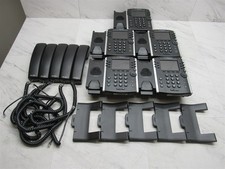
5 LOT - Polycom VVX411 Gigabit VoIP Desktop Business Phone 2201-48450-001
$99.99

Set of 5 USED IPitomy IP620-B HD VoIP 6-Line IP Phone Speakerphone Ethernet POE
$149.00

Lot of 9 Used IPitomy IP320-P HD POE Voice Speakerphone 12-Line VoIP Phone
$225.00



 Reply With Quote