-
Senior Member
registered user
Linksys wireless pcmcia card
Hello....I am moving next week and need to scale back my ham radio / computer operations. I was looking at wireless internet systems at the store the other day. I would like to know if anyone has any experience getting a wireless pcmcia notebook card to work with KNOPPIX. I already have a Linksys router. A wired router. The tech at store said I can replace it with one that does BOTH wired and wireless. I would like to be able to keep my desktop and wife's with existing cables. But I also want to be able to use my laptop without having to run a network cable across the floor. Linksys sells , for $79 a 4-port router that does both wireless and wired connections. My laptop has wireless capabilities, I just need the card. So my question is, how would I go about getting this to work? My wife would LOVE it if I didnt have to run a network cable all over the place when I want to use my laptop on the internet. If I install the card, will KNOPPIX detect it?  bob58
bob58
-
linksys wireless devices
hi bob. when running from disk, my linksys wpc11 v.3 card is found automatically. to use encryption, you'll probably need to use wavelan config. utility and then perhaps netcard config w/dhcp. This config should be saved, but i don't know if it will be loaded automatically on reboot.
I also use a linksys wusb11 v2.6 on a desktop. the AT76C503a driver for this had to be downloaded and installed. then wavelan and netcard config. used; but now this works well also.
-
Senior Member
registered user
help with wireless card
Hi Rich....thanks for responding. Well I am not familiar with this area at all. I remember wanting to network my laptop with desktop to share files and I thought it was going to be a real challenge but it was easy once I knew what I was doing. But I probably will need some hand holding for this one. I wrote to Linksys and inquired about the particular router/card I want to buy and if it will work with Linux. They said NO! But with tweaking it will. So when I get the equipment I will post again. I am wondering if I should set it up in Windows first. I read that somewhere. I have another 10 GIG hDD for my laptop with WINXP on it. That drive is stored away cause I really havent used it since I put KNOPPIX on a spare drive that is now in computer. But I dont see how it would matter to set it up in Windows first, then switch drives and try to get it to work in linux! Well could you help me get it started when I get the router and card? The new place we are moving does not offer the convienience of running network cables to all the computers without drilling holes in floors/walls etc.
-
hi bob. i have knoppix and windows 98 on separate drives on a desktop. they work independently. windows doesn't even acknowledge the linux system's existence. i can't see why it would matter for which u would configure the pcmia card for first. with the wusb card, i do have to unplug and then replug it when i switch between systems.
good luck in the new house.
Similar Threads
-
By Guitar_Geek in forum Networking
Replies: 11
Last Post: 05-26-2007, 11:11 PM
-
By PacaveliTheDon in forum Networking
Replies: 0
Last Post: 08-30-2005, 12:42 AM
-
By esher2292 in forum Networking
Replies: 2
Last Post: 07-28-2004, 01:29 AM
-
By Kriil in forum Hardware & Booting
Replies: 5
Last Post: 02-28-2004, 04:14 PM
-
By ys0304 in forum Hardware & Booting
Replies: 1
Last Post: 01-29-2004, 12:00 AM
 Posting Permissions
- You may not post new threads
- You may not post replies
- You may not post attachments
- You may not edit your posts
-
Forum Rules


Samsung 4GB (1-Stick) PC4-17000 DDR4 2133 Desktop Memory RAM M378A5143EB1-CPB
$9.99

DDR4 Laptop RAM 4GB 8GB 16GB 32GB 2400 2666 3200 Samsung Hynix
$66.00

RAMAXEL Lenovo 32GB LPDDR5X CAMM2 7500MHz Laptop RAM | UNTESTED
$445.00
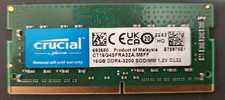
Crucial CT16G4SFRA32A.M8FF 16GB DDR4-3200 SO-DIMM Laptop Ram Memory
$54.00

Crucial DDR3L 16GB 2 x 8GB 1600 MHz PC3L-12800 Laptop RAM Sodimm Memory 1.35V
$41.00

Major Brand 8GB PC3L-12800 (DDR3-1600) 2Rx8 DDR3L SDRAM Desktop Memory
$12.99

Corsair Vengance DDR4 3200 MHz Sodimm 32 Giga (2*16) CMSX 16GX4M1A3200C22
$120.00

A-Tech 8GB DDR3 1600 PC3-12800 Laptop SODIMM 204-Pin Memory RAM PC3L DDR3L 1x 8G
$21.68
CRUCIAL DDR4 16GB 3200 MHz PC4-25600 Laptop SODIMM Non-ECC 260-Pin Memory RAM
$93.00
Lot of 2 Kingston Fury 8GB (4x4GB) HX316C10FK2/8 DDR3-1600MHz Ram
$50.04



 Reply With Quote