-
Junior Member
registered user
-
Senior Member
registered user
how do I update to the new version of KDE can anyone help me out??????
Going from kde 3.0 to 3.1 (maybe even 3.1.1 as that's what I've got running on my libranet boxes) is a little messy! Doing it my way you will have to manually deal with the problems with the upgrade in a terminal window logged in as root, are you willing to do this? If so post back and I'll tell you the approach you'll need to take, unfortunately I can't take you exactly step by step.
Also why does the stupid Xserver crash??? I have had to reinstall like 3 times...
You've had to redo your hd install 3 times?
That doesn't sound right. Actually I'm not really a big fan of running knoppix as a hd install, it really wasn't intended to be used that way and because it was designed to be ran as a live system from cd you will have problems with it that you would not have with a distro intended to be installed on a hd.
And does anyone have a good file backup program or an Idea how to do it easily...?
What I do is make separate partitions for /home and for what I call /store, I can then copy needed configuration files from /etc and anything else I want to save to either the /home direcory or my /store directory and have them available after a reinstall. Since the knx-hdinstall script won't deal with more than one partition, after the install I empty out the new /home directory and fix my fstab to point to my /home directory, mount my home partition as /home change any ownership problems that I may have and I have a new system with my old settings, files etc. up and running.
HTH
rock
-
Junior Member
registered user
-
Senior Member
registered user
apt-get / dpkg instructions for upgrade problems
As far as a KDE upgrade first as root in an X terminal (ie: konsole, xterm, etc.) do an:
apt-get update
then do:
apt-get dist-upgrade
at this point apt-get should want to upgrade (get) probably at least 60 or 70 packages, maybe even more, now is where the fun begins, (actually the mess begins). When you say 'Y' to the upgrade, apt-get will first downlaod the necessary packages, and then begin to install them, apt-get (actually dpkg) will error out because of xxxx file is also in package Y. So make note of the packages that have caused the errors, and now do this:
cd /var/cache/apt/archives
now do an ls and copy the file names from the error list and add an asterix to the end of the package name and look for the actual file name, you'll need that to continue. Example if kdelibs4 gives an error do this:
ls kdelibs4*
and you should see something like:
kdelibs4_4%3a3.1.1-0woody1_i386.deb
then use the following command:
dpkg --force-overwrite -i kdelibs4_4%3a3.1.1-0woody1_i386.deb
Note: you can include more than one filename, just separate the filenames with spaces. Also make sure you use the latest version if you have several versions of a package in your archives directory.
When dpkg is finished, run apt-get dist-upgrade again which should proceed a bit further and error out again, repeat until apt-get dist-upgrade finishes with no errors. I cannot tell you which packages will give errors on your system.
Note: The reason I like to do this process from konsole or another x-term (instead of a console) is I use the mouse to copy and paste filenames, then you have them spelled correctly and don't have to do as much typing.
HTH
rock
-
Junior Member
registered user
thanks
Thanks for the info I will try to upgrade later and post it to let you know how it went... thanks... 
Similar Threads
-
By fingers99 in forum General Support
Replies: 8
Last Post: 02-18-2004, 06:41 PM
-
By lussac in forum General Support
Replies: 4
Last Post: 11-20-2003, 03:12 PM
-
By dave52355 in forum General Support
Replies: 1
Last Post: 10-17-2003, 06:43 PM
-
By mightydavefish in forum Hdd Install / Debian / Apt
Replies: 1
Last Post: 09-30-2003, 03:42 AM
-
By emanuelez in forum Hdd Install / Debian / Apt
Replies: 3
Last Post: 03-31-2003, 09:19 AM
 Posting Permissions
- You may not post new threads
- You may not post replies
- You may not post attachments
- You may not edit your posts
-
Forum Rules

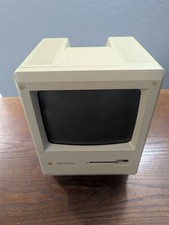
Vintage Apple Macintosh Plus 1Mb Computer (Model M0001A)
$100.00

Vintage 1988 Apple Macintosh Plus 1MB M0001A Computer Keyboard WORKING See Video
$225.00
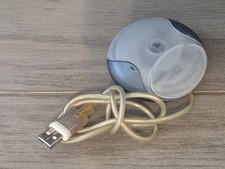
Vintage Apple M4848 USB Mouse GRAPHITE iMac G3 Hockey Puck Mouse 1998
$23.99
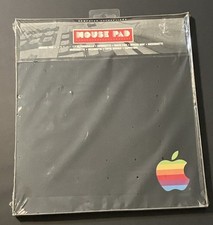
vintage Rainbow Apple Logo Mouse Pad-Sealed New
$79.00
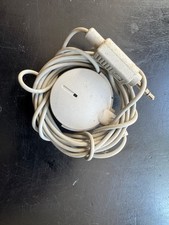
Vintage 1991 Apple Computer Omni Directional Microphone 590-0617-A
$17.00

Lot of 3 VIntage Apple Computer Rainbow Logo Sticker Decal Macintosh 1980s NOS
$7.00

Vintage Apple USB Mouse M4848 Bondi Blue iMac G3 Hockey Puck - Tested Working
$22.99
Vintage 1990’s APPLE MACINTOSH Desktop PC Computer IIci? SEE INTERNALS UNTESTED
$129.90

Vintage Apple Multiple Scan 15av Display Monitor M4681
$299.99

Vintage Apple Monitor IIc 9" Green Monochrome 06/1985 A2M4090 October 1984 Stand
$275.00



 Reply With Quote