

 Reply With Quote
checking my avatar


I got some directions from someone a while ago on how to run dual moniters w Linux (Knoppix 3.4). It involved stopping the Xserver and KDE Display Manager, and then a new XF86Config file is generated in the /root/ directory. OK, so both screens flicker and I can move my mouse from screen to screen. But then what? I have modified the XF86Config.new file for my ImPS/2 mouse but am unsure how to go from here. Is anyone running two moniters with Linux and if so, how'd you do it? Thanks for your time...
checking my avatar
#### XF86Config
Section "Files"
FontPath "/usr/X11R6/lib/X11/fonts/misc:unscaled"
FontPath "/usr/X11R6/lib/X11/fonts/local"
FontPath "/usr/X11R6/lib/X11/fonts/75dpi:unscaled"
FontPath "/usr/X11R6/lib/X11/fonts/100dpi:unscaled"
FontPath "/usr/X11R6/lib/X11/fonts/Type1"
FontPath "/usr/X11R6/lib/X11/fonts/URW"
FontPath "/usr/X11R6/lib/X11/fonts/Speedo"
FontPath "/usr/X11R6/lib/X11/fonts/PEX"
FontPath "/usr/X11R6/lib/X11/fonts/cyrillic"
FontPath "/usr/X11R6/lib/X11/fonts/latin2/misc:unscaled"
FontPath "/usr/X11R6/lib/X11/fonts/latin2/75dpi:unscaled"
FontPath "/usr/X11R6/lib/X11/fonts/latin2/100dpi:unscaled"
FontPath "/usr/X11R6/lib/X11/fonts/latin2/Type1"
FontPath "/usr/X11R6/lib/X11/fonts/latin7/75dpi:unscaled"
FontPath "/usr/X11R6/lib/X11/fonts/baekmuk:unscaled"
FontPath "/usr/X11R6/lib/X11/fonts/japanese:unscaled"
FontPath "/usr/X11R6/lib/X11/fonts/kwintv"
FontPath "/usr/X11R6/lib/X11/fonts/truetype"
FontPath "/usr/X11R6/lib/X11/fonts/uni:unscaled"
FontPath "/usr/X11R6/lib/X11/fonts/CID"
FontPath "/usr/X11R6/lib/X11/fonts/ucs/misc:unscaled"
FontPath "/usr/X11R6/lib/X11/fonts/ucs/75dpi:unscaled"
FontPath "/usr/X11R6/lib/X11/fonts/ucs/100dpi:unscaled"
FontPath "/usr/X11R6/lib/X11/fonts/hellas/misc:unscaled"
FontPath "/usr/X11R6/lib/X11/fonts/hellas/75dpi:unscaled"
FontPath "/usr/X11R6/lib/X11/fonts/hellas/100dpi:unscaled"
FontPath "/usr/X11R6/lib/X11/fonts/hellas/Type1"
FontPath "/usr/X11R6/lib/X11/fonts/misc/sgi:unscaled"
FontPath "/usr/X11R6/lib/X11/fonts/xtest"
FontPath "/opt/kde3/share/fonts"
InputDevices "/dev/ttyS0"
InputDevices "/dev/ttyS1"
InputDevices "/dev/ttyS2"
InputDevices "/dev/ttyS3"
InputDevices "/dev/ttyS4"
InputDevices "/dev/ttyS5"
InputDevices "/dev/ttyS6"
InputDevices "/dev/ttyS7"
InputDevices "/dev/ttyS8"
InputDevices "/dev/psaux"
InputDevices "/dev/logibm"
InputDevices "/dev/sunmouse"
InputDevices "/dev/atibm"
InputDevices "/dev/amigamouse"
InputDevices "/dev/atarimouse"
InputDevices "/dev/inportbm"
InputDevices "/dev/gpmdata"
InputDevices "/dev/mouse"
InputDevices "/dev/usbmouse"
InputDevices "/dev/adbmouse"
InputDevices "/dev/input/mice"
InputDevices "/dev/input/event0"
InputDevices "/dev/pointer0"
InputDevices "/dev/pointer1"
InputDevices "/dev/pointer2"
InputDevices "/dev/pointer3"
EndSection
Section "ServerFlags"
Option "AllowMouseOpenFail"
EndSection
Section "Module"
Load "type1"
Load "dbe"
Load "freetype"
Load "glx"
Load "v4l"
Load "speedo"
Load "extmod"
EndSection
Section "InputDevice"
Driver "kbd"
Identifier "Keyboard[0]"
Option "Protocol" "Standard"
Option "XkbLayout" "de"
Option "XkbModel" "pc105"
Option "XkbRules" "xfree86"
Option "XkbVariant" "nodeadkeys"
EndSection
Section "InputDevice"
Driver "mouse"
Identifier "Mouse[1]"
Option "Buttons" "5"
Option "Device" "/dev/input/mice"
Option "Name" "Autodetection"
Option "Protocol" "explorerps/2"
Option "Vendor" "Sysp"
Option "ZAxisMapping" "4 5"
EndSection
Section "Monitor"
Option "CalcAlgorithm" "CheckDesktopGeometry"
HorizSync 31-60
Identifier "Monitor[0]"
ModelName "1024X768@75HZ"
VendorName "--> VESA"
VertRefresh 50-75
UseModes "Modes[0]"
EndSection
Section "Monitor"
Option "CalcAlgorithm" "CheckDesktopGeometry"
HorizSync 31-60
Identifier "Monitor[1]"
ModelName "1024X768@75HZ"
VendorName "--> VESA"
VertRefresh 50-75
UseModes "Modes[1]"
EndSection
Section "Modes"
Identifier "Modes[0]"
Modeline "1280x1024" 98.60 1280 1352 1488 1696 1024 1025 1028 1057
Modeline "1024x768" 67.48 1024 1080 1184 1344 768 769 772 797
Modeline "1024x768" 78.8 1024 1040 1136 1312 768 769 772 800 +hsync +vsync
Modeline "1024x768" 79.52 1024 1080 1192 1360 768 769 772 801
EndSection
Section "Modes"
Identifier "Modes[1]"
Modeline "1024x768" 67.48 1024 1080 1184 1344 768 769 772 797
Modeline "1024x768" 79.52 1024 1080 1192 1360 768 769 772 801
Modeline "640x480" 25.10 640 656 720 800 480 481 484 498
Modeline "640x480" 29.84 640 664 728 816 480 481 484 501
Modeline "1024x768" 78.8 1024 1040 1136 1312 768 769 772 800 +hsync +vsync
EndSection
Section "Screen"
DefaultDepth 16
SubSection "Display"
Depth 15
Modes "1280x1024"
EndSubSection
SubSection "Display"
Depth 16
Modes "1024x768"
EndSubSection
SubSection "Display"
Depth 24
Modes "1280x1024"
EndSubSection
SubSection "Display"
Depth 32
Modes "1280x1024"
EndSubSection
SubSection "Display"
Depth 8
Modes "1280x1024"
EndSubSection
Device "Device[0]"
Identifier "Screen[0]"
Monitor "Monitor[0]"
EndSection
Section "Screen"
DefaultDepth 16
SubSection "Display"
Depth 15
Modes "1280x1024"
EndSubSection
SubSection "Display"
Depth 16
Modes "1024x768"
EndSubSection
SubSection "Display"
Depth 24
Modes "1280x1024"
EndSubSection
SubSection "Display"
Depth 32
Modes "1280x1024"
EndSubSection
SubSection "Display"
Depth 8
Modes "1280x1024"
EndSubSection
Device "Device[0]"
ISection "Screen"
DefaultDepth 16
SubSection "Display"
Depth 15
Modes "640x480"
EndSubSection
SubSection "Display"
Depth 16
Modes "1024x768"
EndSubSection
SubSection "Display"
Depth 24
Modes "640x480"
EndSubSection
SubSection "Display"
Depth 32
Modes "640x480"
EndSubSection
SubSection "Display"
Depth 8
Modes "640x480"
EndSubSection
Device "Device[1]"
Identifier "Screen[1]"
Monitor "Monitor[1]"
EndSection
Section "Device"
BoardName "GeForce2 MX 100/200"
BusID "1:0:0"
Driver "nv"
Identifier "Device[0]"
Option "sw_cursor"
VendorName "NVidia"
EndSection
Section "Device"
BoardName "MGA 1064SG"
BusID "0:10:0"
Driver "mga"
Identifier "Device[1]"
Option "NoHal"
VendorName "Matrox"
EndSection
dentifier "Screen[0]"
Monitor "Monitor[0]"
EndSection
############################################
### Important ###
############################################
Section "ServerLayout"
Identifier "Layout[all]"
InputDevice "Keyboard[0]" "CoreKeyboard"
InputDevice "Mouse[1]" "CorePointer"
############################################
Option "Clone" "off"
############################################
Option "Xinerama" "on"
############################################
Screen "Screen[0]"
Screen "Screen[1]" RightOf "Screen[0]"
############################################
EndSection
Section "DRI"
Group "video"
Mode 0660
EndSection
Thanks for the info... I am still new at this stuff, so what you gave me will take a little thinking on my part as to what to do with it. Is this a copy of your XF86Config file?
Basically I have to talior my XF86Config file with all my specs for it to work, right? And, when I do this, the display will show my desktop. I thought the file I had was correct, but I suppose I am wrong.
Anyway, thatnks again...

 Posting Permissions

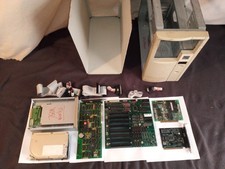
Vintage ITO/ Juko St 1988 ibm compatible PC Computer Tower, Untested
$239.95

Vintage GTE XT300 Action Station Terminal 1984 - Tested Works Orig. Box & Foam
$889.00

Vintage Tandy Computer Varsity Scripsit Word Processing 3.5 & 5.25 Disks SEALED
$29.95
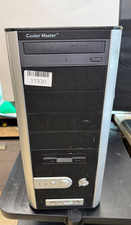
VINTAGE Custom PC-AMD Athlon 64 [email protected] 3.5GB Ram 300GB HDD NVIDIA WXP Pro
$179.99

Original Vintage Old Style STANDARD Black CD Jewel Case (Heavy Duty) 90g Lot
$316.95
Vintage COACH Express Briefcase Black Leather Adjustable Strap B6S-0514
$95.00
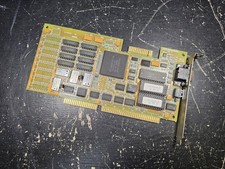
Vintage Paradise VGA Plus 16 ISA Video Card 1988 Western Digital PVGA1A TESTED
$79.99
Title: Vintage Borland Quattro Pro Special Edition 1.0 Big Box DOS 5.25 Floppys
$34.69
VINTAGE-Dell Optiplex GX240-Pentium 4-384MB Ram 20GB HDD ATI Rage GFx Win XP
$139.99
VINTAGE Custom Desktop No [email protected] 4GB Ram 300GB HDD NVIDIA Win XP Pro
$200.00