

 Reply With Quote
checking my avatar


I got some directions from someone a while ago on how to run dual moniters w Linux (Knoppix 3.4). It involved stopping the Xserver and KDE Display Manager, and then a new XF86Config file is generated in the /root/ directory. OK, so both screens flicker and I can move my mouse from screen to screen. But then what? I have modified the XF86Config.new file for my ImPS/2 mouse but am unsure how to go from here. Is anyone running two moniters with Linux and if so, how'd you do it? Thanks for your time...
checking my avatar
#### XF86Config
Section "Files"
FontPath "/usr/X11R6/lib/X11/fonts/misc:unscaled"
FontPath "/usr/X11R6/lib/X11/fonts/local"
FontPath "/usr/X11R6/lib/X11/fonts/75dpi:unscaled"
FontPath "/usr/X11R6/lib/X11/fonts/100dpi:unscaled"
FontPath "/usr/X11R6/lib/X11/fonts/Type1"
FontPath "/usr/X11R6/lib/X11/fonts/URW"
FontPath "/usr/X11R6/lib/X11/fonts/Speedo"
FontPath "/usr/X11R6/lib/X11/fonts/PEX"
FontPath "/usr/X11R6/lib/X11/fonts/cyrillic"
FontPath "/usr/X11R6/lib/X11/fonts/latin2/misc:unscaled"
FontPath "/usr/X11R6/lib/X11/fonts/latin2/75dpi:unscaled"
FontPath "/usr/X11R6/lib/X11/fonts/latin2/100dpi:unscaled"
FontPath "/usr/X11R6/lib/X11/fonts/latin2/Type1"
FontPath "/usr/X11R6/lib/X11/fonts/latin7/75dpi:unscaled"
FontPath "/usr/X11R6/lib/X11/fonts/baekmuk:unscaled"
FontPath "/usr/X11R6/lib/X11/fonts/japanese:unscaled"
FontPath "/usr/X11R6/lib/X11/fonts/kwintv"
FontPath "/usr/X11R6/lib/X11/fonts/truetype"
FontPath "/usr/X11R6/lib/X11/fonts/uni:unscaled"
FontPath "/usr/X11R6/lib/X11/fonts/CID"
FontPath "/usr/X11R6/lib/X11/fonts/ucs/misc:unscaled"
FontPath "/usr/X11R6/lib/X11/fonts/ucs/75dpi:unscaled"
FontPath "/usr/X11R6/lib/X11/fonts/ucs/100dpi:unscaled"
FontPath "/usr/X11R6/lib/X11/fonts/hellas/misc:unscaled"
FontPath "/usr/X11R6/lib/X11/fonts/hellas/75dpi:unscaled"
FontPath "/usr/X11R6/lib/X11/fonts/hellas/100dpi:unscaled"
FontPath "/usr/X11R6/lib/X11/fonts/hellas/Type1"
FontPath "/usr/X11R6/lib/X11/fonts/misc/sgi:unscaled"
FontPath "/usr/X11R6/lib/X11/fonts/xtest"
FontPath "/opt/kde3/share/fonts"
InputDevices "/dev/ttyS0"
InputDevices "/dev/ttyS1"
InputDevices "/dev/ttyS2"
InputDevices "/dev/ttyS3"
InputDevices "/dev/ttyS4"
InputDevices "/dev/ttyS5"
InputDevices "/dev/ttyS6"
InputDevices "/dev/ttyS7"
InputDevices "/dev/ttyS8"
InputDevices "/dev/psaux"
InputDevices "/dev/logibm"
InputDevices "/dev/sunmouse"
InputDevices "/dev/atibm"
InputDevices "/dev/amigamouse"
InputDevices "/dev/atarimouse"
InputDevices "/dev/inportbm"
InputDevices "/dev/gpmdata"
InputDevices "/dev/mouse"
InputDevices "/dev/usbmouse"
InputDevices "/dev/adbmouse"
InputDevices "/dev/input/mice"
InputDevices "/dev/input/event0"
InputDevices "/dev/pointer0"
InputDevices "/dev/pointer1"
InputDevices "/dev/pointer2"
InputDevices "/dev/pointer3"
EndSection
Section "ServerFlags"
Option "AllowMouseOpenFail"
EndSection
Section "Module"
Load "type1"
Load "dbe"
Load "freetype"
Load "glx"
Load "v4l"
Load "speedo"
Load "extmod"
EndSection
Section "InputDevice"
Driver "kbd"
Identifier "Keyboard[0]"
Option "Protocol" "Standard"
Option "XkbLayout" "de"
Option "XkbModel" "pc105"
Option "XkbRules" "xfree86"
Option "XkbVariant" "nodeadkeys"
EndSection
Section "InputDevice"
Driver "mouse"
Identifier "Mouse[1]"
Option "Buttons" "5"
Option "Device" "/dev/input/mice"
Option "Name" "Autodetection"
Option "Protocol" "explorerps/2"
Option "Vendor" "Sysp"
Option "ZAxisMapping" "4 5"
EndSection
Section "Monitor"
Option "CalcAlgorithm" "CheckDesktopGeometry"
HorizSync 31-60
Identifier "Monitor[0]"
ModelName "1024X768@75HZ"
VendorName "--> VESA"
VertRefresh 50-75
UseModes "Modes[0]"
EndSection
Section "Monitor"
Option "CalcAlgorithm" "CheckDesktopGeometry"
HorizSync 31-60
Identifier "Monitor[1]"
ModelName "1024X768@75HZ"
VendorName "--> VESA"
VertRefresh 50-75
UseModes "Modes[1]"
EndSection
Section "Modes"
Identifier "Modes[0]"
Modeline "1280x1024" 98.60 1280 1352 1488 1696 1024 1025 1028 1057
Modeline "1024x768" 67.48 1024 1080 1184 1344 768 769 772 797
Modeline "1024x768" 78.8 1024 1040 1136 1312 768 769 772 800 +hsync +vsync
Modeline "1024x768" 79.52 1024 1080 1192 1360 768 769 772 801
EndSection
Section "Modes"
Identifier "Modes[1]"
Modeline "1024x768" 67.48 1024 1080 1184 1344 768 769 772 797
Modeline "1024x768" 79.52 1024 1080 1192 1360 768 769 772 801
Modeline "640x480" 25.10 640 656 720 800 480 481 484 498
Modeline "640x480" 29.84 640 664 728 816 480 481 484 501
Modeline "1024x768" 78.8 1024 1040 1136 1312 768 769 772 800 +hsync +vsync
EndSection
Section "Screen"
DefaultDepth 16
SubSection "Display"
Depth 15
Modes "1280x1024"
EndSubSection
SubSection "Display"
Depth 16
Modes "1024x768"
EndSubSection
SubSection "Display"
Depth 24
Modes "1280x1024"
EndSubSection
SubSection "Display"
Depth 32
Modes "1280x1024"
EndSubSection
SubSection "Display"
Depth 8
Modes "1280x1024"
EndSubSection
Device "Device[0]"
Identifier "Screen[0]"
Monitor "Monitor[0]"
EndSection
Section "Screen"
DefaultDepth 16
SubSection "Display"
Depth 15
Modes "1280x1024"
EndSubSection
SubSection "Display"
Depth 16
Modes "1024x768"
EndSubSection
SubSection "Display"
Depth 24
Modes "1280x1024"
EndSubSection
SubSection "Display"
Depth 32
Modes "1280x1024"
EndSubSection
SubSection "Display"
Depth 8
Modes "1280x1024"
EndSubSection
Device "Device[0]"
ISection "Screen"
DefaultDepth 16
SubSection "Display"
Depth 15
Modes "640x480"
EndSubSection
SubSection "Display"
Depth 16
Modes "1024x768"
EndSubSection
SubSection "Display"
Depth 24
Modes "640x480"
EndSubSection
SubSection "Display"
Depth 32
Modes "640x480"
EndSubSection
SubSection "Display"
Depth 8
Modes "640x480"
EndSubSection
Device "Device[1]"
Identifier "Screen[1]"
Monitor "Monitor[1]"
EndSection
Section "Device"
BoardName "GeForce2 MX 100/200"
BusID "1:0:0"
Driver "nv"
Identifier "Device[0]"
Option "sw_cursor"
VendorName "NVidia"
EndSection
Section "Device"
BoardName "MGA 1064SG"
BusID "0:10:0"
Driver "mga"
Identifier "Device[1]"
Option "NoHal"
VendorName "Matrox"
EndSection
dentifier "Screen[0]"
Monitor "Monitor[0]"
EndSection
############################################
### Important ###
############################################
Section "ServerLayout"
Identifier "Layout[all]"
InputDevice "Keyboard[0]" "CoreKeyboard"
InputDevice "Mouse[1]" "CorePointer"
############################################
Option "Clone" "off"
############################################
Option "Xinerama" "on"
############################################
Screen "Screen[0]"
Screen "Screen[1]" RightOf "Screen[0]"
############################################
EndSection
Section "DRI"
Group "video"
Mode 0660
EndSection
Thanks for the info... I am still new at this stuff, so what you gave me will take a little thinking on my part as to what to do with it. Is this a copy of your XF86Config file?
Basically I have to talior my XF86Config file with all my specs for it to work, right? And, when I do this, the display will show my desktop. I thought the file I had was correct, but I suppose I am wrong.
Anyway, thatnks again...

 Posting Permissions


USB 3.0 Flash Drive 32GB 64GB 128GB Memory Stick Thumb Stick Lot Pack
$826.09

Critical BIOS ROM HPE ProLiant DL160 DL180 Gen9 (U20) U20_3.40_08_29_2024+iLO4
$7.99

Critical BIOS ROM HPE ProLiant BL460cWS46 Gen9 (I36) I36_3.40_08_29_2024+iLO4
$7.99

Critical BIOS ROM HPE ProLiant DL560 Gen9 (P85) P85_3.40_08_29_2024+iLO4
$7.99

USB Type-A Flash Drive Metal Memory Stick High Speed USB Drive 128GB 256GB 512GB
$8.47
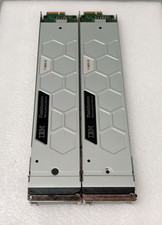
2x IBM 01EK168 8.55TB MicroLatency Flash Module AF3K FlashSystem 900 9840-AE3
$800.00

Microsoft Windows 11 Pro 64bit - New Sealed – Flash USB 1 PC
$49.99
Microsoft Windows 11 Pro 64-Bit USB Flash Drive Sealed with Product Key Card
$39.99

Zero Trace Pen: All-in-one Tor Network Anonymous Drive + Cryptocurrency Wallet
$147.00
Critical BIOS ROM HPE ProLiant DL580 Gen9 (U17) U17_3.40_08_29_2024+iLO4
$7.99