-
Konqeror and SMB
I'm having dificulty as of the 03/23/2003 release with using the smb prefix in konqeror. I can mount network shares fine using the comand line, so samba apears to be working. But I can no longer browse or connect to shares using Konqeror. I recieve an error to the effect of : Error loading kio_smb.
I could and still can browse if I use the 03/21/2003 release. Is anyone else having this problem or is it just me?
-
Senior Member
registered user
Re: Konqeror and SMB
Since Knoppix touches the "unstable" parts of the Debian archives, something probably broke. 
My advice is to keep at least 1 old .iso rev around for just these types of contingencies. Then you download the latest rev when it comes out, and see if the problem was fixed.
Alternatively, install to HD - and use apt-get update, apt-get upgrade to get the latest stuff without having to wait.
Knoppix is an interesting mix, BTW. I have to use ' apt-get install gaim/unstable ' for IM to work, and ' apt-get install ntop/stable ' for network monitoring to work. (shrug) Knoppix is still the coolest thing I've ever seen. 

Originally Posted by
Gene Simmons
I'm having dificulty as of the 03/23/2003 release with using the smb prefix in konqeror. I can mount network shares fine using the comand line, so samba apears to be working. But I can no longer browse or connect to shares using Konqeror. I recieve an error to the effect of : Error loading kio_smb.
I could and still can browse if I use the 03/21/2003 release. Is anyone else having this problem or is it just me?
-
Re: Konqeror and SMB
I have the same problem (the same error) with 04/18/2003 release
and can't find answer yet.
-
Re: Konqeror and SMB
Originally Posted by
Gene Simmons
I'm having dificulty as of the 03/23/2003 release with using the smb prefix in konqeror. I can mount network shares fine using the comand line, so samba apears to be working. But I can no longer browse or connect to shares using Konqeror. I recieve an error to the effect of : Error loading kio_smb.
I could and still can browse if I use the 03/21/2003 release. Is anyone else having this problem or is it just me?
Same error here too. I found a workaround though.
At a root shell prompt, mount the remote Windows share (or samba share) using mount -t smbfs -0 {relevant samba mount options here)}//server/share /mnt/{mount point here... I use test}.
Now use Konqueror and browse to /mnt/mountpoint. You should be able to interact with the system as normal... and the bonus is that you can write (if the gid and uid was set to knoppix and the share was mounted read and write) to the system as well (overcoming Konqueror's smb plugin inability to write to samba shares).
Try it...
It works.
-
It is not very convenient to mount share each time. Especially if your network more than 200 computers and you want simply to browse contents of the share. Prefix smb: is better and it is a pity that it does not work.
-
If you want to mount multiple shares easily goto LinNeighborhood then click on "Options | Browse Entire Network" select "Browse as User" and input your credentials; click OK. Once this is done you may have to rescan the network but once you do all of the computer's network shares are visible. Then you can right click a share and mount it and, provided you have configured the "Run File Manager after Mounting" option in "Prefs | Post Mount", even open Konquerer right from there. At the very leat you have easily mounted a share.
 Posting Permissions
- You may not post new threads
- You may not post replies
- You may not post attachments
- You may not edit your posts
-
Forum Rules


🔀 Juniper Networks EX2300-C-12P 12× Gigabit PoE+ • 2× 10G SFP+ Compact Switch ⚡
$119.00

Juniper EX2300 12-Port Gigabit PoE+ Managed Network Switch P/N: EX2300-C-12P
$149.99

JUNIPER NETWORKS MIST AI AP63-US HIGH PERFORMANCE OUTDOOR ACCESS POINT - WHITE
$59.99

Juniper Networks EX2300-48P 48-Port Gigabit PoE Managed Ethernet Switch
$79.99

Juniper SRX320 8-Port Security Services Gateway Appliance w/ AC Adapter
$59.99
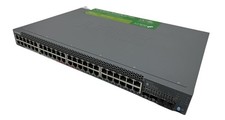
Juniper Networks EX2300 (EX2300-48P) 48 Ports Ethernet Switch
$249.99

Juniper EX2300-C-12P POE+ Switch 12 x 1GbE & 2 SFP+ 10G uplinks
$124.99

Juniper AP47 Mist Wi-Fi 7 802.11 6GHz 4x4 Wireless Access Point (NEW)
$949.99
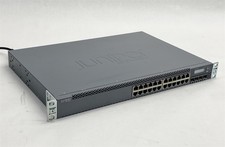
Juniper Networks EX3300-24T EX Series 24-Port Gigabit 4-Port SFP+ Switch
$79.99

Juniper QFX5100-48S-3AFI 48-Port SFP+ 6 QSFP+ 2x SFP/RJ-45 Management
$249.97



 Reply With Quote