-
Total newbie - a few basic QQ
Hi everyone
My first time using Knoppix, on my laptop (Toshiba Satellite 1800-712 series). Booted up from CD alright, but two immediate issues:
1) Knoppix only shows up in a rectangle in the centre of my screen, apporximately half the full screen size. How do I alter that?
2) I'd like to go online, but don't know how to do this. Partly I don't know what menu items in Knoppix I need to use, and partly I don't know if it has recognised my hardware or not. I have an external Alcatel Speedtouch USB modem to get an adsl broadband connection. Does anyone know what I need to do to get this working?
Otherwise, I'm still a bit bewildered by Knoppix, and not really sure what I'm doing (I've only been on it for an hour). Is there a File Manager, where I can get an overview of things? If I create work in Knoppix (eg through Open Office), where do I save that? Can it be on my hard drive, and if so, can I access it when I'm in Windows (I have OO in Windows).
Just beginner questions, I know, but this is my first experience of Linux.
Thanks for any tips or suggestions.
Swishsticks
-
Senior Member
registered user
I have the same problem with my laptop. Try typing knoppix vga=normal at the boot prompt.
Not to sure with the ADSL.
But knoppix does have a file manager/webrowser. Konqueror. It should be in the little menu at the bottom.
As for OO you can save it in your home directory. If you want to save on a Hardrive you can. (If its not NTFS) Find the drive (If its the only one, it should be called hda1) right click and click mount. Then right click it again and go to actions then change read/write mode.
Yes all files can be seen by windows if you write to a windows drive.
-
Senior Member
registered user
For speedtouch dsl usb , you could try kanotix utility/script:
http://kanotix.com/files/

-
Junior Member
registered user
I have two Toshiba laptops and both behave the same way: the problem with the screen is due to the fact that Knoppix does not recognizes the video adapter, and so uses a default one with a resolution of 640 by 480, that Toshiba laptops show in the centre part of the screen.
Two are the solutions. a) there is an option, in the setup of the machine (accessed by a utility program, often in the rescue CD, or in a floppy - depends on the model) that says more or less "enlarge the screen". This is to show full screen the resoution of 640x480. But it shows up very bad!
b) The best solution is to correctly configure the X server. To do this, you have to get at least the manufacturer and the model of your video adapter. Then, when running Knoppix, you have to type in a terminal window (something like tho a DOS prompt window in Windows) the command "kxconfig".
This brings up the X server configuration utility. Now, you can choose your video adapter and set it up. Be sure to set a resolution of at least 800x600: otherwise the problem will not be removed. And, last but not least, at 640x480, even if displayed on full screen, the room on the display area is very small, and most windows does not fit into.
Once finished configuring the display, to get the new settings, you should restart the X server, by hitting CRTL+ALT+BACKSPACE.
Similar Threads
-
By Andy77 in forum MS Windows & New to Linux
Replies: 1
Last Post: 07-27-2005, 02:26 PM
-
By Phishman in forum Networking
Replies: 8
Last Post: 02-25-2005, 11:01 AM
-
By liquid134 in forum Hdd Install / Debian / Apt
Replies: 3
Last Post: 04-30-2004, 07:07 PM
-
By gizmo in forum General Support
Replies: 2
Last Post: 04-17-2004, 05:12 PM
-
By drbfunk in forum Hardware & Booting
Replies: 20
Last Post: 12-16-2003, 05:34 AM
 Posting Permissions
- You may not post new threads
- You may not post replies
- You may not post attachments
- You may not edit your posts
-
Forum Rules

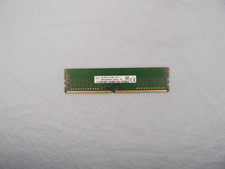
SK Hynix 8GB 1Rx8 PC4-2400T (HMA81GU6AFR8N-UH) DDR4 Desktop ram
$25.99

Kingston 16GB DDR4 3200MHz PC4-3200AA-SA2-12 Laptop RAM SODIMM (HP32D4S2S8ME-16)
$64.99

16GB KIT (2x8GB) DDR4 Gamer Desktop RAM PC4 MIXED BRANDS
$65.00

Netac DDR4 32GB 16GB DDR4 3200MHz UDIMM C16 Desktop Internal Memory RAM Kit
$99.99
![[ BULK LOT OF 10 ] UNITS of 8GB DDR4 Laptop RAM SAMSUNG, HYNIX etc. picture](/store/img/g/IKQAAeSwEK9qv9TG/s-l225/-BULK-LOT-OF-10-UNITS-of-8GB-DDR4-Laptop-RAM-SAMSU.jpg)
[ BULK LOT OF 10 ] UNITS of 8GB DDR4 Laptop RAM SAMSUNG, HYNIX etc.
$299.99
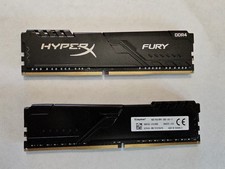
Kingston HyperX Fury 32GB 2x16GB DDR4 RAM 3200MHz X2YH1K-MIE
$150.00
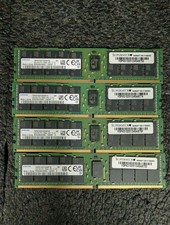
Lot 4 Samsung 64gb PC4-25600 2Rx4 DDR4-3200AA ECC RDIMM Reg Server Memory RAM
$2649.00

RAMAXEL Lenovo 32GB LPDDR5X CAMM2 7500MHz Laptop RAM | UNTESTED
$445.00
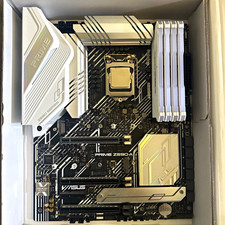
CPU-RAM-MOBO COMBO- 32gb DDR4 3600MHz, i5 CPU, Asus Prime Motherboard
$370.00

16GB ( 4X 4GB ) MEMORY DDR3 PC3-10600 1333MHz FOR DELL OPTIPLEX 790 780 990 980
$39.99



 Reply With Quote