

 Reply With Quote
On my compaq lcd, I use this cheatcode: vga-normal
Try boot cd using this cheatcode or any other cheatcode. If it boots okay, then you can append that codes in lilo.


I just purchased a new LCD monitor and when I boot from my HD it says "not supported". Yep, I tossed in the cd and was able to use framebuffer mode, and it worked but not very good. What would be the best way to optimize thes monitor and how do I modify my HDD install. Yes, I still can hook-up the old monitor as a temporary solution, but I would like to use the new one.
On my compaq lcd, I use this cheatcode: vga-normal
Try boot cd using this cheatcode or any other cheatcode. If it boots okay, then you can append that codes in lilo.
I can try that. As I said, it works in framebuffer mode when I boot the live cd. Your suggestion may be more optimized, which is what i'm looking for. How do I modify lilo after I try this?
JUst hook your old monitor and boot from hd.
Edit /etc/lilo.conf and append the cheatcode, ex: fb1280x1024
image=/boot/vmlinuz
label="Linux"
root=/dev/hdc5
initrd=/boot/initrd.img
append="devfs=mount hdd=ide-scsi splash=silent acpi=ht fb1280x1044"
read-only
**This is not a real lilo.conf, I just made it up. The important part is "append="
line where you add cheatcodes.
After editing and save the lilo.conf , you need to update lilo.
Open root konsole and run this command: lilo
 Posting Permissions


Seagate ST1000VM002 1TB 5900RPM 3.5" SATA 6GB/s HDD Video Hard Drive PC DVR
$24.99

Samsung T7 Shield 1TB Portable External SSD USB 3.2 Black MU-PE1T0S NEW SEALED
$219.99

Samsung T9 1TB External Portable SSD MU-PG1T0B -2000MB/s - Black
$179.00

Dell Latitude 14" Laptop Computer Intel i5 Up To 32GB RAM 1TB SSD Windows 11 Pro
$394.17
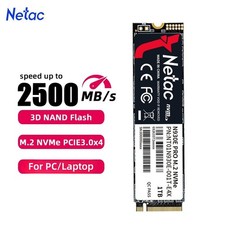
Netac 1TB M.2 2280 Internal SSD PCIe Gen3.0x4 NVMe Solid State Drive PC Laptop
$129.99

Acer Aspire 14" AI Copilot+PC Laptop Core Ultra 5 226V Gen 4 ARC 16GB 1TB Refurb
$438.51

Netac 2TB 1TB 500GB Internal SSD M.2 NVMe PCIe3.0 Solid State Drive lot
$129.99

Acer Aspire 16 16" Laptop Core Ultra 5 226V S2 16GB RAM 1TB SSD Arc Refurbished
$533.51

Dell Latitude 14" Laptop Computer Intel i7 Up To 32GB RAM 1TB SSD Windows 11 Pro
$429.73
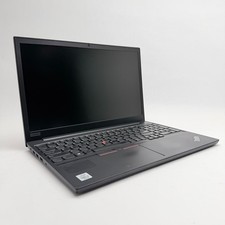
Lenovo Thinkpad E15 15.6" Laptop i5/i3 8GB RAM Up to 1TB SSD HDD Tested Working
$136.55