-
Really weird files on HDD after wine
Am using a Knoppix 3.7 Live CD.
I used wine to run a Wndows app and it locked up the system.
I had to reset. I was locked up hard.
After reboot, I have found on my HDD two really weird files and one weird directory.
The files are ".Xauthority" and "OOICONS.tar.gz". The directory is ".nessusrc.cert".
The filenames are correct but the owner and group are random numbers.
For example, the ".Xauthority" has owner 1531901541 and the group is 1635018088.
The sizes show as 1.7Gb for the files and 774Mb for the directory.
The directory is named similarly.
They are all read-only and I can't rename, chown or delete them even with sudo.
They look similar to file names on a Windows box that are corrupted.
Anybody have an idea how I can rename, delete or otherwise repair these files
short of losing the contents of the entire drive.
Thx
<EDIT>
I got it fixed.
I didn't want to but I used e2fsck and just let it do as it would.
Luckily it fixed all the errors and I only lost one directory. The firefox directory.
I can just put firefox back again. It could have been worse.
I was sweatin' bullets the entire time.
</EDIT>
-
Senior Member
registered user
SunnyB,
I haven't run wine yet, but I have the .Xauthority file and a .nessusrc file, in the /home of my user account, but its size is around 53 bytes and 752 bytes, respectfully, no directory...
If you want to just "blow them away", try the sudo first, then try su and the remove, if that doesnt work, then try to use a Root Konsole ( Super User Konsole ) window... I have to warn you, I have no clue what these files do, or are for, and removing them, may cause your "user" account to be locked up, or out... My best thinking on this, is, that during the "recovery" of the lock-up, open files were corrupted, and that is the reason for the sizes being different, etc...
-
I know what the files are. They are copies of the same files in the %HOME% directory.
The problem is I can't delete, rename or otherwise change the owner / group back to their original.
The owner of .Xauthority is 1531901541 and the group is 1850683641.
The owner and group of OOICONS.tar.gx is similar number strings but different.
These owners and groups do not exist. They show sizes as 1.7Gb. They are definatley corrupt.
Access to both of these is restricted somehow. They have read-only permission.
Since the registered owners and groups don't exist, I can't remove,
rename or chown them even sudo or root. Not even in a console command line.
I have tried the Debian site and Google but no help.
-
Have you tried creating a group with GID 1850683641 and then chowning/deleting?
-

Originally Posted by
Markus
Have you tried creating a group with GID 1850683641 and then chowning/deleting?
Yes Markus. That was my first thought also.
I created a user and group with the same name/numbers as the file owner/group.
I added my user to that group. I then tried to chown the files. No good.
I tried to move them to another directory as root. No good.
I had this same problem last year on my Debian box and eventually had to
wipe the entire disk and start over. I am trying to straighten this out without
doing that again.
I have considered adding another HDD but the problem will still be there after
I move all of the other files.
There is some sort of corruption going on here. I just noticed the dates on the files.
They are 01-03-77 and 04-02-87. Nothing I have tried works. I get "access denied"
or "operation not permitted" errors.
-
> I had to reset. I was locked up hard.
> For example, the ".Xauthority" has owner 1531901541 and the group is 1635018088.
> The sizes show as 1.7Gb for the files and 774Mb for the directory.
The filenames are normal, but the numbers and sizes are insane. I suspect the reset has done bad things to the metadata for those files, which is confusing the kernel. Have you done a manual fsck? Which filesystem are you using?
-
Originally Posted by
gruntbuggly
> I had to reset. I was locked up hard.
> For example, the ".Xauthority" has owner 1531901541 and the group is 1635018088.
> The sizes show as 1.7Gb for the files and 774Mb for the directory.
The filenames are normal, but the numbers and sizes are insane. I suspect the reset has done bad things to the metadata for those files, which is confusing the kernel. Have you done a manual fsck? Which filesystem are you using?
It is an ext2 fs. I didn't want to fsck for fear of further corruption.
I was hoping for a more simple solution. Chown then delete was my hope.
-
Senior Member
registered user
Originally Posted by
SunnyB
Originally Posted by
gruntbuggly
> I had to reset. I was locked up hard.
> For example, the ".Xauthority" has owner 1531901541 and the group is 1635018088.
> The sizes show as 1.7Gb for the files and 774Mb for the directory.
The filenames are normal, but the numbers and sizes are insane. I suspect the reset has done bad things to the metadata for those files, which is confusing the kernel. Have you done a manual fsck? Which filesystem are you using?
It is an ext2 fs. I didn't want to fsck for fear of further corruption.
I was hoping for a more simple solution. Chown then delete was my hope.
The whole point of fsck is to help with curruptions. I would really suggest useing. And if you don't like it, mabye moving to ext3 would suit you.
Similar Threads
-
By NewGuy in forum General Support
Replies: 6
Last Post: 01-08-2005, 12:38 AM
-
By bigjnsa in forum Customising & Remastering
Replies: 1
Last Post: 10-09-2004, 01:19 AM
-
By socrates in forum General Support
Replies: 5
Last Post: 06-11-2004, 12:17 PM
-
By sn0wflake in forum General Support
Replies: 7
Last Post: 12-02-2003, 04:22 AM
-
By AlterEgo in forum Hdd Install / Debian / Apt
Replies: 9
Last Post: 04-13-2003, 08:36 PM
 Posting Permissions
- You may not post new threads
- You may not post replies
- You may not post attachments
- You may not edit your posts
-
Forum Rules


SK Hynix 64B PC4-2933Y Server Memory DDR4 RAM HMAA8GR7MJR4N-WM
$499.99

SK Hynix Server Memory 32GB (1x32GB) RAM DDR4 2400MHz HMA84GR7MFR4N Lot of 12
$1599.99
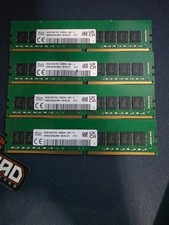
(4x32GB) Hynix DDR4 3200 MHz PC4 2Rx8 DIMM Desktop Memory RAM HMAA4GU6AJR8N-XN
$925.00

16GB KIT (2x8GB) DDR4 Gamer Desktop RAM PC4 MIXED BRANDS
$65.00
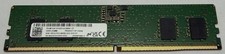
Micron MTC4C10163S1UC48BA1 8GB RAM DDR5 4800MHz
$87.00
Major Brand 8 GB PC3L-12800 (DDR3-1600) 2Rx8 DDR3L Laptop Memory RAM
$10.99
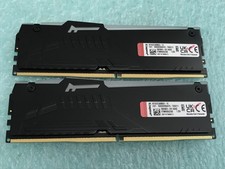
Kingston Fury Beast 32GB(2 x 16GB) KF552C36BBEA-16 DDR5 5200MHz RAM - R1031A
$299.95

LOT OF 23 Ram Sticks-Corsair Vengeance CMZ8GX3M2A1600C9 4GB (4GBx23=92GB Total)
$129.99
Kingston (HyperX Fury ) DDR4 64gb 4x16 2933 MHz (PC4-23400)
$375.00
SK hynix 64GB (4x16GB) DDR4 2666MHz PC4-21300 2Rx8 Desktop RAM HMA82GU6JJR8N
$299.00



 Reply With Quote