

 Reply With Quote
To get libdvdcss:
wget http://download.videolan.org/pub/lib...2.8-1_i386.deb
dpkg -i libdvdcss2_1.2.8-1_i386.deb
that should help.


I have knoppix 3.4 and i have liddvdcss or what ever its called so xine should be able to play encrypted dvds, But when i go to open the dvd a little eroor window pops up and it says " xine engine error input plugin failed to open mrl' /root/desktop/cd/dvd-rom device" plz help i think its mabe somthing to do with my settings.
To get libdvdcss:
wget http://download.videolan.org/pub/lib...2.8-1_i386.deb
dpkg -i libdvdcss2_1.2.8-1_i386.deb
that should help.
Polo13ca,
From what I can tell, it looks like Xine is looking for your DVD device, which I think, is that MRL message... I cant help you with Xine, I use Kaffeine, which uses the DVD device /dvd, and the libs from Xine...
I would jump into your settings in Xine, and see if you can locate the MRL you are getting the error for, and check what device your DVD is actually as, and then change the MRL to that "correct" MRL...
I also read, before I moved to the v3.4 Knoppix, that Xine was having problems in that version, which is why I moved from Xine to Kaffeine when I hard drive installed Knoppix v3.4 - you may also try doing a Search Knoppix.net for Xine, and see if this problem has come up before, maybe someone else has gone through the exact same issue, and has gotten some resolve or reasoning of what the problem is, and how to correct it
Hope this helps,
Ms. Cuddles
how do i find the correct dvd rom path then?
Easy way,
do a cat /etc/fstab
and look for the DVD entry... mine looks like this:
Note that the entry for my dvd device is at /dev/dvd and a mount point of /dvd - the /dvd is what you would put in your setup for the dvd device... if that is what your entry looks likeCode:root@Morpheus:~# cat /etc/fstab # /etc/fstab: filesystem table. # # filesystem mountpoint type options dump pass ... snip ... # Remaining devices /dev/fd0 /floppy vfat defaults,user,noauto,showexec,umask=022 0 0 /dev/dvd /dvd iso9660 defaults,ro,user,noexec,noauto 0 0 /dev/cdaudio /cdaudio iso9660 defaults,ro,user,noexec,noauto 0 0 /dev/cdaudio1 /cdaudio1 iso9660 defaults,ro,user,noexec,noauto 0 0 /dev/cdrom /cdrom iso9660 defaults,ro,user,noexec,noauto 0 0 /dev/cdrom1 /cdrom1 iso9660 defaults,ro,user,noexec,noauto 0 0 root@Morpheus:~#
 Posting Permissions


Mini Computer Vacuum USB Keyboard Cleaner PC Laptop Brush Dust Cleaning Kit NEW
$13.89

V3 Robot Vacuum and Mop Combo,Self-Charging,5000pa Strong Suction,WiFi/Alexa NIB
$82.00

Trucozie Cordless Vacuum Cleaner, Self-Standing Lightweight Stick Vacuum New Ope
$89.00
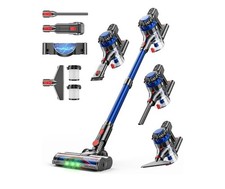
KARDV Cordless Vacuum Cleaner, 500W/40Kpa Vacuum Cleaners for Home, 60Mins St...
$64.99

Cordless Handheld Vacuum Cleaner Compatible with DeWalt 20V Battery
$103.98

US Mini Computer Vacuum USB Keyboard Cleaner PC Laptop Brush Dust Cleaning Kits
$13.89

🔥 OEM Shark Cordless Vacuum Charger DK33-248080H-U for Shark Rocket
$18.75

Paladone USB Desk Vac Novelty Upright Mini Computer Vacuum Retro Vintage
$59.99

Compressed Air Duster & Vacuum, 320000RPM Rechargeable Mini Electric Blower
$44.99
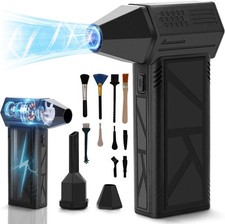
WeePro Compressed Air Duster 180000RPM Cordless Mini Turbo Fan, 3-Speed Vacuum
$149.99
