

 Reply With Quote
Run : fsck


The basics: Knoppix 3.4, hardrive installation
This seems to be a somewhat common problem...but my brother turned the computer incorrectly off last night when it was on Knoppix. I know this causes problems, and I told him he can't do crap this morning till I get it fixed (on the computer I mean...)
Anyway, this system goes through its boot up screen, but then at the end it says:
Code:Debian GNU/Linux Testing/unstable box tty1 box login: (I login as root, for this example) password: (after username has been ebntered) Last Login...blbalbal.... Welcome to Knoppix (Kernel 2.4.26) root@box# (something like that):
Please help me, I would like to figure out this problem so I know waht to do every time...and the way I want it to work is to load into the graphical login (splash) and then get me into linux, not kernel.
JUST A WHILE AGO the boot up rechecked the harddrive (one of those "it has been mounted 36 times without being checked, forcing...."
Doesn anyone know how to activate this hard drive check for next time? Is it a cheatcode? Do i need to press something when the OS is booting?
Run : fsck
 Posting Permissions


Seagate ST6000NM0115 6TB 256MB 7200RPM 3.5" SATA 6.0Gb/s Enterprise Hard Drive
$159.99

Seagate 14TB Exos X14 7200RPM SATA 6Gb/s 256MB 3.5" Enterprise HDD ST14000NM0408
$354.99

Seagate Exos X16 ST10000NM010G 10TB 7200RPM SAS 12Gb/s 3.5" 512e/4Kn HDD
$199.00

New Western Digital WD40EFPX 68C6CN0 4TB 3.5" SATA III Internal NAS Red Plus HDD
$137.59

HGST HUS724040ALA640 4TB 7200 RPM SATA 3.5" Internal Desktop Drive 100% Health
$78.00

HITACHI ULTRASTAR 2TB 7.2K 6G 3.5INCH SATA HDD HUS724020ALA640 | TESTED WIPED
$34.95

Seagate Enterprise Capacity 2TB 2.5in SATA Internal HDD ST2000NX0403
$60.00
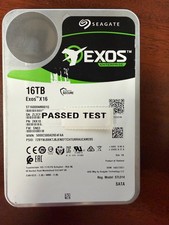
Seagate Exos X16 16TB ST16000NM001G 7200RPM Enterprise HDD*USED GREAT CONDITION*
$319.79

Seagate Exos X14 10TB 7200RPM 3.5" SAS 12Gb/s Hard Drive HDD ST10000NM0528
$165.00
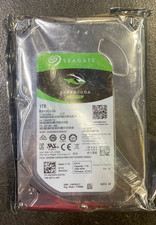
Seagate BarraCuda ST1000DM010 1TB 7200 RPM 64MB Cache SATA 6.0Gb/s Hard Drive
$63.99