

 Reply With Quote
You need to use fdisk as root not user so...
Personally I find cfdisk much easier to use.Code:su fdisk /dev/hda


Hi i have a problem with fdisk when i try to part mi hd i use this:
fdisk /dev/hda
and the answer is unable to open /dev/hda ...
and all my partitions are unmounted?
what happen?
You need to use fdisk as root not user so...
Personally I find cfdisk much easier to use.Code:su fdisk /dev/hda
When i ever try to open a partition in cfdisk it tells me the drive is read only and I have no permission to write. How do i get permission. I am trying to use knoppix to shrink my NTFS windows partition and install another linux on the freeded up stuff. I am using root.
Right click on desktop hda# icon--> Actions-->Change Read/Write permissions.
 Posting Permissions


Yealink T48S VoIP/SIP Phone, 2 x Gigabit Ports PoE 7" Color SIP-T48S | TESTED
$34.95

Grandstream VoIP Phone Adapter ATA 1-Line Black Ethernet (RJ-45) Micro USB
$27.07

Yealink MP54 - VoIP Phone - Black Teams phone Android POE WIFI Bluetooth
$49.95

Poly CCX 400 Desktop Business Media Phone VoIP 2200-49700-019
$49.99

Yealink SIP-T33G IP Phone 4-LineSpeakerphone VoIP Desk Phone Black w/ Power Sply
$25.00

Grandstream HT701 1-Port FXS Analog Telephone Adapter ATA VoIP Gateway -Free S/H
$19.99
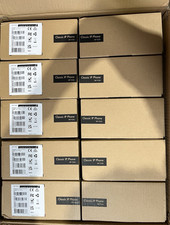
LOT OF 10 NEW Yealink SIP-T33G IP Phone 4-Line PoE Speakerphone VoIP Desk Phone
$699.99

Grandstream WP810 Portable Cordless Wi-Fi IP Phone
$49.28

Cisco CP-8841 IP Phone Charcoal Handset And Stand Included
$27.99

LINKSYS SPA3102 VOICE GATEWAY VOIP ADAPTER WITH BUILT-IN ROUTER W ADAPTER CABLE
$32.20