

 Reply With Quote
You need to use fdisk as root not user so...
Personally I find cfdisk much easier to use.Code:su fdisk /dev/hda


Hi i have a problem with fdisk when i try to part mi hd i use this:
fdisk /dev/hda
and the answer is unable to open /dev/hda ...
and all my partitions are unmounted?
what happen?
You need to use fdisk as root not user so...
Personally I find cfdisk much easier to use.Code:su fdisk /dev/hda
When i ever try to open a partition in cfdisk it tells me the drive is read only and I have no permission to write. How do i get permission. I am trying to use knoppix to shrink my NTFS windows partition and install another linux on the freeded up stuff. I am using root.
Right click on desktop hda# icon--> Actions-->Change Read/Write permissions.
 Posting Permissions


Kingston 32GB 64GB 128GB 256GB USB 3.0 Flash Drive Thumb Memory Stick Pen lot
$285.90

24x Micron MT40A512M16LY-062E IT:E 8Gb DDR4-3200 96-FBGA Memory IC
$349.99

Microsoft Office 2021 Pro Plus USB for 1PC Windows 10 & 11
$62.55

1/ 10/ 100pcs USB 2.0 2GB, 4GB ,8GB ,16GB ,32GB ,64GB 128GB USB Flash Drives Lot
$202.50

USB 3.0 Flash Drive 32GB 64GB 128GB Memory Stick Thumb Stick Lot Pack
$826.09

USB 3.0 Micro SD SDHC TF Card Reader Memory Adapter for PC Laptop Camera lot
$3.75
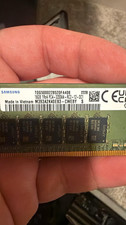
Samsung 64gb DDR4 ECC 288-Pin DIMM PC4-3200AA M393A2K40EB3-CWEBY
$449.00
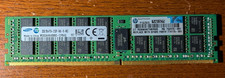
Samsung 32GB 2Rx4 DDR4 PC4-2133P M393A4K40BB0-CPB4Q ECC Server Memory Module
$150.00

TF/SD Card Adapter Camera Reader Android Type-c For iPhone17 Pro Max Plusm lot
$573.98
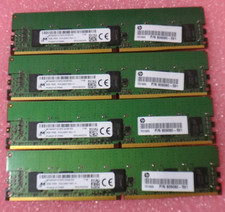
Lot of 4 8GB DDR4 PC4-2400T ECC Registered Server RAM 32GB 1Rx8 RDIMM MICRON
$149.99