-
using NVidia's graphics card drivers
Does anyone know how to go about remastering Knoppix such that if you have an Nvidia graphics card, it will use the Nvidia drivers instead of the built in generic nv driver? Ive installed the driver before under a regular debian install, however, I had to have the source kernel source code from the original installation to do so... I dont believe that is available to us with Knoppix. Any suggestions? Has anyone done this?
-Matt
-
not much help
i happen to be looking for the same thing... i run a geforce 2 MX, i hope someone can help with this... the game TUX racer looks like crap and runs REALLY slow on my comp. i want to enable hardware acceleration. need/want to load nvidias drivers.... thx
-
I'd also like to know how to do this.
What I've tried, is to get the source .tar.gz's for the drivers and compiled them in when chrooted.
When I did burn that CD though, X wouldn't work at all, with any X driver. I'd get as far as it popping up the nvidia splash screen, then dumping me back at the CLI saying it can't open default font 'fixed'. as far as I know, i didn't remove any necessary font packages. Any ideas?
-
Senior Member
registered user
the new release seems to work for me on an Nvidia 4
the new release seems much cleaner. My screens were breaking up when I used the mouse in 12-12. In 1-1 this no longer happens.
-
I installed the 41.91 drivers on my HD install, and into my knxsource too.. so once I rebuild, I'll find out if they work or not...
-
Nvidia
Could you tell how you compiled them ?
I cannot load nvidia.o since it complains about a lot of "missing ..." errors.
What kernel package did you use ?
-
What I did to get it to work with knoppix 12/12 was to just download the nvidia drivers from nvidia themselves(the .tar.gz's). I used my knoppix hd install to compile them, and I had to set the IGNORE_CC_MISMATCH environement variable. other than that, just did "make" with both directorys(nvidia_kernel and nvidia_glx).
I re-mastered it, burnt it, and it all works fine  haven't tried any open gl stuff yet though
-
Junior Member
registered user
Nice Tutorial
Heya Ya'll-
I stumbled accross this tutorial for installing the nvidia drivers and other OpenGL & 3D type stuff...
http://www.linuxplanet.com/linuxplan...orials/3154/1/
Im lazy though. It would be really neat if somehow the next version of knoppix automagically installed these drivers if you have an nvidia card. Or even cooler if there was a script that took the most recent version and installed them to the Knoppix hd install.
Ive used the tutorial above to get my own system working with knoppix, but upon a reinstall it would stink to have to redo all that again.. much less remember everything. If anyone writes a script to do it, that would be cool.
-
How did you "set the IGNORE_CC_MISMATCH environement variable"?
Thanks in advance for any help
-
ok, in a root shell, type:
"IGNORE_CC_MISMATCH=1" then
"export IGNORE_CC_MISMATCH"
that should let it compile, at least it worked for me! you'll probably have to start up knoppix in runlevel two though, and then edit /etc/X11/XF86Config-4 to NOT load "GLcore", and to us "nvidia" instead of "nv" as the driver module.
Similar Threads
-
By Kethinov in forum Hdd Install / Debian / Apt
Replies: 3
Last Post: 12-26-2003, 12:54 AM
-
By andrei in forum General Support
Replies: 1
Last Post: 08-15-2003, 10:33 PM
-
By beefthief in forum Hardware & Booting
Replies: 2
Last Post: 07-22-2003, 04:40 AM
-
Replies: 3
Last Post: 03-29-2003, 11:07 PM
-
By rmayer1 in forum Hardware & Booting
Replies: 1
Last Post: 02-09-2003, 11:30 PM
 Posting Permissions
- You may not post new threads
- You may not post replies
- You may not post attachments
- You may not edit your posts
-
Forum Rules


OPNsense pfSense 8-Core Atom C3758 2.2GHz 8GB DDR4 64GB SSD 8x NIC QAT AES VPN
$145.00

Zero Trace Pen: All-in-one Tor Network Anonymous Drive + Cryptocurrency Wallet
$147.00

Check Point 1590 Firewall & w builtin WiFI and builtin LTE sim slot
$95.99

OPNsense Firewall 16-Core Atom C3958 16GB DDR4 RAM 64GB SSD 8x 1Gbe QAT AES-NI
$195.00

Fortinet FortiGate 60F FG-60F UTM UTP License Until 2027 Network Security FW VPN
$229.99
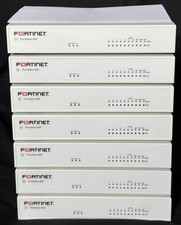
Fortinet FortiGate 60F FG-60F Firewall Tested Reset Deregistered OEM PSU
$99.99

OPNsense pfSense 16-Core Atom C3958 16GB ECC RAM 512GB SSD 8-Port QAT AES-NI VPN
$258.00
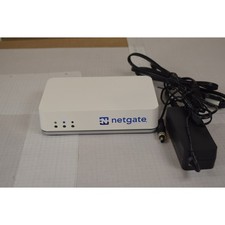
Netgate SG-2100 pfSense Plus 26.07 Firewall VPN Router - Wiped, Fresh Install
$174.99
Unfi Security Gateway Pro
$170.00
Alta Labs Route10 10Gbps Router Firewall 2x SFP+ 4x 2.5GbE 2x PoE+
$174.99



 Reply With Quote