-
Novice with Knoppix 3.6 - Crashed XP Hard Drive
Booted Knoppix 3.6 CD okay on crashed computer. See "hpa1" icon on side,...Just want to save files I can recover.
Need instruction on how to save files/folders from "hpa1" to burn to blank/or formatted CD. Have CD writer and DVD writer on crashed machine. ( icon 'cdrom' has knoppix 3.6 CD, icon 'cdrom1' is DVD writer ).
Thanks.
-
Junior Member
registered user
To burn a CD using Knoppix use the application k3b. It is in the menu under "multimedia".
You might want to read over the page Computer first aid using Knoppix, It has more instructions - sounds like you might need to go through a few steps to get the CD burner to work.
-
Thanks, ...I have read the link above, but the specific instructions are for Ver 3.2 , and the CD burner 'activation' section appears to have been revised in k3b for ver 3.6.
Instructions in the link above are vague, like 'hit 'enter' four times because I can't see the bottom of the window on the screen??????????? this does not appear to apply to Ver 3.6 which gives me a window listing the two CDroms and asks for a change???????? Don't know what to do to activate burn capability after see this k3b screen.
Thanks to anyone who can clarify.
-
I'm going through the same process myself. I haven't had any trouble using k3b to burn a disc, but I'm having trouble getting the files to k3b from my crashed XP drive.
I don't know how to burn directly from the XP drive. When I try to open the hard drive in k3b, it puts the drive on the list to burn. Obviously I'm not going to be able to burn a 57 Gig hard drive on a CD.
I can drag small files to the desktop & burn from there. But if I get more than about 300 Meg in combined files or one large file, it locks up trying to move to the desktop.
I'd love to save some of those large files, & I don't want to only burn about 200 Megs per CD to back up my old drives.
-
Junior Member
registered user

Originally Posted by
hammonjc
this does not appear to apply to Ver 3.6 which gives me a window listing the two CDroms and asks for a change???????? Don't know what to do to activate burn capability after see this k3b screen.
Just click OK - I think ver 3.6 is pretty much set up for you. Give it a go and let me know what happens. The key part of it is that you need two CD drives - one for the Knoppix disk and one for the blank CD you're going to burn onto.
Originally Posted by
NTXCoog
I don't know how to burn directly from the XP drive. When I try to open the hard drive in k3b, it puts the drive on the list to burn. Obviously I'm not going to be able to burn a 57 Gig hard drive on a CD.
Try this:
1. click the icon on the desktop for the hard disk partition you want to copy files from. This will mount the partition so you can read files from it, and open a file browser window. (sounds like doing this inside K3b won't work, as you have discovered :-( )
2. start K3b and click on "New data CD project"
3. To get access to the individual files on your hard drive, use the tree-view on the top left to browse to the appropriate spot:
- open up "Root" --> "mnt" --> "hda1" (or whatever your partition is)
-
That worked perfectly for me. I'm so happy that I'll be able to rescue all my XP files.
I'm really liking Knoppix, but my wife is getting tired of it. She wants her Windows back.
Similar Threads
-
By husalah5150 in forum General Support
Replies: 3
Last Post: 11-22-2005, 05:06 PM
-
By sammiantha in forum Hdd Install / Debian / Apt
Replies: 9
Last Post: 02-22-2005, 06:53 PM
-
By kidsatacrux in forum MS Windows & New to Linux
Replies: 19
Last Post: 08-03-2004, 07:41 AM
-
By kodz in forum General Support
Replies: 4
Last Post: 06-17-2004, 05:02 AM
-
By knoxx in forum General Support
Replies: 2
Last Post: 01-16-2004, 03:04 AM
 Posting Permissions
- You may not post new threads
- You may not post replies
- You may not post attachments
- You may not edit your posts
-
Forum Rules


Fujinet 1.7.1 Atari 400 800 800XL 130XE 65XE XEGS Assembled, Tested, Working
$99.99
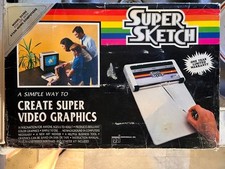
Vintage 1984: Super Sketch G2300 For Atari Home Computer
$72.00

GreaseWeazle v4 board USB floppy drive adapter Retro All Formats
$35.00

Atari 400 / 800 Computer Memory Module 16K RAM PCB CX853 - Works Perfectly
$18.95
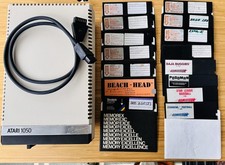
Vintage Atari 1050 Disk Drive w/ SIO Cable & 32 Games/Programs - UNTESTED
$67.76

Atari 1200 XL home computer with original owners guide and power supply power on
$255.00
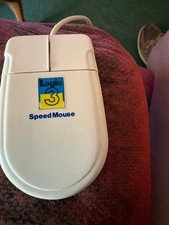
Amiga/Atari Mouse w/Selector switch for different modes
$51.99
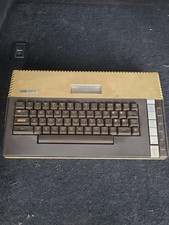
Atari 800XL 8-bit Home Computer Video Game System - **UNTESTED PARTS OR REPAIR**
$89.99
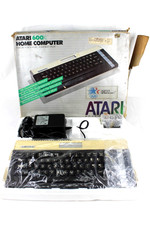
VTG Atari 600XL Home Computer System in Box ** Powers On ** Clean * Tested Works
$148.75

Atari 400 Home Computer System includes Power Cord G2U
$159.99



 Reply With Quote