-
Yet another login problem
I've been using windows for a long time and pretty new for linux. However, I was so impressed by a Knoppix demo the passing Saturday, I decided to try a HD install on Monday and had a problem. Here is how I install it:
1) I have a 40GB HD. The first 20GB (NTFS) is for win2k, another 10GB is FAT32, and 10GB for linux (750M swap, remaining ext3).
2) I searched this site and decide to go for a HD install, so I chose debian-style and let Lilo write to MSR. Everything is fine works, but I just can't access internet and plug in my usb thumbdrive, and it's totally different from the Knoppix live CD, there I can have all the setup ready automatically.
3) Thought I'm pretty new to linux, so I decided to go back Knoppix-style, and I format the linux space, and reinstall Knoppix and chose Knoppix-style this time. Everything is perfect and here came the problem.
4) Since I found everytime I boot computer, Knoppix doesn't ask me any password, and it's secure, I searched the forum and decided to follow shah's instruction listed below:
Check and Test:
(1) Check your /etc/init.d, make sure there is kdm script in there.
--Yes, I have kdm script there.
(2) Check if KDM is install, run : locate kdm
--Looks yes, after I type this command, a lot stuff come out.
(3) Check your /etc/inittab, is there a line on top:
id:5:initdefault: ..............to make sure you run on appropriate
runlevel.
--Yes, there is a line
(4)Get out from Xsession : ctrl+alt+backspace
--No problem
(5) As root, run this command /etc/init.d/kdm start
If you can see the login screen and able to login, proceed to editing
procedure.
--Not sure if this step is correct or not. I did setup a password
for root. When I hit this command, nothing happened, no
error message shown, but just reture to cursor.
(1) Edit your /etc/rc5.d
(a)remove symlink of S*xsession or move in to any backup folder
(to be save). S*xsession is a script which let you boot directly to
kde. -- I don't have S*xsession in /etc/rc5.d, only S20cypsys,
But I did temporarily move it into another folder.
(b)Create a new symlink to /etc/init.d/kdm
root konsole:update-rc.d kdm start 90 5.
--I forgot the exact command I typied, similar to this, which
results in adding a K20kdm link to each folder from rc0.d ~
rc6.d.
(2) Shutdown/reboot
(3) If something goes wrong after reboot and you can't enter xsession,
restore S*xsession and remove kdm in /etc/rc5.d using mc.
--My problem is, after reboot, it does show login window, but
when I type root and password, it just goes back to the login
window again! I can't enter anymore.
Who knows how can I login again (yes I can login with live cd, but I just can't modify anything, even I check out the read only box) and how can I setup a secure login correctly?
A little long, but I just hope some guru can help me with as much as info I provided.
Thanks in advance.
-
Senior Member
registered user
Similar Threads
-
By kaplan71 in forum Hdd Install / Debian / Apt
Replies: 1
Last Post: 02-28-2005, 09:07 PM
-
By TheDDI in forum General Support
Replies: 1
Last Post: 10-18-2004, 03:19 AM
-
By jack-ren in forum Hdd Install / Debian / Apt
Replies: 3
Last Post: 10-12-2004, 09:25 PM
-
By patiscool in forum General Support
Replies: 2
Last Post: 03-26-2004, 02:16 AM
-
By schunn99 in forum The Lounge
Replies: 1
Last Post: 03-13-2004, 05:46 AM
 Posting Permissions
- You may not post new threads
- You may not post replies
- You may not post attachments
- You may not edit your posts
-
Forum Rules


Samsung MLT-R116 Imaging Unit Xpress M2625 M2675 M2825 M2875 M2885 M3015 OEM NEW
$49.99

Samsung Galaxy Tab S10 Lite 10.9" 128GB Silver Wi-Fi SM-X400NZSAXAR
$206.00

New Samsung 512GB FIT Plus USB 3.2 Gen 1 Type-A Flash Drive MUF-512AB/AM NEW
$120.00

Samsung Galaxy Tab Active 3/ 64 gig/WIFI
$85.00

Samsung SCXSTP000, SCX-STP000 (Swingline Staple Cartridge - 3 Refills)
$57.99

Magnetic Leather Flip Case with Stand for Samsung Tab S9 S9+ S10+ S10 Ultra
$20.99

Kids Case for Samsung Galaxy Tab A9+/A9 plus 11 Inch 2023 Case, with Strap, Shoc
$27.99

Samsung PC4-2666V 16GB 2Rx8 RAM DDR4 2666MHz M471A2K43CB1-CTD
$59.99
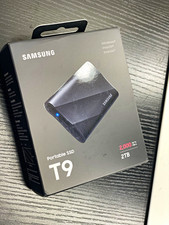
Samsung Portable SSD T9 2TB USB 3.2 Gen 2x2 2000MB/s AES Drop Black
$325.00

QTY 100 Samsung Galaxy Tab Active 4 Pro 10.1” Case, Black
$500.00



 Reply With Quote