-
Re: WIFI Success

Originally Posted by
ssfc72
Thanks Grant and other users for your posts on getting WIFI to work.
I have an HP Notebook ze5600ca with built in WIFI and WinXP Home. I was able to get the WIFI working with help from your posts.
I found the name and location of the Windows WIFI driver in WinXP, then I started up Knoppix and clicked on the Penquin icon at the bottom left of the screen and ran ndiswrapper and pointed it to the Window driver location.
I then ran the WLAN program, also from the Penquin location and I just chose all the default values.
I am not too sure if the next step is necessary but to get the WIFI functioning for this session I had to go to the network card confiquration program and run it. I didn't think I had to do that the previous session?
This got my Notebook to connect with a neighbours WIFI which apparently is not locked down.
Bill
I am wondering what precisely your question is -- at least one that I may answer ...
I have no idea what you did in the previous session; but running the network config prog. is a possibility.
I should also add two comments: (1) If you have a particular query start a new thread titled specifically rather than clog this one up; (2) encryption and ndiswrapper are commonly not happy bedfellows.
I am pleased to have been of some assistance. 
Cheers,
Grant D. Vallance
Similar Threads
-
Replies: 0
Last Post: 10-07-2005, 04:18 AM
-
By FreshAL in forum Networking
Replies: 1
Last Post: 04-26-2005, 09:17 PM
-
By jrankin2 in forum Networking
Replies: 2
Last Post: 06-11-2004, 07:06 PM
-
By Mike UK in forum Networking
Replies: 2
Last Post: 04-15-2004, 09:04 AM
-
By Sn0wD0g in forum Networking
Replies: 3
Last Post: 11-14-2003, 04:59 PM
 Posting Permissions
- You may not post new threads
- You may not post replies
- You may not post attachments
- You may not edit your posts
-
Forum Rules

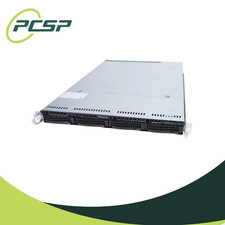
Supermicro CSE-815-5 4B LFF Xeon E3-1220v5 16GB DDR4 1x 9361-8i 4x 1TB SATA HDD
$477.00

HP ProLiant MicroServer Gen8 G1610T @2.3 GHz, 16GB, 712317-001 NO HDD/OS
$199.00

Supermicro 505-2 Server
$280.00

Supermicro 1U Network Server Appliance 16GB RAM 800GB SSD 6 LAN Ports Powers On
$450.00
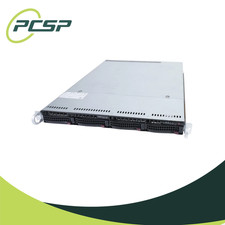
Supermicro CSE-815-5 4B LFF Xeon E3-1220v5 32GB DDR4 1x 9361-8i 4x 1TB SATA HDD
$538.99
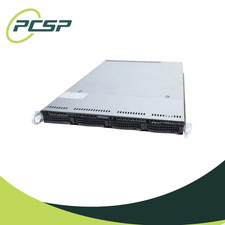
Supermicro CSE-815-5 4B LFF Xeon E3-1220v5 16GB DDR4 1x 9361-8i 4x 2TB SATA HDD
$525.00
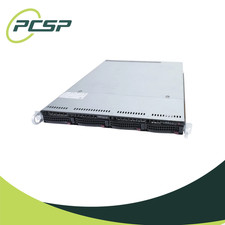
Supermicro CSE-815-5 4B LFF Xeon E3-1220v5 64GB DDR4 1x 9361-8i 4x 1TB SATA HDD
$654.99

HP PROLIANT MICROSERVER GEN8 E3-1220LV2 @ 2.30GHz, 8GB RAM, NO HDD/OS
$164.97

Nasuni NF-50 Supermicro Server, Atom CPU C2558, @ 2.40GHz, 8GB RAM-No HDD/OS/AC
$250.00

Supermicro CSE-937 3U Storage Chassis No CPU No HDD No Ram Tested & Reset
$129.99



 Reply With Quote