

 Reply With Quote
I add aliases to ~/.bashrc but if you're booting to live cd then that probably won't work but you could script 'modprobe ndiswrapper' and it would get ran at boot time.


I want to use an alias for ndiswrapper (every character I type is one more chance for an error<<<GG>>>)
I type .... alias zz=''modprobe ndiswrapper' and the entry is displayed with
alias -p. It also works when I type zz. However after a re-boot the entry is no longer in the list. What am I missing ??
Thanks
Ted in Atlanta
I add aliases to ~/.bashrc but if you're booting to live cd then that probably won't work but you could script 'modprobe ndiswrapper' and it would get ran at boot time.
I have posted in /etc/bashrc where all of the aliias entries are listed. They won't stay over a reboot. There are no alias entries in my /.bashrc file.... just some one cryptic LINUXese.... This doesn;t work on Knoppix 3.4 or 3.7 so I am missing something.
Ted in Atlanta
Sounds like you did a Knoppix or beginner type install instead of a Debian type install. In that case I *think* it overwrites any changes you make to certain files like /etc/bashrc.
Why not simply make a script? For example:
Then you can simply run your script from wherever you like.Code:echo modprobe ndiswrapper > zz chmod +x zz su mv zz /usr/sbin
mzilikazi
Thanks for the code.... I'll sure give it a try. This incident is just another example of the vagaries of LINUX. It is really frustrating to receive code and/or suggestions that work that work for one system and flops on another...
FWIW... I used knoppix-installer on both 3.4 and 3.7 selecting choice 3 which supposedly is the Debian installl
Thanks again
Ted in Atlanta
The aliases are at the end of /etc/profile where you can add your own as well.
Originally Posted by GaTk
It's a common misconception that Linux is an operating system. It is not. It's a kernel. Debian GNU Linux is an operating system that uses the Linux kernel and what works on Debian may very well not work on Red Hat.It is really frustrating to receive code and/or suggestions that work that work for one system and flops on another...
I also see the same issues in windows. One system gets the latest updates no problem while another system identical in hardware and OS version cannot seem to complete the updates without some coaxing or tweaking. I would also rather suffer the trivial difficulties associated with Linux then the multitude of problems that follow M$ around. There are no pieces of spyware, no viruses and no trojans on my Linux boxes. I do not download windows freeware, install any windows apps that I do not check out 100%, never open attatchments and yet the windows boxes get malware on them. Well......this post is not about windows versus Linux and I do not intend on making it so.
~/.bashrc is a user specific configuration file. Anything you add to /etc/profile is systemwide. I do not know why it doesn't work for you - it does for me on all of my boxes.It is really frustrating to receive code and/or suggestions that work that work for one system and flops on another...
You're right, never actually gave it much thought as I like having my own aliases for root + all users.
BINGO !!! etc/profile does it ,,,after a reboot... the new additions work and
now appear with alias -p. You gurus continue to amaze me with your knowledge/experience but I hope you understand the wide variations from one distro to the other constantly drive us novices NUTS !!!
Thanks
Well quit messing about with those other unworthy distros and just use Debian.You'll not be sorry.
 Posting Permissions


Kingston 32GB 64GB 128GB 256GB USB 3.0 Flash Drive Thumb Memory Stick Pen lot
$285.90
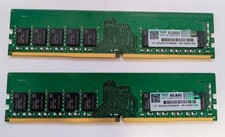
SK Hynix 32GB (2x16GB) DDR4-3200MHz ECC UDIMM RAM PC4-3200AA KIT
$140.00
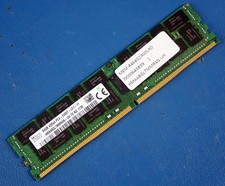
SK HYNIX HMAA8GL7MMR4N-UH 64GB PC4-2400T RDIMM Server RAM
$289.95
Micron 32GB 2Rx4 PC4-2666V MTA36ASF4G72PZ-2G6E1QG ECC REG Server Memory RAM
$240.00
Major Brand 8 GB PC3L-12800 (DDR3-1600) 2Rx8 DDR3L Laptop Memory RAM
$10.99

SK Hynix 64B PC4-2933Y Server Memory DDR4 RAM HMAA8GR7MJR4N-WM
$499.99
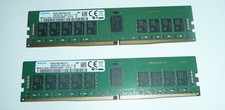
Samsung 32GB (2 x 16GB) PC4-2666V DDR4 ECC Server Memory M393A2K43BB1-CTD7Q
$169.95
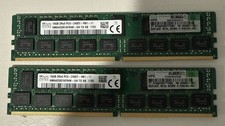
HP 809081-081 846740-001 16GB 2RX4 PC4-2400T 836220-B21 Server Memory. Lot of 2
$120.00
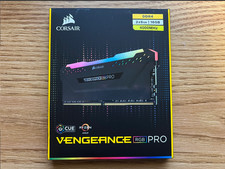
Corsair Vengeance RGB Pro 16GB (2x8GB) RAM DDR4 4000MHz
$170.00

2 in 1 USB 3.0 Card Reader Micro TF card Reader usb adapter High Speed Cardreder
$3.99