

 Reply With Quote
How does your configuration file for syslogdaemon look like?
i.e. does the directory where it should write its file to exist? Is it a Linux writeable filesystem type?
so long, SaintBlue


When I am starting Knoppix, which boots from my HDD, it hangs during the initialization sequence at the line that reads - "Starting up syslogd", but don't quote me on that line, not exacly sure what it says (Ha!).. If you can help me with this, it would be much appreciated!
Thanks,
Stumped Knoppix Novice User
How does your configuration file for syslogdaemon look like?
i.e. does the directory where it should write its file to exist? Is it a Linux writeable filesystem type?
so long, SaintBlue
The following steps are used to get around the broken syslogd. These steps will only cirumvent the problem and will not figure out why syslogd is hanging.
Boot using Knoppix CD. I assume that you have Knoppix installed on hda2. Either mount hda2 by hand in a root console or use the icon on the desktop. Open a root console or gain root acess with the command
Then find out which runlevel is the default runlevelCode:# su -
The number 3 is the default runlevel. Enter the default runlevel's rc.d directory and find the sysklogd link.Code:# grep defa /mnt/hda2/etc/inittab id:3:initdefault:
Take note of and write down the number of the sysklogd, in this case it is 10. Next, remove S10sysklogd which is just a link (really a shortcut that points to another file).Code:#cd /mnt/hda2/etc/rc3.d #ls *log* S10sysklogd S11klogd
With that done, cd to / and either reboot with the command or use the K menu to reboot the PC.Code:# rm S10sysklogdI hope this helps.Code:# shutdown now -r
James
Perfect, thanks! One more thing though, when I go to remove the file, in my case S10sysklogd in rc5.d, it gives me the "Read-Onlly File-system" error. I am running off of the cd. I tried right-clicking on the hda1 icon on the desktop, and taking off the read-only attribute and also setting the permissions to read and write but still I cannot remove the file. Thanks again!
Okay, apparently I'm a complete moron and I had to do that before mounting the drive. So, I tried rebooting after removing the file, and everything is working again!!! You are my hero lol.. I can now stop taking these blood pressure pills.
=)
 Posting Permissions

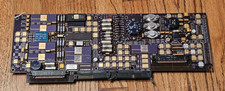
Vintage Honeywell Military Aerospace Avionics PCB Gold Ceramic Hybrid IC Board
$299.95

Vintage Computer Keyboard Northgate OMNIKEY Ultra
$120.00

Lot of 2 Vintage Plextor PX-43CS SCSI CD-ROM Caddy Drives + 4 Caddies Used
$55.99

Vintage Hewlett Packard HP 13181-60074 Circuit Card Assembly / Interface Board.
$135.37
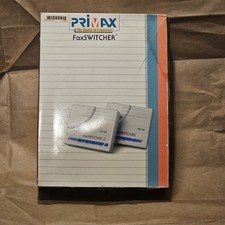
Primax FaxSwitcher II FS100, VINTAGE WORKS
$40.00
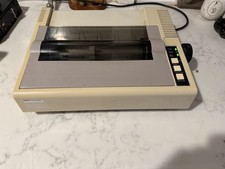
Vintage IBM 5152 Personal Computer Graphics Printer Dot Matrix - TESTED WORKING
$229.00
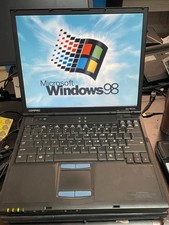
Vintage Compaq EVO N610C Laptop Pentium 4 2.0GHz 256MB 60GB Win 98SE w/ USB
$100.00
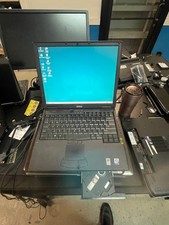
Dell Latitude C640 Win98SE w/ USB Support Retro gaming Vintage USB FDD use CNC
$200.00

VINTAGE COLLECTIBLE Comp USA Maxtor 20 GB 3.5 Inch EIDE Hard Drive NEW SEALED
$500.00
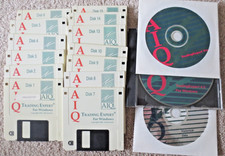
Vintage Trading Expert for Windows - AIQ Systems Floppy Disks Software + Storage
$75.00