-
Senior Member
registered user
The following steps are used to get around the broken syslogd. These steps will only cirumvent the problem and will not figure out why syslogd is hanging.
Boot using Knoppix CD. I assume that you have Knoppix installed on hda2. Either mount hda2 by hand in a root console or use the icon on the desktop. Open a root console or gain root acess with the command
Then find out which runlevel is the default runlevel
Code:
# grep defa /mnt/hda2/etc/inittab
id:3:initdefault:
The number 3 is the default runlevel. Enter the default runlevel's rc.d directory and find the sysklogd link.
Code:
#cd /mnt/hda2/etc/rc3.d
#ls *log*
S10sysklogd S11klogd
Take note of and write down the number of the sysklogd, in this case it is 10. Next, remove S10sysklogd which is just a link (really a shortcut that points to another file).
With that done, cd to / and either reboot with the command or use the K menu to reboot the PC. I hope this helps.
James
 Posting Permissions
- You may not post new threads
- You may not post replies
- You may not post attachments
- You may not edit your posts
-
Forum Rules


Apple Macintosh Classic M1420 Vintage Desktop Computer Model Macintosh Classic
$100.00

Vintage 1998 iMac G3 M4984 Mac OS + Keyboard Working but Needs Some Repair Read
$295.00
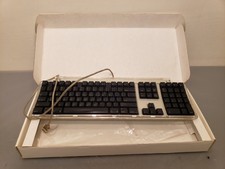
Vintage Apple Pro Keyboard USB Mac M7803 **Used in box
$75.00

Apple Macintosh DuoDock Duo Dock M7779 & Powerbook 230 Vintage Mac RARE Vintage
$249.00

Vintage Apple Macintosh Plus Desktop Computer - M0001A
$150.00

Apple Macintosh Plus 1MB M0001A Vintage Computer **TURNS ON **
$99.99

185--Sonnet Crescendo G3 PPCG3-375-5-K-06 G3 Add-On Card for Vintage Mac
$99.00

LARGE LOT Vintage Apple Macintosh Mouse Cables Accessories SCSI etc - UNTESTED
$80.00

Mixed Lot Vintage Mac Windows media / Graphics / Sound Software - CDs 37 Pieces
$40.99
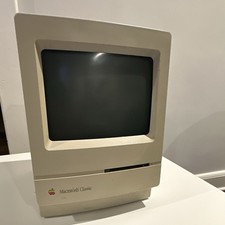
Apple Macintosh Classic M1420 Vintage All-in-One Desktop Computer
$95.00



 Reply With Quote