

 Reply With Quote
cheatcode is not a cheatcode. Here's a link to the cheatcodes.Originally Posted by lilsirecho
http://www.knoppix.net/docs/index.php/CheatCodes


I assume that the subject cheatcode is a valid entry..as are the many other codes listed in the cheatcode file of knoppix...and that it is intended to be entered at the boot prompt as are all the other cheatcodes.
When I enter the subject cheatcode into the boot prompt, it is not recognized.
Either it is a cheatcode or it is not a cheatcode.
Which is it?
cheatcode is not a cheatcode. Here's a link to the cheatcodes.
http://www.knoppix.net/docs/index.php/CheatCodes
mzilikazi;
Thanks for the info.
The cheatcodes file in the Knoppix DVD refers to the subject data entry (in Linux) to permit booting from the floppy. Since this reference is contained within the file cheatcodes it would follow directly that it is valid to be entered as such.
The reference you provided does not mention the subject data so it isn't a cheatcode, or even referenced therein, in present application use. The DVD Knoppix cheatcode info, whereas it may not be valid as a cheatcode, refers to the subject entry and states (in Linux). Operations when in windows are mentioned separately.
It follows therefore that the subject coding applies to Linux use and since Knoppix is linux the use of the subject coding is justified. Even in the boot prompt, perhaps.
However, it isn't recognized as a cheatcode (probably justifiably, even though it appears within the cheatcode file most probably just as a reference) and it doesn't perform the load of the boot.img to the floppy when entered in the command line after booting up the Knoppix2.6 kernel to desktop.
The result of entering the subject coding is : knoppix@ttyp0[knoppix]$ dd if=/cdrom/KNOPPIX/boot.img of=/dev/fd0
dd: opening `/cdrom/KNOPPIX/boot.img': No such file or directory
knoppix@ttyp0[knoppix]$
The DVD disc is in the CDROM and the floppy has a disc installed.
This is an older kernel2.6.3 and the cheatcodes and references are possibly out of date.
How do I get the floppy boot.img with the older files?
Well to be perfectly honest I haven't even booted a Knoppix disc in a year or so. I really have no idea how the kernel is set up on a Knoppix disc butseems to say that it isn't boot.img. Have a look at what the kernel really is.Code:`/cdrom/KNOPPIX/boot.img': No such file or directory
The dd command is saying that the file /cdrom/KNOPPIX/boot.img isn't on your system.The result of entering the subject coding is : knoppix@ttyp0[knoppix]$ dd if=/cdrom/KNOPPIX/boot.img of=/dev/fd0
dd: opening `/cdrom/KNOPPIX/boot.img': No such file or directory
knoppix@ttyp0[knoppix]$
The DVD disc is in the CDROM and the floppy has a disc installed.
My guess is that you booted knoppix with the toram option in which case you can't access the cdrom drive using the "/cdrom" mount point because that is used to mount the knoppix system. On my system /cdrom is on /dev/hda1 because that's where I do a fromhd. On your system it will be in ram because you did the toram. Either way, /cdrom is not mounted as a DVD (or a CD).
You need to mount the DVD disc using a different name. For example, you could use the mount point name /mnt/dvd by doing this (in a root shell):
Once you've mounted the DVD as /mnt/dvd you can check to see if boot.img really is on the DVD with the command:Code:# create the mount point name mkdir /mnt/dvd # and then mount the DVD drive (assuming that it's name is /dev/scd1) mount /dev/scd1 /mnt/dvd
If the listing includes boot.img then you're in business and can try:Code:ls /mnt/dvd/KNOPPIX
[code]
dd if=/mnt/dvd/KNOPPIX/boot.img of=/dev/fd0
If it isn't listed, then it isn't on the DVD and there's not much you can do about that
Best Wishes
Pete
Pete;
Thanks for the commecnts, well taken.
I have however tried the coding from archlinux OS and have determined that the coding doesn't apply to the isolinux system since /boot.img is ensconced in minirt26.gz.
I find a reference that details the required activity and may try it at some later date. I am deep into the TORAM stuff!!!
 Posting Permissions

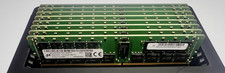
(8) Micron 32GB DDR4 ECC RDIMM PC4-2933Y Server Memory MTA36ASF4G72PZ *TESTED*
$1599.00

Microsoft Office 2021 Pro Plus USB for 1PC Windows 10 & 11
$62.55

MICRON MTA36ASF4G72PZ-2G6D1 32GB PC4-21300R DDR4-2666V RDIMM 2RX4 MEMORY DIMM
$139.99

TF/SD Card Adapter Camera Reader Android Type-c For iPhone17 Pro Max Plusm lot
$573.98

USB 3.0 Flash Drive 32GB 64GB 128GB Memory Stick Thumb Stick Lot Pack
$826.09

Kingston 32GB 64GB 128GB 256GB USB 3.0 Flash Drive Thumb Memory Stick Pen lot
$285.90

Samsung 32GB DDR4-2666V-2Rx4-RB2-12 RAM M393A4K40CB2-CTD6Q
$169.00

USB 3.0 Micro SD SDHC TF Card Reader Memory Adapter for PC Laptop Camera lot
$3.75

1/ 10/ 100pcs USB 2.0 2GB, 4GB ,8GB ,16GB ,32GB ,64GB 128GB USB Flash Drives Lot
$202.50
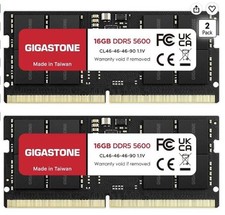
LAPTOP RAM MEMORY GIGASTONE 32GB Kit (2x16GB) DDR5 5600MHz PC5-44800 Unbuffered
$350.00
