

ok i had a windows machine freak out and it wont boot and cant access files on the ahrd drive....so i put in the 3.6 knoppix cd and i can see my finles i need.....so i try to put the folders shared on the network....but it wont let me because it is not in my home directory.....but when i try ot move it there at around 520 megabites it says disck full (even though ita an 80 gig hard drive....uless its al jsut storing this in ram....i dknow kno) i jsut want to share them over a network so i can download them onto my otehr windows box.......(i know first problem is i am using windows as my main os) so is there a way to let me share them without needed the files/folders in my home directory.....its roughly 20 gigs of stuss i need ot move....or is there a better way of moving it from one comp to another?
ok i got to step 5 ok (Run Linneighborhood (under internet menu). In linneighborhood choose icon ADD and your w98 pc name (CHAN) and query. Your w98 pc will show up. Choose whatever folder you share that you want to transfer your data to, right click and mount. ) what is CHAN ? how do i know the windows xp pc will show up? what should the log say once i hit query? where do i choose whatever folder i want to share? (sorry about all these questions i am reletivly new to linux)
also i dont see Remote Share ater clicking the device icon in konquerer? but i never selected a folder, i did not get that option....thank you again for your help i really need those files. (sorry for the hassel)
do you have a CD burner? that should handle 520M just fine. K3B is the tool for that,
i do have a cd burner but i have manny manny gig's to move....and not enough cd's in 1 20 pack case to move them....
make it an ftpserver then,
http://www.knoppix.net/docs/index.php/FaqFTP
should work regardless of OS on computer...
can someone walk me through the setup of the ftp server in a graphical way as the command line way did not work and is not detailed enough for me (sorry about all this) every time i try to share them it can not be shared to to the files not being in the home directory and they wont let me coppy them there so ya....
YAY I got it to work thank u all soooooo much!!!!!!!!!!!
was it hard? what information did you miss? it might be good posting that here so it could be aded to the "howto"
 Posting Permissions


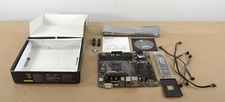
GIGABYTE A520M DS3H AC AMD AM4 Motherboard mATX
$59.99
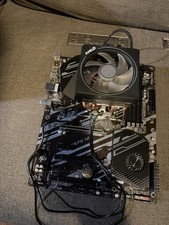
GIGABYTE B450 AORUS M AM4 AMD B450 Micro ATX Motherboard Tested Working
$49.95
GIGABYTE X570 UD AM4 motherboard +AMD Ryzen 9 3900x CPU+Cooler
$250.00

Intel H310 LGA1151 8-9th Gen DDR4 M.2 NVMe mATX Motherboard IO Shield Battery
$54.99

Intel H81 Motherboard M.2 NVMe LGA 1150 mATX w/ IO Shield (Random Slot Color)
$29.90

GIGABYTE B365 HD3 LGA1151 Intel 9th Gen motherboard
$59.99

MSI B550M PRO-VDH Micro-ATX Motherboard - AMD AM4, Ryzen 5000/4000/3000 Ready, P
$101.99

ASUS PRIME Z370-A II LGA 1151 Intel Z370 DDR4 DIMM USB3.1 DVI ATX RGB
$69.99

MSI B460M-A Pro DDR4 LGA 1200 Micro ATX Motherboard 10th Gen
$59.99
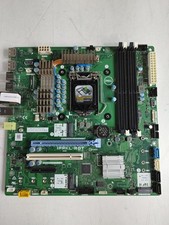
Dell Precision 3650 Tower Intel LGA 1200 DDR4 Desktop Motherboard NDYHG
$59.99


 Reply With Quote