

 Reply With Quote
If you're not using firewire , then you can disable it by using cheatcode:
nofirewire
You can append this in your /etc/lilo.cfg
Don't forget to update your lilo configuration afterwards: lilo -v
Reboot and run netcardconfig.


After having done a harddisk install of Knoppix 3.6 I find that the system gets confused over my network card. I think it is due to the fact that I have a Firewire card in which it thinks is also a network card. Hence instead of justing staring eth0 it also starts eth1. The interesting thing is that they are not always asigned to the same card...
Hence I have to do a:
ifconfig -a
to find out where the ethernet card really is, then do a:
ifdown eth0 eth1
to stop both, and then do a:
ifup eth0 or eth1 depending on where the ethernet really is...
Strange. How can I prevent this from happening? For your information I include the results of ifconfig -a:
eth0 Link encap:Ethernet HWaddr 00:C0:A8:8D:2A:76
inet addr:62.204.207.16 Bcast:62.204.207.16 Mask:255.255.255.128
inet6 addr: fe80::2c0:a8ff:fe8d:2a76/64 Scope:Link
IPX/Ethernet 802.2 addr:922333C3:00C0A88D2A76
UP BROADCAST RUNNING MULTICAST MTU:1500 Metric:1
RX packets:39564 errors:0 dropped:0 overruns:0 frame:0
TX packets:15115 errors:0 dropped:0 overruns:0 carrier:0
collisions:4633 txqueuelen:1000
RX bytes:18989122 (18.1 MiB) TX bytes:3603145 (3.4 MiB)
Interrupt:21 Base address:0x9c00
eth1 Link encap:UNSPEC HWaddr 00-30-BD-0B-00-00-15-C8-00-00-00-00-00-00-00-00
inet addr:62.204.207.16 Bcast:62.204.207.16 Mask:255.255.255.128
BROADCAST MULTICAST MTU:1500 Metric:1
RX packets:0 errors:0 dropped:0 overruns:0 frame:0
TX packets:55 errors:1 dropped:1 overruns:0 carrier:0
collisions:0 txqueuelen:1000
RX bytes:0 (0.0 b) TX bytes:3492 (3.4 KiB)
lo Link encap:Local Loopback
inet addr:127.0.0.1 Mask:255.0.0.0
inet6 addr: ::1/128 Scope:Host
UP LOOPBACK RUNNING MTU:16436 Metric:1
RX packets:26254 errors:0 dropped:0 overruns:0 frame:0
TX packets:26254 errors:0 dropped:0 overruns:0 carrier:0
collisions:0 txqueuelen:0
RX bytes:4061191 (3.8 MiB) TX bytes:4061191 (3.8 MiB)
sit0 Link encap:IPv6-in-IPv4
NOARP MTU:1480 Metric:1
RX packets:0 errors:0 dropped:0 overruns:0 frame:0
TX packets:0 errors:0 dropped:0 overruns:0 carrier:0
collisions:0 txqueuelen:0
RX bytes:0 (0.0 b) TX bytes:0 (0.0 b)
Thanks,
Tim
If you're not using firewire , then you can disable it by using cheatcode:
nofirewire
You can append this in your /etc/lilo.cfg
Don't forget to update your lilo configuration afterwards: lilo -v
Reboot and run netcardconfig.
Thanks, but I am using Firewire for an external 200GB hard disk...
And regarding putting the other commands in lilo, that would not work becuase I have to manually see wheter eth0 or eth1 has been associated with the Ethernet before using if up...
Tim
 Posting Permissions

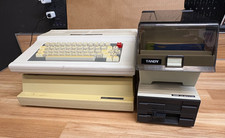
Vintage Tandy 128K Color Computer 3 FD-502 Disc Drive- Printer
$300.00

Vintage GTE XT300 Action Station Terminal 1984 - Tested Works Orig. Box & Foam
$889.00

Vintage Tandy Computer Varsity Scripsit Word Processing 3.5 & 5.25 Disks SEALED
$29.95

Vintage Lotus SmartSuite 4.0 Windows 3.1 3.5 Floppy Big Box NEW Sealed
$32.99
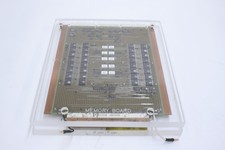
Cray-1 vintage logic module circuit board T7-D5
$600.00
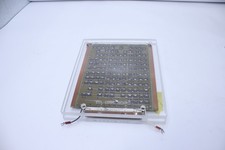
Cray-1 vintage logic module circuit board T7-D5
$600.00

Original Vintage Old Style STANDARD Black CD Jewel Case (Heavy Duty) 90g Lot
$316.95
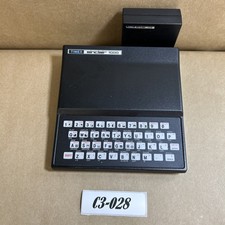
TIMEX Sinclair 1000 Vintage Computer w/ 1016 RAM Module Untested AS IS No Cables
$69.99
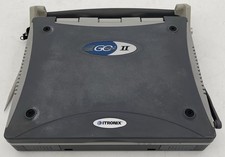
iTronix IX260 GoBook II Vintage Rugged Military Grade Laptop Computer Untested
$39.95
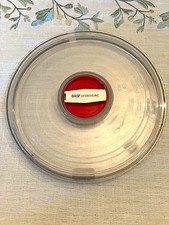
Lot of 5 Vintage Canister Cases - for 10.5" Computer Reel Tapes - Very Good
$59.50