

 Reply With Quote
check in your source dir that you are giving isolinux when you build there is really a boot/isolinux/ directory

TRUE! Never worked for me either.
TRUE! But somehow I managed to get it working.
FALSE! It works just fine, you just used the wrong version.
FALSE! You need to be smarter than the software.
NO OPINION! Cripes, maybe you can use differant software instead.
DON'T KNOW, DON'T CARE. Sorry.

I have tried a variety of differant versions of 'mkisofs' and I have
always had this one stinking problem.
'Uh oh, I cant find the boot catalog directory 'boot/isolinux'!'
Yes, it -is- there and it -was- inputed correctly as stated by the
KNOPPIX online documentation....
http://www.knoppix.net/docs/index.ph...masteringHowto
I should also point out that this 'mkisofs' has not worked before in
other applications. Whats up with that?
Am I the only one having these problems? I am using KNOPPIX 3.6
and I used the above link, followed the intstructions verbatim.
Still the same error. I typed in the absolute paths, I tried other
syntax. Nothing.
check in your source dir that you are giving isolinux when you build there is really a boot/isolinux/ directory
because hat was written for 2.4 and 2.6 may have isolinux in a diffrent directory.. I dunno, my remaster started as 2.4 and ive been updating it manually
I have never tried any of the remastering howtos on this site as IMHO they complicate the process entirely too much but I can assure you that mkisofs DOES indeed work.
The boot directory is there and the isolinux directory is there too.
Those were the first things I checked. I have even tried to pass absolute paths to mkisofs and it didn't work.
I'm sick today so I will mess with this dumb thing later. *grumble*
Thanks!
works for me. hmmm, weird.
How about this....For those that have successfully remastered Knoppix,
please tell me how you did it without going into much detail....
The things I am really curious about are;
* What version of KNOPPIX is used (I have 3.6)
* What version of mkisofs is used (very curious!)?
* Did you use some other persons scripts like Klaus, for example?
Also, what version were they?
* What did you input to get mkisofs to work without the common errors
that I see are being reported? (Can you cut-and-paste it here?)
* Did you use a source and master directory?
* Couldnt I simply uncompress the whole KNOPPIX CD into a folder
and then recreate the boot sequences and recompress the modified
KNOPPIX files by hand somehow just in BASH?
Suggestions, hints, etc very much appreciated!
 Posting Permissions


TP-Link TL-SG105 5-Port Gigabit Ethernet Unmanaged Metal Desktop Network Switch
$19.99

NETGEAR GS308EP Essential Series 8-Port Gigabit PoE+ Unmanaged Switch
$39.99

D-Link DGS-1210-28P 28-Port PoE Gigabit Web Smart Switch With Cord
$49.99

NETGEAR 5-Port Gigabit Ethernet Unmanaged Switch (Gs305) - Desktop Quiet Fanless
$25.99

10-Port Gigabit PoE Network Switch with 8 PoE+ Ports with 2 Combo SFP Slots 125W
$39.99

TP-Link TL-SG105, 5 Port Gigabit Unmanaged Ethernet Switch, Network Hub, Ethern
$15.25

TP-Link Omada SG3428 24-Port Gigabit L2+ Managed Switch 4x SFP w/ Ears
$99.99
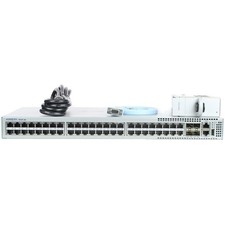
Arista DCS-7010T-48-R 48P 1GbE 4P 10GbE SFP+ RA Switch with rack mounts
$69.00

5Ports Gigabit Network Switch w/ 4 PoE+ Ports Total 52W each port 30W Plug&Play
$31.99

Cisco Catalyst 2960-48TT-L 48-Port Fast Ethernet Managed Rackmount Switch
$46.99