

 Reply With Quote
Code:update-alternatives --config x-www-browser


This should be easy, but I have managed to make it not so. I use mozilla for my email client just because it handles our network mail so well, however; firefox is a better browser and I would like it to be my default. I have stabbed around a bit but cannot find out how to make this happen. Clicking a link in mozilla mail obviously opens the mozilla browser. How do I make it open firefox?
the obvious choice would be move to thunderbird, but we have encountered some problems with it and would really like to stay with mozilla mail. Evolution has seemed to get real buggy lately so this is not an option either.
thanx
helios
Code:update-alternatives --config x-www-browser
helios@helios:~$ su
Password:
root@helios:/home/helios# update-alternatives --config x-www-browser
There are 2 alternatives which provide `x-www-browser'.
Selection Alternative
-----------------------------------------------
1 /usr/bin/mozilla
*+ 2 /usr/bin/konqueror
Press enter to keep the default[*], or type selection number: 1
Using `/usr/bin/mozilla' to provide `x-www-browser'.
root@helios:/home/helios# exit
exit
helios@helios:~$
As you can see, firefox is not listed in the choices. I do not want to go stabbing about in config files in which I know nothing about. Is there a file I must edit in order to see firefox as a choice? I did install firefox from tar.gz, downloaded from the mozilla.org website. It is of course installed in a firefox directory in my home directory /home/helios/firefox. I'm thinking that this might make a difference so I mention it now.
thanx
helios
If you look at the sym links in /etc/alternatives you will see that the sym link x-www-browser points to the selected default browser.
#>cd /etc/allternatives
#>la x-www-browser
lrwxrwxrwx 1 root root 24 Oct 24 14:24 x-www-browser -> /usr/bin/mozilla-firefox
To get this use the following commands
#>rm /etc/alternatives/x-www-browser
#>ln -s /usr/bin/mozilla-firefox /etc/alternatives/x-www-browser
As to how to add the default browser for the update-alternatives command, the file
/var/lib/dpkg/alternatives/x-www-browser
displays the following entries for me:
manual
/usr/bin/x-www-browser
x-www-browser.1.gz
/usr/share/man/man1/x-www-browser.1.gz
/usr/bin/mozilla
80
/usr/share/man/man1/mozilla.1.gz
/usr/bin/konqueror
100
/usr/bin/mozilla-firefox
70
/usr/share/man/man1/mozilla-firefox.1.gz
it looks like you would need to add the last 3 lines to your file (with modified paths) and then use the update-alternatives command.
I would guess that if you add packages such as firefox using apt-get, all this would be done automatically for you.
Hope this helps,
KS
am off to give it a try now. I sincerely thank you for taking the time and having the patience to assist me.
again thanx
helios
 Posting Permissions

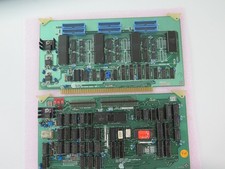
Vintage Rare California Computer Systems Boards for Altair IMSAI S-100 Systems
$345.00
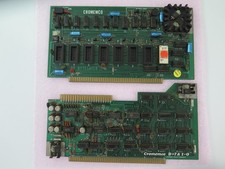
Vintage Rare Cromemco Boards for Altair IMSAI S-100 Systems
$245.00
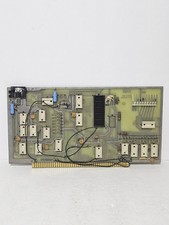
MITS 88 SIOB Serial-TT, An Single Serial I/O Port S-100Board For the Altair 8800
$189.95
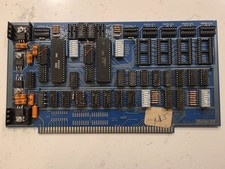
SSM IO-4 S100 I/O Interface Board 2-Serial 2-Parallel Altair IMSAI Untested
$119.99
MITS ALTAIR 680b Turnkey Computer
$2550.00
$675.00
Vintage Octagon 256K Static RAM (32 x HM6264LP-12) Board S-100 Altair IMSAI
$150.00

S-100 backplane motherboard bare PCB 9 slot (for Altair/IMSAI)
$34.99

CP/M 86 1.1R 8086 Highmonitor 8 Inch Floppy Diskette 80s IMSAI Altair
$29.99

ALTAIR Bitcoin Mining Solutions PDU IEC SERIES 100-250V 30A/24A Power Distribute
$99.00