-
Thanks
Thank you all for the replies.
I have not had the time to try the latest suggestions, but will do so shortly and report the results.
Neural: What I did to get a KDM login prompt was actually very dumb. I did a dist-upgrade, and you'll notice that this adds a whole bunch of links to your rc folders for different daemons that will get started at bootup. For us using Knoppix, this is very annoying because we have to now go and delete these links leaving only the original Knoppix ones. I did the reverse: I backed up my Knoppix links and left the ones installed by dist-upgrade (including the kdm one) This left me after bootup at a KDE login prompt and I was able to login into my desktop. However, since the hardware autodetection did not run, my ethernet cards were not configured. The other problem was that the other 4 terminals were still logged in automatically and as root: so much for increasing the security of my system with a login prompt! But in any event, as far as getting a working system, I think that if I fiddle with it enough, setting up my hardware manually, I should be able to have a working system that drops me at a login prompt and all the hardware setup. I am still stumped on how to get the other terminals not to login as root though. I tried what shah suggested with the initlevel, but that did not work: Instead, I was unable to go into KDE at all, so I still don't have a solution for this.
Similar Threads
-
By newbie_remaster in forum Customising & Remastering
Replies: 3
Last Post: 09-20-2004, 01:40 AM
-
By Markus in forum The Lounge
Replies: 19
Last Post: 05-29-2004, 03:52 PM
-
By erp in forum Hdd Install / Debian / Apt
Replies: 5
Last Post: 03-23-2004, 02:26 AM
-
By Bukowski in forum Customising & Remastering
Replies: 1
Last Post: 01-19-2004, 01:57 PM
-
By hololi in forum General Support
Replies: 2
Last Post: 02-27-2003, 03:59 PM
 Posting Permissions
- You may not post new threads
- You may not post replies
- You may not post attachments
- You may not edit your posts
-
Forum Rules


Netac DDR4 32GB 16GB DDR4 3200MHz UDIMM C16 Desktop Internal Memory RAM Kit
$99.99
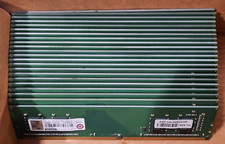
Lot of 88GB (22x4GB) ADVANTECH 1RX16 DDR4 PC4-2400U AQD-D4U4GN24-HP MEMORY RAM
$286.00

A-Tech 8GB DDR3 1600 PC3-12800 Laptop SODIMM 204-Pin Memory RAM PC3L DDR3L 1x 8G
$21.68
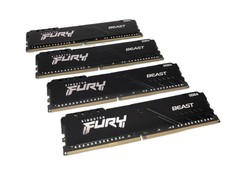
(Lot of 4) Kingston Fury Beast 32GB DDR4 Gaming RAM / KF436C18BB/32 - VGC
$799.95

Major Brand 16GB (2x8GB) PC3-12800U DDR3-1600MHz DDR3-12800 DESKTOP RAM NON-ECC
$29.99

Crucial DDR3L 16GB 2 x 8GB 1600 MHz PC3L-12800 Laptop RAM Sodimm Memory 1.35V
$41.00

Samsung 16GB LPCAMM2 PC5 7500 DDR5 LPDDR5X CAMM2 M561K1LC4DM0-CCTGM RAM Memory
$189.00

RAMAXEL Lenovo 32GB LPDDR5X CAMM2 7500MHz Laptop RAM | UNTESTED
$445.00
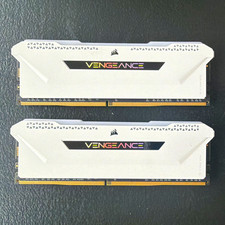
Corsair Vengeance RGB Pro 16GB (2x8GB) DDR4-3600 PC4-28800 DIMM White
$75.00

Micron 32GB 1x32GB DDR5 5600 CL46 ECC Unbuffered SO-DIMM MTC20C2085S1TC56BD1
$399.00



 Reply With Quote