

 Reply With Quote
If you want to reinstall, try boot cd with cheatcodes : lang=us
If you want to stay with installed knoppix, append cheatcode: lang=us
and remove lang=de in /etc/lilo.cfg.


With the English Live CD version of Knoppix 3.6 utlities like partimage, cfdisk and mc are all in English. Once installed with knippix-installer however these all display in German. If I remember correctly (I am not in Knoppix at the moment) so do the man pages. How can one get all this back into English - or alternatively, how can one do the installation so that everything remains in English. German for the basic controls of these programs would be OK, but when one hits an error or more complex dialog, it can be a bit unnerving!
John
If you want to reinstall, try boot cd with cheatcodes : lang=us
If you want to stay with installed knoppix, append cheatcode: lang=us
and remove lang=de in /etc/lilo.cfg.
Thanks.
I use Grub actually (from Fedora) in a triple boot setup with XP, so I put the cheat code as you suggested but in menu.lst instead, as I am sure you would intend. It does indeed work. Thanks again.
John
 Posting Permissions


Western Digital HUS726T4TAL5204 4TB 7.2K SAS 12Gb/s 3.5" 512e HDD NetApp X375A
$64.00

Seagate ST8000NM0075 Enterprise Capacity 3.5 HDD 8TB SAS Hard Drive 8TB EXOS
$184.99

DELL 2TB Enterprise HDD (7200RPM, 3.5", SATA III, 128MB Cache) HUS722T2TALA600
$49.95

HDD 3.5" SATA Hard Drive with Windows 10/Win 11 64x Installed Legacy
$35.00

Dell ST6000NM0034 1HT27Z-150 NWCCG 6TB SAS 3.5 7.2K ENTERPRISE SERVER DRIVE
$68.99

Seagate ST3000NM0005 HDD 3TB SATA 6Gb/s 7.2K 3.5" 512 b/s
$59.00
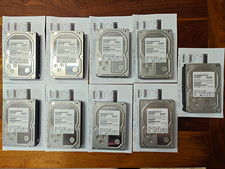
Hitachi Ultrastar 3TB 7200RPM 3.5in SATA III 6Gb/s - enterprise-grade hard drive
$49.00

HGST HUS724040ALA640 4TB 7200 RPM SATA 3.5" Internal Desktop Drive 100% Health
$78.00

HUS726060ALA640 HGST Ultrastar 6TB SATA 6Gbps 7.2K 3.5" Hard Drive OF21860
$129.99

Western Digital 1TB 3.5" SATA III 7200RPM Desktop Hard Drive
$34.99