-
Linux help
Hi, I've got some questions for the linux gurus out there. I've downloaded a copy of both Knoppix and Morphix (to try and find the Linux that's right for me). I started Knoppix and it worked like a charm. I loved it. Now though, the second time I start Knoppix from the CD my mouse doesn't work. The pointer sits in the exact center of the screen without moving. I have a Hewlett-Packard PS/2 Optical mouse which came with my HP computer. The weird thing is, the exact same thing happens in Morphix. I don't know what to do and I am very much a linux newbie. Any help would be appreciated
-
Not sure if this will work for you but it worked for me.
In Knoppix, to get the konsole, press ALT+F2 to get a mini command and type konsole. Type su -c knosole to start root konsole and type init 2. This will take you out of grapical user interface (GUI). You will be in textmode. Than, type init 5 to take you back to GUI. Everything should reload and your mouse should work. This worked for me and I hope it works for you.
-
I got this problem too.
I solved it temporary by moving the mouse before the Konqueror screen pops out, meaning do not get the mouse catch within the window. As long as I do that, everythings okay.
I solved it permanently by doing a PMI. With Knoppix in my harddisk, the problem never occur. Be warn though, instead of freezing mouse, KMIX pops out automatically along with Konqueror, which isn't that bad . 
-
Ok, I tried the konsole and got it to switch out of the GUI and back into it but it didn't help. Mouse in same position, still not responding. I also tried moving the mouse the whole time Knoppix was starting and it didn't do anything. I unplugged the mouse and plugged it in after trying all of that and it still didn't work. Any other ideas would be greatly appreciated. Thanks.
-
Senior Member
registered user
Perhaps you have to edit the mouse protocol in /etc/X11/XF86config-4. I had to change it from auto to IMPS/2 to get my wheelmouse to work with the 2.6 kernel.
Can't help with any more than that possible hint, though, I don't have optical mouse.
-
I'm not sure how to do the whole mouse protocol thing. Like I said, I'm very new to this. I'm not used to command line at all. I'm willing to try but I don't know what commands to use. Also, I'm running the Live CD so I'm not sure what can/can't be changed and since my hard drive is NTFS I'm not sure how the disk even runs without writing to anything.
-
The reason it works without writting anything to disk is that it is runing in RAM( Random Access Memory). Knoppix puts info into the RAM (it loads programs into RAM). As long as the computer is turn on everything is in RAM memory and when you turn PC off, everything from RAM is not saved because it is random access memory.
I found this in the cheatcodes for Knoppix. Not sure if this will help but you could try and see if it helps.
Try this cheat in the boot screen:
knoppix pci=irqmask=0x0e98
"Try this, if PS/2 mouse doesn't work. Try "knoppix pci=irqmask=0x0e98" if (you have a notebook and) your
PS/2 mouse doesn't work. (Possibly caused by a BIOS-flaw on your board,
BIOS updates can help.) Sometimes, switching to the text console with
Control-Alt-F1 and back to the X-screen with Control-F5 solves the
problem without rebooting, since the X server reinitializes the mouse
driver during that procedure." ftp://mirror.csit.fsu.edu/knoppix/kn...cheatcodes.txt
-
Senior Member
registered user
I had the same problem and got it to work by changing a few thinggs. First try this post:
http://www.knoppix.net/forum/viewtop...143&highlight=
This will send you to another post where you can find more info about how to configure your mouse. http://www.knoppix.net/docs/index.ph...tion=LikePages
Go to hardwareFAQ.
http://www.knoppix.net/docs/index.php/FaqHardware
I had to edit out the other two mouse choices and change the mouse button functions to fit my mouse.
#Section "InputDevice"
# Identifier "Serial Mouse"
# Driver "mouse"
# Option "Protocol" "Microsoft"
# Option "Device" "/dev/ttyS0"
# Option "Emulate3Buttons" "true"
# Option "Emulate3Timeout" "70"
# Option "SendCoreEvents" "true"
#EndSection
#Option "Device" "/dev/psaux" got replaced with
# Option "Emulate3Buttons" "true"
# Option "Emulate3Timeout" "70"
/dev/input/mice
Section "InputDevice"
Identifier "PS/2 Mouse"
Driver "mouse"
Option "Protocol" "auto"
Option "ZAxisMapping" "4 5"
Option "Device" "/dev/input/mice"
Option "Buttons" "5"
Option "SendCoreEvents" "true"
EndSection
#Section "InputDevice"
# Identifier "USB Mouse"
# Driver "mouse"
# Option "Device" #"/dev/input/mice"
# Option "SendCoreEvents" "true"
# Option "Protocol" #"IMPS/2"
# Option "ZAxisMapping" "4 5"
# Option "Buttons" "5"
#EndSectionEndSection
I have a 2 button whellmouse and it works fine now.
Hope this helps.
-
Senior Member
registered user
Perhaps the cable is loose? If it worked the first time and now doesn't work is ether of the distros, then its probably hardware related.
Similar Threads
-
By Jakykong in forum The Lounge
Replies: 2
Last Post: 12-14-2005, 08:36 AM
-
By istoleapig in forum Hardware & Booting
Replies: 2
Last Post: 02-19-2005, 09:28 AM
-
By ziggyrafiq in forum General Support
Replies: 0
Last Post: 09-12-2004, 10:40 PM
-
By Lame_Duck in forum Customising & Remastering
Replies: 0
Last Post: 02-08-2004, 05:19 PM
-
By bongski55 in forum The Lounge
Replies: 5
Last Post: 12-08-2003, 04:14 PM
 Posting Permissions
- You may not post new threads
- You may not post replies
- You may not post attachments
- You may not edit your posts
-
Forum Rules

Compaq SLT/286 Model 2680 Vintage Laptop Powers On Display Works w/ Case Adapter
$225.00

Vintage GTE XT300 Action Station Terminal 1984 - Tested Works Orig. Box & Foam
$889.00
NEW* AMD Athlon 64 X2 4850e 4GB WinXP + DOS Custom Retro Gaming PC & 50+ Games
$295.00
Vintage Microsoft Internet Starter Kit, IE 2.0, Windows 95.
$85.00
Vintage Rowe AMI CD-100C Jukebox Selector Keypad Keyboard Panel Untested
$119.99
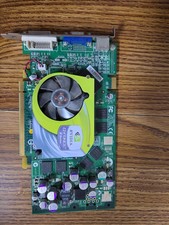
Vintage NVIDIA GeForce 6 Series AGP Graphics Card - TESTED & WORKING
$80.00

Original Vintage Old Style STANDARD Black CD Jewel Case (Heavy Duty) 90g Lot
$316.95
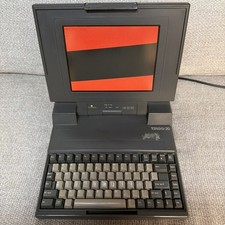
Vintage Retro Toshiba T3100 PA7037U Laptop - Powers On - As Is For Parts Repair
$150.00
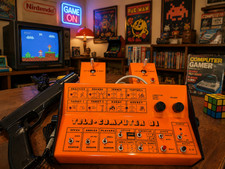
PONG 🌈RaRe🌈 Vintage Tele Games Retro Video Game TV Console Computer
$1699.00
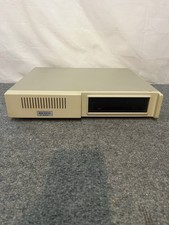
Vintage Commodore 64 Xetec Kernal Hard Drive Untested
$195.00



 Reply With Quote