-
Senior Member
registered user
How klik works: First, it determines (using serverside-apt) what packages must be downloaded. Then it downloads and unpacks the deb files to a directory. Then, it patches all binaries to use relative rather than absolute paths for /usr. Also, it creates links from the AppDir to the "real" files, if needed. Finally, it creates a wrapper that sets the paths as required and then runs the app.
In principle, you should be able to "install" all packages that way, at least all that are in debian, by using klik://replacethisbythenameofanyapplication - but some packages need "hand-tuning" after installation....
Greetings,
probono
Similar Threads
-
By Steve F in forum Customising & Remastering
Replies: 9
Last Post: 09-17-2004, 06:41 PM
-
By Adm in forum Hdd Install / Debian / Apt
Replies: 0
Last Post: 10-13-2003, 05:09 PM
-
By davidHarris in forum Hdd Install / Debian / Apt
Replies: 14
Last Post: 05-01-2003, 04:43 AM
-
By garyng in forum Hdd Install / Debian / Apt
Replies: 5
Last Post: 04-14-2003, 08:12 PM
-
By lgalea in forum General Support
Replies: 0
Last Post: 02-23-2003, 01:08 AM
 Posting Permissions
- You may not post new threads
- You may not post replies
- You may not post attachments
- You may not edit your posts
-
Forum Rules


Intel Core i7-9700 Octa-Core 3 GHz Desktop Processor LGA 1151
$79.99

Corsair RM750e 750W Fully Modular 80 Plus Gold ATX 3.1 PSU Certified Refurbished
$44.99

PS5 Over Heating Problem Solver 1.5 Grams Liquid metal thermal paste CPU, GPU
$15.99

HP ProDesk 405 G8 Desktop AMD Ryzen 5 PRO 5650GE 16GB RAM 512GB SSD W11P
$319.99

Intel SRG17 Core i7-9700T Desktop Processor CPU
$74.99
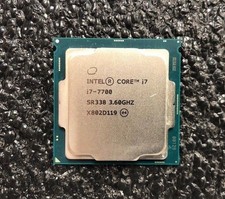
Intel Core i7-7700 Kaby Lake Quad-Core 3.6 GHz Processor LGA 1151
$39.99

Intel i7-8700 Coffee Lake 3.2GHz 6-Core Max Turbo 4.6GHz Processor
$69.99
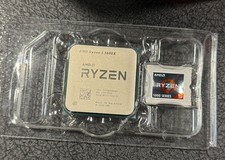
AMD Ryzen 5 5600X Desktop Processor (3.7GHz, 6 Cores, AM4 CPU) 100-100000065
$125.00
Intel Core i5-7600 3.5 GHz 8 GT/s LGA 1151 Desktop CPU Processor SR334
$16.99
Intel Core I9-14900K 14th Gen Unlocked Desktop Processor LGA1700
$395.00



 Reply With Quote