-
usb hardrive.
ok i'm new to the form and to knoppix, i'm trying to install an external WD 80gig hd on a hp laptop that i have booted into knoppix so i can back up the data. my problem is that i can't even figure out where to start. If anyone could point in the right directions i would really be greatfull
-
ok well there are a few tips, some more useful than others.
when you boot knoppix from the cd, dont plug the usb drive in until it has finished booting. an icon should apear on the desktop with the drive name of sda1 (or something similar). you should then be able to mount this and change to read write mode before copying data.
also if you are new to this, you may not be aware of running from the hard drive as a poor mans install, at the boot prompt, type
Code:
knoppix tohd=/dev/hda1
this should then copy the cd image to your internal hard drive and run it from there leaving your cd writer free. However, something I do regularly is to do this with my usbhd i type
Code:
knoppix tohd=/dev/sda1
which then allows me to take the drive to a friends house and get my desktop on his computer.
one its copied, you use the cd to kick it off with
Code:
knoppix fromhd=/dev/sda1
or as i often do, press return at the boot prompt,
or type for your persistant home then eject the cd after the miniroot has loaded (knoppix3.4+ will scan usb drives automatically, as does the floppy)
To save your config or a home it needs to be saved on a different partition, but i have found that you can use qtparted to put an extra partition on the usbhd for the knoppix image, then use the rest of the drive for home config and files.
does that help at all?
-
Hm... plugging the harddrive helped me
I've got a Seagate 20GB notebook HDD and "Sarotech Cutie" smallATA-to-USB converter. Recent knoppix detects it both at boot and if you plug it during the work (icon appears on KDE, /dev/sdb# becomes live etc). However I only have USB version 1 ports.
-
Junior Member
registered user
knoppix tohd=/dev/sda1 for example as an external usb hdd
outanet said that it will told knoppix to copy the cd image to /dev/sda1 and let knoppix running on the hdd and leave the cdrom/cdwriter free for other purpose
I have a question.
My usb hdd has some others data files, if I execute "knoppix tohd=/dev/sda1" wll it overwrite all existing files ? or will it partition the hdd ? which filesystem of the usb hdd should it be, fat32, ntfs, ext2 ?
-
it will not overwrite anything, but it will copy a KNOPPIX directory and 700mb to the fat32 partitioned drive.
the problem arises when you will want to save your home or config, knoppix will make the whole partition read only, so the home/config cannot be saved.
I got around this by booting to a cd, and partitioning using sudo qtparted, then creating a second fat32 partiton 1 gig in size for the copied img, the config and all my data could be saved on the rest of the drive.
Code:
knoppix fromhd=/dev/sda2 home=/dev/sda1
-
Junior Member
registered user
I am testing knoppix under vmware
I created two virtual hdds.
/dev/hda1 is 800M in vfat filesystem
/dev/hdb1 is 100M in vfat filesystem
Booting the knoppix cd, I first knoppix tohd=/dev/hda1
after a few mins to copy the cd contents to /dev/hda1
I can boot knoppix from hdd by issue command at the boot prompt
knoppix fromhd=/dev/hda1 (TEST OK)
After boot up, I run "create Permanent home" , I selectd /dev/hdb1 and it asked me to format the parition in linux filesystem or answer "NO" to create a image file. I select "NO" to create a image file instead.
Then I reboot again and at the boot prompt I enter
knoppix fromhd=/dev/hda1 myconf=/dev/hdb1 home=/dev/hdb1
Everything go smooth, but I found that the account being used is root but not knoppix
What's the problem ?
-
Senior Member
registered user
Weird, I haven't heard of that problem before, try recreating the PH.
(Some folders are always root, I think the Lost and Found is one of them)
-
update

Originally Posted by
outanet
knoppix will make the whole partition read only, so the home/config cannot be saved.
Code:
knoppix fromhd=/dev/sda2 home=/dev/sda1
*update*
it seems this is only applicable to a fat32 fs, if a pmi is placed on an ext2 fs the config can be saved along with a persistant home on the same partition no problems.
Similar Threads
-
By System in forum Hdd Install / Debian / Apt
Replies: 10
Last Post: 03-13-2005, 08:07 PM
-
By Chibi in forum Hdd Install / Debian / Apt
Replies: 5
Last Post: 02-23-2005, 05:51 AM
-
By pete1968 in forum General Support
Replies: 1
Last Post: 09-13-2004, 04:40 PM
-
By sb73542 in forum Hardware & Booting
Replies: 0
Last Post: 05-06-2004, 01:24 AM
-
By linuser in forum General Support
Replies: 0
Last Post: 02-28-2003, 01:54 AM
 Posting Permissions
- You may not post new threads
- You may not post replies
- You may not post attachments
- You may not edit your posts
-
Forum Rules


Kingston 32GB 64GB 128GB 256GB USB 3.0 Flash Drive Thumb Memory Stick Pen lot
$285.90

Lot Of 8 Micron 8GB 2Rx8 PC4-2666V-RE2-11 ECC REG Server Ram MTA18ASF1G72PDZ-2G6
$210.00
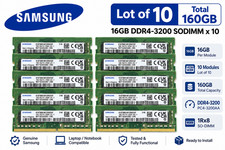
Lot of 10 Samsung 16GB 1Rx8 PC4-3200AA DDR4 SODIMM M471A2G43AB2-CWE 160GB
$1319.99
Micron MTA18ASF2G72XF1Z-2G9WP1ABVGD 16GB 1Rx4 NN4-2933Y DDR4 ECC NVDIMM
$74.50

USB 3.0 Flash Drive 32GB 64GB 128GB Memory Stick Thumb Stick Lot Pack
$826.09
MTA36ASF4G72PZ-2G3B1 Micron 32GB (1x32GB) 2RX4 PC4-2400T DDR4 Server Memory
$220.00
Grade A Samsung Cisco 64GB PC4-2666V DDR4 2S2Rx4 RDIMM RAM M393A8K40B22-CWD LOT
$299.99
Micron 16GB DDR5-4800 PC5-38400R EC8 RDIMM Server Memory RAM MTC10F1084S1RC48BA1
$560.00
LOT OF 2 Micron 16GB 2Rx8 PC4-2666V-EE1-11 P/N: MTA18ASF2G72AZ-2G6D1ZG
$199.95

LOT OF 4 Samsung 16GB DDR4-2666 ECC UDIMM 2Rx8 PC4-21300 M391A2K43BB1-CTDQ
$469.95



 Reply With Quote