-
Senior Member
registered user
How are you making the Desktop links?
I have just tried creating a link by the simplest possible method: Rt click on the desktop, select Createnew->File->Link to application, select 'application' type in name of executable (I just used 'kcontrol' as a test) & close. Icon is still the default gear but click it & up pops control center.
For mc you have to go to advanced options & select 'run in terminal'.
Mozilla worked also.
All of the links were owned by user knoppix.
Similar Threads
-
By zoukgirl in forum General Support
Replies: 1
Last Post: 10-28-2004, 01:01 AM
-
By irsirius in forum Customising & Remastering
Replies: 3
Last Post: 10-25-2004, 07:00 PM
-
By eric2 in forum General Support
Replies: 4
Last Post: 01-27-2004, 11:54 PM
-
By probono in forum Ideas
Replies: 0
Last Post: 04-19-2003, 08:38 PM
-
By garyng in forum General Support
Replies: 3
Last Post: 03-25-2003, 08:55 AM
 Posting Permissions
- You may not post new threads
- You may not post replies
- You may not post attachments
- You may not edit your posts
-
Forum Rules


NETGEAR GS308EP Essential Series 8-Port Gigabit PoE+ Unmanaged Switch
$39.99

TP-Link TL-SX105 10GB 5-Port Switch - Unopened
$195.00

Extreme Networks 10GE X440-G2-24P-10GE4 16533 24Plus-Ports POE+ Switch UP
$127.00

TP-Link TL-SG1048 48-Port Gigabit Rackmount Switch New Factory Sealed
$199.99

TP-Link TL-SG105 5-Port Gigabit Ethernet Unmanaged Metal Desktop Network Switch
$19.99

10-Port Gigabit PoE Network Switch with 8 PoE+ Ports with 2 Combo SFP Slots 125W
$39.99

TP-Link TL-SG105, 5 Port Gigabit Unmanaged Ethernet Switch, Network Hub, Ethern
$15.25
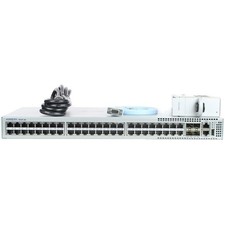
Arista DCS-7010T-48-R 48P 1GbE 4P 10GbE SFP+ RA Switch with rack mounts
$69.00

Cisco WS-C3650-12X48UR-L 48-Port Stackable Layer 3 8x10G SFP+ Port Switch
$129.99

NETGEAR 5-Port Gigabit Ethernet Unmanaged Switch (Gs305) - Desktop Quiet Fanless
$25.99



 Reply With Quote