

 Reply With Quote
hopefully i have solved quickly:
i have created a new folder called "tmp" and set read and write

bye!


Hi,
i'm creating my knoppix customization with the good "HOWTO: Remaster Knoppix using Fabian Franz's remaster script"
for error, i have login (inside chroot) as root and not as knoppix and launch startx.
after, i'm go out from kde and i try to launch startx as knoppix user but i have this error:
X: cannot stat /tmp/X11-unix (no such file or directory), aborting.
giving up

where is the problem? how can i start kde as knoppix user?
thank you!
hopefully i have solved quickly:
i have created a new folder called "tmp" and set read and write
bye!
 Posting Permissions


Dell 6P85J 4TB ST4000NM0063 7.2k 6Gb/s 3.5” SAS SED Hard Drive with Tray
$39.99

Western Digital HUS726T4TAL5204 4TB 7.2K SAS 12Gb/s 3.5" 512e HDD NetApp X375A
$64.00
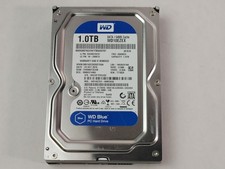
Western Digital WD Blue WD10EZEX 1 TB 3.5" SATA III Desktop Hard Drive
$23.99

(ST8000NM0045) SEAGATE ENTERPRISE 8TB 7200RPM 4Kn SATA 6Gb/s 3.5" HARD DRIVE
$199.99

Seagate Exos ST20000NM003C 20TB CMR 7200RPM SATA6Gb/s 3.5" Enterprise Hard Drive
$509.99

Dell ST6000NM0034 1HT27Z-150 NWCCG 6TB SAS 3.5 7.2K ENTERPRISE SERVER DRIVE
$68.99

Seagate Exos ST2000NX0253 HDD 2TB SATA 7.2K 2.5" 512b/s
$55.00

Toshiba 14TB MG07 MG07ACA14TEY 7.2K RPM SATA 6Gb/s 512e 3.5" Enterprise HDD
$339.00

Western Digital 1TB 3.5" SATA III 7200RPM Desktop Hard Drive
$34.99

DELL 2TB Enterprise HDD (7200RPM, 3.5", SATA III, 128MB Cache) HUS722T2TALA600
$49.95