

 Reply With Quote
IMHO you can hardly go wrong with nearly anything from nvidia.


Hey group...
I've spent the last 45 minutes researching this board and have come to the conclusion that I have no conclusion. I have a generic soyo board w/a 1.8 gig intel chip. I am currently running a radeon 9200 se (ATI) video card and it does ok...no 3d of course but thats cause I am a complete noob and have not tried to load the drivers. Being a noob isnt really the entire reason either. This board and others is full of horror stories of kernel hacks and the such that have gone terribly wrong when compiling/installing ATI video drivers. Screw it, I would just as soon just go spend a little money and buy a good card. I am completely window-less now because...well because windoze sucks on just about every level. I am not a gamer, but I would like 3d just to have it.
What are your recommendations on the perect video card for knoppix. I have 3.6 hd install on hda and yoper 2.1 on hdb. whaddaya think?
helios
IMHO you can hardly go wrong with nearly anything from nvidia.
Exactly, infact nvidia even provides drivers for linux. Can't get to much more friendly then that.Originally Posted by mzilikazi
I ignored advice from others and got a new laptop with the latest and greatest ATI mobility and the official drivers for it DO suck.
NVidia, definatelly NVidia...
Even though, I am probably the "major" person to have had the "problems" with this video card, some of them were my issues, and not the cards ( I have a serious phobic reaction to compiling my kernel from source, which is unfounded, and really, not that hard, or bad, to do )
You can find LOTS of documentation here on the "Forums" on the process, and even post for help, as I did ( many times) on the process... You can download everything you need; kernel sources, "Knoppix" patch sources, NVidia "specific" card sources, and then compile your kernel to include NVidia... After the kernel compile, it tells you in a readme file, or maybe in the installer, what changes you need to make to take full advantage of the video card -=- considering that I have over three figures in my FPS ( frames per second ) in glxgears ( between 300 and 350 FPS ) -=- it sure makes for nice video intensive game playing
My previous system had a ATI "All In Wonder" card, it worked, but NEVER as good as the NVidia, and definately, not without as few a headaches
If I was going to get another video card, it would have to be a NVidia ( even with the pains I have had with them, it wasnt that bad, compared to the outcome )
Really? I'm getting a constant 274 with just an integrated i810 chip. I thought you're supposed to get >1000 with a newish graphics card of almost any sorts.
I'm getting about 150-200 with out tweaking my card on armgetron.(sp)
Thats a pretty graphic intense game. I was only getting about 5-15 on my old i810
I am not sure about this Markus, but, I think they were looking at the "5 second timings" and not the FPS, glxgears uses an "average" of a five second timing scheme... It will give the amount of frames displayed in 5 seconds, and then calculate the frames per second from the five second timings - yeah, if I go off of my "5 second" timings, I get about 1500 to 1800 frames per 5 seconds...
Someone once posted they were getting around two thousand in glxgears, but I think they were looking at the "5 second" timings - I cant imagine that as a FPS, that would be something around a CRAY, I would think
Now, for a nice "intensive" video game, try Chromium, if you dont got enough FPS for "that" game, it plays slower than doggie doo doo -=- Mouse response is laggy, playing is almost imposible, without having the acceleration and FPS behind it... But, I agree with Armagetron - get it going with FOUR players, each with a screen view, all four of them playing as AI players, and you can still get around 30 FPS - which is pretty cool
Nope, had the right numbers:
markus@fujibox:~$ glxgears
1065 frames in 5.0 seconds = 213.000 FPS
1348 frames in 5.0 seconds = 269.600 FPS
1376 frames in 5.0 seconds = 275.200 FPS
1375 frames in 5.0 seconds = 275.000 FPS
1397 frames in 5.0 seconds = 279.400 FPS
1398 frames in 5.0 seconds = 279.600 FPS
1314 frames in 5.0 seconds = 262.800 FPS
Isn't due to a crappy resolution either:
markus@fujibox:~$ xrandr |grep \*
*0 1280 x 1024 ( 361mm x 271mm ) *85
I don't play that many games needing 3D so I haven't bothered with better acceleration, tuxracer works just fine with i810, as does chromium.
As a sidenote, although I'm running Kanotix BH5 the XF86config-4 is from Knoppix 3.7.
AHHAAA! Running glxgears while playing chromium gives:
root@fujibox:/home/markus# glxgears
212 frames in 5.0 seconds = 42.400 FPS
147 frames in 5.0 seconds = 29.400 FPS
138 frames in 5.0 seconds = 27.600 FPS
141 frames in 5.0 seconds = 28.200 FPS
150 frames in 5.0 seconds = 30.000 FPS
150 frames in 5.0 seconds = 30.000 FPS
... and the game is sluggish (which it isn't when the gears aren't running).
Just for ref here Markus, this is the same output that you showed, but with a 1.7 GHZ AMD, 512 MB RAM, Knoppix v3.4 w/ 2.6.6 experimental kernel, and a NVidia GeForce 4 MX 440 w/ 8 GB RAM, newest device drivers from NVidia compiled into kernel :
-=- glxgears running on its own -=-
cuddles@Morpheus:~$ glxgears
1514 frames in 5.0 seconds = 302.800 FPS
1659 frames in 5.0 seconds = 331.800 FPS
1660 frames in 5.0 seconds = 332.000 FPS
1660 frames in 5.0 seconds = 332.000 FPS
1658 frames in 5.0 seconds = 331.600 FPS
1664 frames in 5.0 seconds = 332.800 FPS
1666 frames in 5.0 seconds = 333.200 FPS
-=- resolution -=-
cuddles@Morpheus:~$ xrandr | grep \*
*0 1280 x 1024 ( 433mm x 347mm ) *75
-=- glxgears running along with chromium "Intro / Main" screen -=-
cuddles@Morpheus:~$ glxgears
143 frames in 5.0 seconds = 28.600 FPS
150 frames in 5.0 seconds = 30.000 FPS
163 frames in 5.0 seconds = 32.600 FPS
159 frames in 5.0 seconds = 31.800 FPS
154 frames in 5.0 seconds = 30.800 FPS
162 frames in 5.0 seconds = 32.400 FPS
147 frames in 5.0 seconds = 29.400 FPS
cuddles@Morpheus:~$
I play tuxkart too, fun game( if you like to play "air hockey", you might look at tuxpuck )
 Posting Permissions


GIGABYTE A520M DS3H AC AMD AM4 Motherboard mATX
$59.99

Corsair RMe RM850e 850W 80 Plus Gold Fully Modular Low Noise Certified Refurb
$58.99

Gigabyte GA-B85M-D3H Motherboard
$54.99

Intel H81 Motherboard M.2 NVMe LGA 1150 mATX w/ IO Shield (Random Slot Color)
$29.90

GIGABYTE B365 HD3 LGA1151 Intel 9th Gen motherboard
$59.99

Asus Prime B660M-A AC D4 Motherboard Intel LGA 1700 14th 13th 12th Gen DDR4
$79.99

MSI B550M PRO-VDH Micro-ATX Motherboard - AMD AM4, Ryzen 5000/4000/3000 Ready, P
$71.49

ASUS PRIME H410M-K LGA 1200 Intel 10th Gen H410 DDR4 USB3.2 Motherboard M-ATX
$59.99
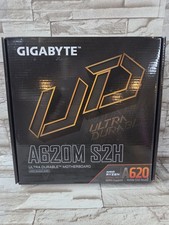
GIGABYTE - A620M S2H AM5 DDR5 M-ATX Motherboard
$65.00
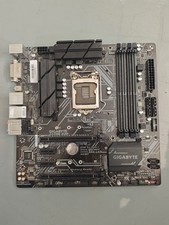
Gigabyte Z370M D3H LGA1151 DDR4 Micro ATX Motherboard PCIe 3.0 Desktop Mainboard
$77.99