-
help me diagnose an apt error
Did an apt-upgrade and now everytime I transact with apt-get, I receive the following complaint at the end of every transaction. Would someone help me get rid of it?
thanx
Unpacking replacement frozen-bubble-data ...
mv: cannot stat `/usr/games/frozen-bubble.wav': No such file or directory
dpkg: warning - old post-removal script returned error exit status 1
dpkg - trying script from the new package instead ...
dpkg: error processing /var/cache/apt/archives/frozen-bubble-data_1.0.0-6_all.deb (--unpack):
there is no script in the new version of the package - giving up
preinst called with unknown argument `abort-upgrade'
dpkg: error while cleaning up:
subprocess pre-installation script returned error exit status 1
Selecting previously deselected package xjewel.
Unpacking xjewel (from .../xjewel_1.6-19_i386.deb) ...
Errors were encountered while processing:
/var/cache/apt/archives/frozen-bubble-data_1.0.0-6_all.deb
E: Sub-process /usr/bin/dpkg returned an error code (1)
root@helios:/home/helios# exit
exit
helios@helios:~$
-
Senior Member
registered user
mv: cannot stat `/usr/games/frozen-bubble.wav': No such file or directory
This problems is to to an error in the debian frozen bubble package. The error message means that it can't find that file. To get around that problem you need to create that file so the system can update/remove it. Use the following command to create it.
Code:
touch /usr/games/frozen-bubble.wav
Then rerun apt-get update and you will notice that it is successful.
I hope this helps.
James
-
Senior Member
registered user
Re: help me diagnose an apt error

Originally Posted by
helios17
Did an apt-upgrade.....
I'm sure you have seen some of the dire warnings about upgrading Knoppix. Let us know how it works out.
A word of advice..when it asks do you want to keep your original confirmation settings or upgrade to the package maintainer's version, keep your own if you want to recognize your system afterward.
-
that didnt work...
Here is the output from bash after following your instructions. Im lost.
The following packages will be upgraded:
frozen-bubble-data
1 upgraded, 0 newly installed, 0 to remove and 104 not upgraded.
12 not fully installed or removed.
Need to get 0B/5155kB of archives.
After unpacking 1651kB of additional disk space will be used.
Do you want to continue? [Y/n] y
(Reading database ... 128880 files and directories currently installed.)
Preparing to replace frozen-bubble-data 1.0.0-4 (using .../frozen-bubble-data_1.0.0-6_all.deb) ...
Unpacking replacement frozen-bubble-data ...
Removing `diversion of /usr/games/frozen-bubble to /usr/games/frozen-bubble.distrib by frozen-bubble-data'
dpkg-divert: rename involves overwriting `/usr/games/frozen-bubble' with
different file `/usr/games/frozen-bubble.distrib', not allowed
dpkg: warning - old post-removal script returned error exit status 2
dpkg - trying script from the new package instead ...
dpkg: error processing /var/cache/apt/archives/frozen-bubble-data_1.0.0-6_all.deb (--unpack):
there is no script in the new version of the package - giving up
preinst called with unknown argument `abort-upgrade'
dpkg: error while cleaning up:
subprocess pre-installation script returned error exit status 1
Errors were encountered while processing:
/var/cache/apt/archives/frozen-bubble-data_1.0.0-6_all.deb
E: Sub-process /usr/bin/dpkg returned an error code (1)
root@helios:/home/helios#
-
Senior Member
registered user
Re: that didnt work...
Originally Posted by
helios17
Here is the output from bash after following your instructions. Im lost.
The following packages will be upgraded:
frozen-bubble-data
1 upgraded, 0 newly installed, 0 to remove and 104 not upgraded.
12 not fully installed or removed.
Need to get 0B/5155kB of archives.
After unpacking 1651kB of additional disk space will be used.
Do you want to continue? [Y/n] y
(Reading database ... 128880 files and directories currently installed.)
Preparing to replace frozen-bubble-data 1.0.0-4 (using .../frozen-bubble-data_1.0.0-6_all.deb) ...
Unpacking replacement frozen-bubble-data ...
Removing `diversion of /usr/games/frozen-bubble to /usr/games/frozen-bubble.distrib by frozen-bubble-data'
dpkg-divert: rename involves overwriting `/usr/games/frozen-bubble' with
different file `/usr/games/frozen-bubble.distrib', not allowed
dpkg: warning - old post-removal script returned error exit status 2
dpkg - trying script from the new package instead ...
dpkg: error processing /var/cache/apt/archives/frozen-bubble-data_1.0.0-6_all.deb (--unpack):
there is no script in the new version of the package - giving up
preinst called with unknown argument `abort-upgrade'
dpkg: error while cleaning up:
subprocess pre-installation script returned error exit status 1
Errors were encountered while processing:
/var/cache/apt/archives/frozen-bubble-data_1.0.0-6_all.deb
E: Sub-process /usr/bin/dpkg returned an error code (1)
root@helios:/home/helios#
Try apt-get -f install or apt-get -f remove frozen*. Or try dpkg -P frozen-bubble instead of apt. Check man dpkg for 'force' options, I think there may be an 'ignore-missing' type option.
Another possiblity if apt is still working (ie can you apt-get something else...apt will not continue if there is an error condition, it will just refuse to do anything else) first check /var/cache/apt (I think thats the correct path, Im not in Linux right now) & see if there is a frozen-bubble package there. If so, delete it then do apt-get install frozen-bubble to make it download & install a new package which it should then be able to correctly remove.
Similar Threads
-
By explorer in forum Klik
Replies: 0
Last Post: 12-22-2005, 12:16 PM
-
By Tim_Neobard in forum General Support
Replies: 1
Last Post: 07-10-2004, 03:47 PM
-
By Cuddles in forum Hdd Install / Debian / Apt
Replies: 17
Last Post: 01-20-2004, 04:30 PM
-
By labrador in forum Customising & Remastering
Replies: 0
Last Post: 07-18-2003, 01:54 AM
-
By Mad_Max_FX in forum Hdd Install / Debian / Apt
Replies: 1
Last Post: 06-22-2003, 03:29 AM
 Posting Permissions
- You may not post new threads
- You may not post replies
- You may not post attachments
- You may not edit your posts
-
Forum Rules


Original Vintage Old Style STANDARD Black CD Jewel Case (Heavy Duty) 90g Lot
$316.95
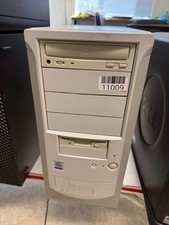
Vintage Desktop No Brand-Pentium 4-512MB Ram 40GB HDD ATI R200 Fire GFx OS W98E
$139.99

Vintage NEC CDR-1410A 50 Pin SCSI CD-ROM Optical Drive Used
$39.99

Vintage Teac FD-505 5.25" 3.5" Combo Drive 19307571-00
$199.99
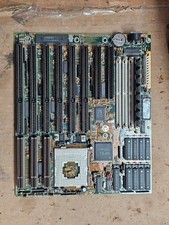
Vintage Retro Tested Clean Shuttle HOT-419 Vesa Local Bus ISA / AT + 8MB RAM
$189.95
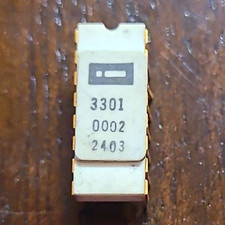
Early Intel 3301 White Cap Vintage Ceramic chip - ALL LEGS INTACT (BO)
$750.00
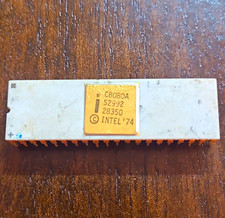
Intel 8080A Vintage ceramic chip - 1 leg missing w/ some corrosion (BO)
$75.00
Vintage Radio Shack TRS-80 Expansion Interface Fully Upgraded Max 32k Ram
$300.00
VINTAGE Custom Built Desktop-AMD [email protected] 8GB RAM 80GB HDD NO OS-READ
$160.00
Vintage Mitsubishi CDVR412 CD-RW Optical Drive SCSI 50 Pin Used
$47.99



 Reply With Quote