

 Reply With Quote
Have you tried 'knoppix failsafe'? And have you tried booting from both the cd-r & the cd-rw drive?
You could still try the Debian install, Knoppix is probably giving trouble because of a hardware detection problem, not because it's Debian.


Well here´s a real challenge!!!!!!!!!!!!!!!!!!!!!!!!!!!:
I´ve got a Pcchips 748 LMRT mobo PIII 450Mhz slot 1 (all onboard Puaj!!) with 128 Mb of RAM (8 shared with VGA card), Hd 8 Gb Samsung 5400 RPM, Samsung cd-r, Sony (lite-on) Cd-rw, Intel chipset modem 56K I think it´s a winmodem, cause it needs drivers to work in W$ mill edit.
I´ve tried Knoppix 3.3 first, but i can´t reach even the part when it puts:
Welcome to knoppix live-on-cd!!
I´ve been booting using this lines:
Knoppix vga=normal screen=800x600 mem=120M (my mobo shares 8Mb) noscsi noapm noapic acpi=off
Nothing!!!!!!!!!!!!!!!!!!!!!
Well I thought it was the scsi emulation, so i´ve download the 3.6 version in orther to use the 2.6 kernell, and I can only reach the part WELCOME TO....................
The cd is OK it works in EVERY computer exept mine.
I don´t use vga=normal Anymore, cause I can see tux when it starts. I just don´t know what to do.
i´ve flashed the bios, read every cheat code, believe me it is very frustrating.
now I use
knoppix26 mem=120M noscsi noapic acpi=off dma (the new bios has dma acceleration enable) noapm lang=es desktop=icewm
ANY SUGEST!!!!!???????????????????
I´ve tried nodma and expert26, but I can reach only the same part i said in the previous post.
I also tried memtest, and there are no errors.
I was thinking in installing a Debbian linux but it fears me cause if a debbian base (Knoppix) doesn´t work, Debbian won´t work too!
Heres a problem I´ve got for some time, I don´t know if it could be useful, the date an the time goes crazy every time, but I don´t get any advice of battery low in the bios, and the bios config doesn´t get erased.
THANK YOU!!!!
ASK WHAT YOU WANT I WILL REPLY EVERITHING!!!!!!!!!!!!!!
Have you tried 'knoppix failsafe'? And have you tried booting from both the cd-r & the cd-rw drive?
You could still try the Debian install, Knoppix is probably giving trouble because of a hardware detection problem, not because it's Debian.
Thanks crash!!
I´ve tried failsafe, but I could only the same part, I´ve read some things that I want to try, but I can tell it tomorrow, cause the computer is at home and I´m at work by now!
Thanks anyway and as always say: IT DOESN´T MATTER THE TIME IT WOULD BOOT I KNOW IT !!!!!!!!!!!!!!!!
AXIOMATICO
PS: I know that the problem in Knoppix cames from it´s hardware autodetection, i´ve tried it in other computers, and blieve me it really blows up my mind thats why I wanted to install it.
 Posting Permissions


(New) AMD Ryzen 7 5700X 8 Core 16 Thread AM4 Unlocked 3.4 GHz CPU OEM Tray
$174.99
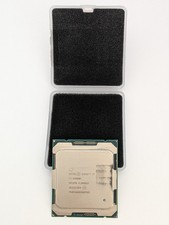
Intel Core i7-6900K SR2PB 8-Core 3.20GHz CPU LGA 2011 (Socket R)
$60.00

AMD Ryzen 7 PRO 8700GE 8-Core/16-Thread Up to 5.1GHz AM5 (FL1)
$189.00

SGIN 17.3" Laptop Intel Quad-Core Up to 2.4 GHZ 8GB RAM 256GB SSD HD
$229.99

Apple Macbook Pro 13" M1 8-Core 16GB 512GB - Good
$464.99

Intel Xeon E5 - 2667V2 / SR19W 3.30GHz 25MB 8-Core CPU Socket LGA2011
$30.00

AMD Ryzen 7 9800X3D 8-Core 16-Thread AM5 CPU Processor Brand New Unused
$395.95

AMD Ryzen 7 9700X 8-Core 16-Thread 40MB Cache Socket AM5 9000 Series Processor
$245.99

Dell T7810 Workstation 8-Core 2.40GHz E5-2630 v3 No RAM GPU HDD OS
$259.98
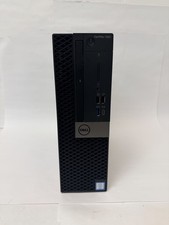
Dell OptiPlex 7060 Intel Core i7-8700 3.2GHz 8GB RAM 256GB Windows 11 Pro FAST
$159.99