-
Splash screen "Redmond"
i'd like use the Redmond splash screen (is that like "windows xp") and i have set this in control center. but when i have remastered, there is the default splash screen... 
how can i change to have success in knoppix live?
thank you very much!
-
Senior Member
registered user
All custom configuration for the knoppix user comes from /etc/skel so copy any changes you make from /home/knoppix to /etc/skel. Specifically ~/.kde and ~/.kderc would most likely be needed for any customization related to kde. To make this simple I ususally use a basic script something like:
Code:
mv /etc/skel/.kde /etc/skel/.kde_old
cp /home/knoppix/.kde /etc/skel
mv /etc/skel/.kde /etc/skel/.kderc /etc/skel/.kderc_old
cp /home/knoppix/.kderc /etc/skel
This way you can make changes to kde and run your script to put those changes where they need be. Then you can test it out without rebooting like so:
rm -rf /home/knoppix/* .*
init 3
init 5
That will restart KDE (or whatever desktop you booted with) with the new configuration from /etc/skel. This of course works if you are booted directly into your remastering environment. If you still use chroot then I do not know.........
Similar Threads
-
By Al Hayes in forum Networking
Replies: 0
Last Post: 07-05-2004, 11:57 AM
-
By Pokec in forum General Support
Replies: 2
Last Post: 12-07-2003, 07:39 PM
-
By oreo in forum General Support
Replies: 11
Last Post: 07-23-2003, 06:33 PM
-
By geebee2000 in forum Hardware & Booting
Replies: 9
Last Post: 05-21-2003, 07:29 PM
-
By Juny in forum General Support
Replies: 4
Last Post: 03-14-2003, 09:02 AM
 Posting Permissions
- You may not post new threads
- You may not post replies
- You may not post attachments
- You may not edit your posts
-
Forum Rules

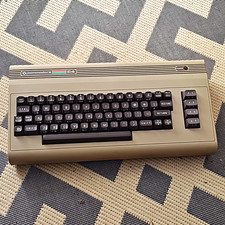
Commodore 64 Vintage Home Computer Without Box
$100.00

Commodore VIC-20 Diagnostic Cartridge & Test Harness Set - USA seller
$39.99

Commodore OS USB | Bootable LIVE + Install | The Ultimate Gaming Linux OS | NEW
$11.99

Commodore 64 Dead Test & Diagnostic Cartridge & Test Harness Set - USA seller
$39.99
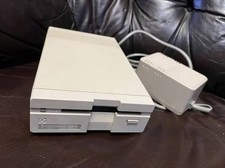
Commodore 1581 3.5" Floppy Disk Drive + PSU Cable Manual Vintage Untested
$309.99
Commodore 1581 Floppy Disk Drive w/ Power Supply, Cable & Disks
$300.00
Vintage Commodore C64 In Box With Manual And Cables Working
$200.00
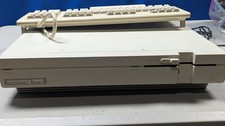
Commodore 128D System works great Comes with Keyboard which works great
$700.00
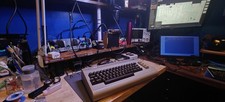
Commodore 64 C64 Breadbin Computer System TESTED READ
$159.00

Commodore 1541 Emulator PI1541 HAT with ROTARY, OLED screen, USA Seller
$29.99



 Reply With Quote