

 Reply With Quote
Try in a console:
dpkg-reconfigure locales
Check only the languages you need. Click OK
Originally Posted by marat


The goal is to have UTF-8 file names, especially for MP3 files :). I added utf8 segment to the list of languages in knoppix-autoconfig with LANG=en_US.UTF-8 and CHARSET=UTF-8, but results are mixed: Konqueror displays file names correctly, but konsole doesn't, while xterm do. Is it possible to make konsole display proper characters instead of squares (changing the font does not seem to help), or should I switch to xterm? KDE taskbar also doesn't display UTF-8 characters at all, can it be fixed?
XMMS started to display proper characters in songs list and main window after specifying the good font group, but without selecting the font grouping option (first on on a Fonts page) since it brakes everything.
Try in a console:
dpkg-reconfigure locales
Check only the languages you need. Click OK
Unfortunately it didn't help much, I tried to select languages I need and deselect those I don't need, but File Open window of XMMS still displays file names in ISO-8859-1, and taskbar still doesn't display non-ASCII characters at all, i.e. nothing has changed (yes, I did click OK and even rebooted :)).
As for konsole finally I managed to display proper characters instead of squares. It takes picking Font - Unicode and Font - Custom... in a random order and dancing under the moon until the desired result is reached. Most fonts display japanese characters correctly, but truncate end of cyrillic characters; one displaying both kinds right is "Console".
So now what can I do with "File Open" dialog?
Ghm, even SuSE does not support this, so solution is to use different frontend like amarok.
 Posting Permissions

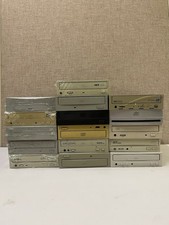
Vintage 90s/00s Internal PC Optical Drive Bulk Lot x16 CD-ROM DVD IDE PATA
$165.00
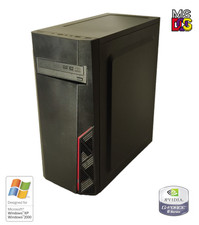
NEW* AMD Athlon 64 X2 4850e 4GB WinXP + DOS Custom Retro Gaming PC & 50+ Games
$295.00
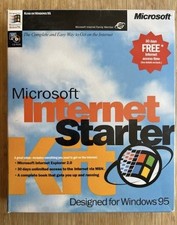
Vintage Microsoft Internet Starter Kit, IE 2.0, Windows 95.
$85.00
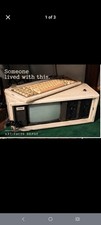
COMPAQ Plus Vintage Personal Portable Desktop Computer - Powers-On
$250.00
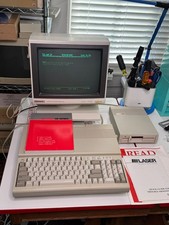
Vintage Laser 128 Apple IIc/IIe Compatible Computer + FD-100C Drive WORKING
$449.00
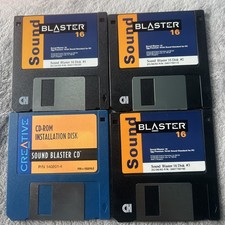
Vintage Creative Sound Blaster 16 Floppy Disks Lot Drivers Retro PC 3.5
$15.00
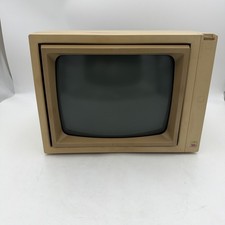
Vintage Apple Monitor II A2M2010 Green Monochrome CRT Tested Working Apple IIe
$169.97
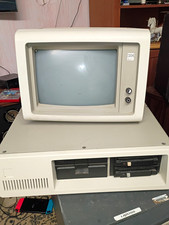
IBM 4455 Vintage Mainframe Computer System w/ CRT Terminal and Drives
$195.00
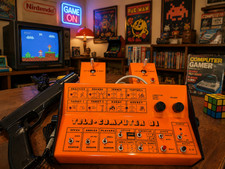
PONG 🌈RaRe🌈 Vintage Tele Games Retro Video Game TV Console Computer
$1699.00

VINTAGE COLLECTIBLE Comp USA Maxtor 20 GB 3.5 Inch EIDE Hard Drive NEW SEALED
$500.00

 . I added utf8 segment to the list of languages in knoppix-autoconfig with LANG=en_US.UTF-8 and CHARSET=UTF-8, but results are mixed: Konqueror displays file names correctly, but konsole doesn't, while xterm do. Is it possible to make konsole display proper characters instead of squares (changing the font does not seem to help), or should I switch to xterm? KDE taskbar also doesn't display UTF-8 characters at all, can it be fixed?