-
Administrator
Site Admin-
Re: Saving Files to floppy disk

Originally Posted by
kepler
I want to copy some files - while running Knoppix - to a floopy disk. What command(s) should I use? In the Linux site tell us to do the following:
mount -t vfat ext2 dev/fd0/floppy
cp file_to_copy /floppy
In Knoppix it doesn't work ( the floppy path is probably different ).
Does anyone knows how to do this?
Do you see a floppy drive icon in the GUI? If so you should be able to mount the drive just by clicking on it. This will also give you the name. You may have to remount it with a shell command for write access though.
Originally Posted by
kepler
In fact, we might extend the question: can I save the files I want to the hard drive?
The answer to this is Absolutely..........
maybe
here's the thing: Linux is known to have issues writing to NTFS partitions. So if you have only NTFS partitions on the hard drive, do not write to them, unless you really don't care about the data or your windows install.
However, if you have FAT or other partitions on your hard drive, yes, you can write to them just fine.
I use Knoppix with a notebook that came with XP and one 30 gig NTFS partition. First thing I did was shrink the C partition down to 10 gig and assign the rest to a FAT partition. I can read either partition with Knoppix, but I only write to the FAT partition.
And Knoppix will always play safe and default to opening your partitions read-only (remember, it's original intention is to be a Live CD that the novice can put in a computer, boot into Linux, and not hurt anything). So you need to remount the FAT partition as read-write before you can write to the drive. But this is extremely simple, a few minutes with the man pages and I was compiling downloaded source files onto my D drive just fine (was harder figuring out paths to make them run than to compile them to disk).
Similar Threads
-
By linuxman in forum General Support
Replies: 2
Last Post: 12-10-2005, 11:47 PM
-
By kn2user in forum General Support
Replies: 3
Last Post: 11-24-2004, 07:09 PM
-
Replies: 3
Last Post: 11-16-2004, 02:16 AM
-
By Leslie Simon in forum The Lounge
Replies: 2
Last Post: 05-24-2004, 01:38 PM
-
By tyiooo in forum General Support
Replies: 4
Last Post: 07-07-2003, 04:13 PM
 Posting Permissions
- You may not post new threads
- You may not post replies
- You may not post attachments
- You may not edit your posts
-
Forum Rules


OPNsense pfSense 8-Core Atom C3758 2.2GHz 8GB DDR4 64GB SSD 8x NIC QAT AES VPN
$115.00

Ubuntu Server 26.04.1 LTS Bootable USB Flash Drive – Latest September 2026
$12.99

1U Rackmount PC Intel Core i5-2520M 8GB RAM 500GB HDD Ubuntu Linux Server
$109.99
OPNsense pfSense 8-Core Atom C3758 2.2GHz 8GB DDR4 512GB SSD 8x NIC QAT AES VPN
$128.00

All New Ubuntu 26.04 LTS Linux Bootable USB Flash Drive
$15.95

Start9 Server Pure 32GB 4TB Intel i7 Node StartOS — Box + PSU
$649.00

ESET Server Security (File Security) | Variant Item | Download Version
$136.15
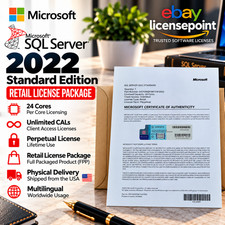
Microsoft SQL Server 2022 Standard 24 Core unlimited CAL Retail License Package
$199.00

Sun Enterprise e450 400mhz cpu(x4), 4gb ram, 9gb HD w/spud most complete on ebay
$500.00

SQL Server 2022 Enterprise 96 Core License & DVD Unlimited CALs with CoA
$284.99



 Reply With Quote