-
scanner not working after hdd install
i have a benq 3300 scanner wich was working very well when i booted knoppix of the cd.But now i installed knoppix to the hdd and the scanner doesnt work anymore.
In the start of the aplication Kooka the scanner is listed, i choosed the scaner and then it tells me: Problem: No scanner was found
You system does not provide a SANE instalation, wich is required by the KDE scan support.
Also any help in getting a HP 7200 parallel port CDWriter working would also be apreciated.i could get it to work with SuSE but as i'm new to debian this is being dificult. i tried to modprobe pg pcd and epat but when i do 'cdrecord --scanbus' i only see the other drives.
Thanks in advance for any help
Also forgive my bad english, i'm portuguese 
Mauro
-
This is the same problem I recently had with my CDRW. You will have to reinstall Knoppix. This time before you install use your scanner. The prblem is that the hdinstall script simply copies your current set up at the time. So if you havn't used the scanner before you installed you will get no scanner abilities in the install.
Hope that works
-
Scanner already works!!
i did just like you said and now the scanners works, great tip thanx.
the problem with the parallel cdrw i'm not sure but i think my cdrw is broken or somehing, a load all the necessary modules put a cd in the drive but always with the same result: no medium found.gotta test it in windows.
I have another problem in kde, i putted icons on the desktop to mount the cdrom's and de win partitions, but when i try to mount it says mount point doesn't exist, i checked and the mount points are there. but i righ click and choose mount the drvie get's mounted wih no problem.i'm going nuts with this one, anyone can help??
Thanx
Mauro
-
Senior Member
registered user
Re: Scanner already works!!

Originally Posted by
mgomes
I have another problem in kde, i putted icons on the desktop to mount the cdrom's and de win partitions, but when i try to mount it says mount point doesn't exist, i checked and the mount points are there. but i righ click and choose mount the drvie get's mounted wih no problem.i'm going nuts with this one, anyone can help??
There are multiple options, what I did:
Open KDE controlpanel -> Desktop (2nd in list) -> Settings (1st in sublist)
Now check "show devices on desktop" and check the appropriate device types from the list.
I don't run KDE in english so I hope my translation is somewhat right you find out where to look.
-
that worked but....
the icons disapear when they are mounted and reapear again when unmounted and it gets a bit confusing, and i couldn't change the names. in know that in KDE it's possible just to create a new link and change the properties so that it mounts the device when i click it, but it's not working and i can't figure out why.is there any way i can get this to work? it's suposed to (in SuSE i can do that) but it's not working.
thanx
Mauro
-
update
figured out the disapearing stuff, just lack of atention i did not have the proper checkboxes checked but it puts all my partitions on the desktop and i would like to put only the ones the i want.
Similar Threads
-
By mco in forum Hdd Install / Debian / Apt
Replies: 10
Last Post: 12-27-2004, 03:27 AM
-
By BaltikaTroika in forum Hdd Install / Debian / Apt
Replies: 1
Last Post: 09-27-2004, 01:33 PM
-
By rrfish72 in forum General Support
Replies: 4
Last Post: 09-17-2004, 04:22 PM
-
By torque2k in forum Hdd Install / Debian / Apt
Replies: 2
Last Post: 11-06-2003, 10:40 PM
-
By Mogiin in forum Hardware & Booting
Replies: 5
Last Post: 10-17-2003, 07:05 PM
 Posting Permissions
- You may not post new threads
- You may not post replies
- You may not post attachments
- You may not edit your posts
-
Forum Rules


Dell PowerEdge M630 Blade Server 2x Xeon E5-2680 v4, 2F3MP , 4GDP5 ,R10KJ ,JVFVR
$96.60

Cisco UCS 5108 Blade Server Chassis Enclosure N20-C6508 4x PSU 8x Fans 2x Fabric
$174.99

Dell PowerEdge M640 Blade Barebone Server Dell P/N: HHB006 Tested Working
$149.99
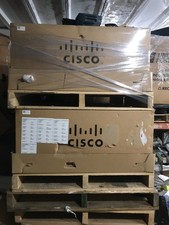
NEW Cisco UCSB-5108-AC2 Blade Server Chassis 8 Slot 6RU Chassis 4 X PSU - DW
$599.40

Dell PowerEdge FX2 FX2s Server 10GbE CMC Blade Enclosure Chassis
$274.99
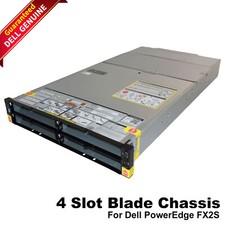
Dell PowerEdge FX2 FX2s Server 10GbE CMC Blade Empty Chassis XJ6VP
$149.99

NETAPP HCI NAF-1701 SuperMicro Server 4X BLADE H410C 8X GOLD 5120 4 NODE SERVER
$1499.97
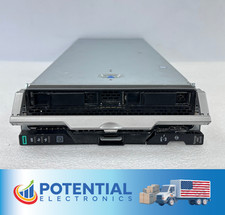
HPE Synergy 480 Gen10 Blade Server BAREBONES NO CPU, RAM OR HDD 🚚
$140.00
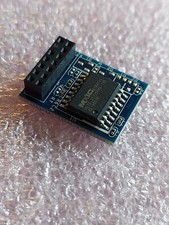
ASUS Blade Server LAN Web Remote Management KVM Module Chip IPMI 2.0 ASMB9-iKVM
$49.99

AS IS READ DESCRIP. Supermicro SuperServer 6026TT-HIBQRF 12-Bay 4x X8DTT-HIBQF
$215.00



 Reply With Quote