-
Login language change
After several days of tweaking Knoppix 3.6 on a mini itx mb I can not login any longer. Everything I know of is set for english. However, I installed the latest updated version of Bastille and on reboot the login prompt is in, I believe, Czech. (Definitely NOT german... the word for password is "haslo" I believe.
I suspect the keyboard is remapped as well as my name and password no longer works. Nor does root. I've checked the lilo.conf file and the language there is "us". I thought it was supposed to be "en" for english but maybe not. The *sysconfig file is setup with lang=en, appropriate ISO style, etc.
Also, both my user and root passwords are rather secure, ie. both use special character such as ! &^#@ etc. I even tried using the ascii control codes for those special characters but no joy.
So, what file actually controls the boot login prompt language or alternately, can I blow off some combination of passwd files to get a default, no passwd, boot?
-
Senior Member
registered user
Re: Login language change

Originally Posted by
Dale
After several days of tweaking Knoppix 3.6 on a mini itx mb I can not login any longer. Everything I know of is set for english. However, I installed the latest updated version of Bastille and on reboot the login prompt is in, I believe, Czech. (Definitely NOT german... the word for password is "haslo" I believe.
I suspect the keyboard is remapped as well as my name and password no longer works. Nor does root. I've checked the lilo.conf file and the language there is "us". I thought it was supposed to be "en" for english but maybe not. The *sysconfig file is setup with lang=en, appropriate ISO style, etc.
Also, both my user and root passwords are rather secure, ie. both use special character such as ! &^#@ etc. I even tried using the ascii control codes for those special characters but no joy.
So, what file actually controls the boot login prompt language or alternately, can I blow off some combination of passwd files to get a default, no passwd, boot?
There is language settings in /etc/init.d/knoppix-autoconfig but I think this script is not used if you have a Debian type hd install. The files in /etc/rcS.d are the ones which are used for startup.
You could try to boot from CD with 'knoppix lang=us root=/dev/hda5 noinitrd ro' which is supposed to boot into the HD from CD, it might then start in en. Or perhaps you can start CD & chroot into your hdaX install then change the root passwd to blank or some really simple two letter word which should be typeable on any keyboard.
Apt-get install localepurge should remove alternate language support & prevent future occurances, not sure how to disable alternate keyboards.
-
Thanks for the info, I am just now learning what chroot actually does and you are correct, I should be able to clear things up as soon as I get home. Thanks alot .... great user name 'crashedagain' 
-
I had mine set to auto-login, so you don't notice this problem....
mine says (typing, rough)
Uzivatelske jmeno
Heslo
Pnhlasit Vycistit Nabidka
what's that about ?
I'll try the above and see what gives.... (US vs US-En)
-
Similar Threads
-
By macabee in forum Hdd Install / Debian / Apt
Replies: 0
Last Post: 10-17-2005, 07:39 AM
-
By plener in forum General Support
Replies: 5
Last Post: 11-17-2004, 11:01 AM
-
By larsson in forum Hdd Install / Debian / Apt
Replies: 1
Last Post: 04-04-2004, 09:49 PM
-
By Marquis_24 in forum General Support
Replies: 3
Last Post: 03-11-2004, 05:28 AM
-
By KnopperX in forum General Support
Replies: 1
Last Post: 02-26-2004, 05:45 PM
 Posting Permissions
- You may not post new threads
- You may not post replies
- You may not post attachments
- You may not edit your posts
-
Forum Rules


(New) AMD Ryzen 7 5700X 8 Core 16 Thread AM4 Unlocked 3.4 GHz CPU OEM Tray
$174.99

AMD Ryzen 7 PRO 8700GE 8-Core/16-Thread Up to 5.1GHz AM5 (FL1)
$189.00
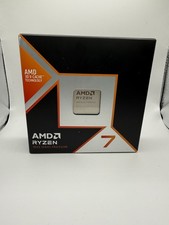
AMD Ryzen 7 9800X3D 8-Core 16-Thread AM5 Zen 5 Desktop Processor NEW
$380.00

DELL Optiplex 780 SFF CORE2DUO 3.0GHz 8GB RAM 250GB HDDDVDRW NO OS
$99.99
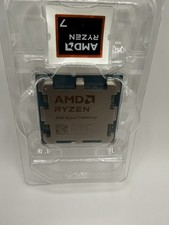
AMD Ryzen 7 9800X3D 8-Core 16-Thread AM5 Zen 5 Desktop Processor
$360.00
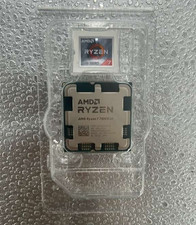
AMD - Ryzen 7 7800X3D 8-CORE 16-THREAD 4.2 GHz (5.0 GHz Max Boost) AM5 UNLOCKED
$300.00

Intel Core i9-9900K Coffee Lake 8-Core, 16-Thread, 3.6 GHz (LGA 1151)
$189.99

Apple Macbook Pro 13" M1 8-Core 16GB 512GB - Good
$464.99

Dell OptiPlex 5070 SFF i7-9700 (8-Core) 3.0GHz 16GB 256 SSD Windows 11
$250.00

Dell T7810 Workstation 8-Core 2.40GHz E5-2630 v3 No RAM GPU HDD OS
$259.98



 Reply With Quote