-
Junior Member
registered user
some questions on using knoppix
I'm using knoppix 3.6. I have following questions
by default account knoppix is the default account and will login automatically, how do I use another new created account ?
any settings e.g. dekstop settings, new account creation, etc changed will be lost after reboot, how do I keep these things permanent ? (fyi I always plug in an external usb hdd for my files storage, so how to save mentioned settings in the external usb hdd ?)
What's the purpose of "permanent home ....." ? If I execute it, what does it do in the background? e.g. partition a hdd ? or something else
-
Senior Member
registered user
Re: some questions on using knoppix

Originally Posted by
adrianmak
I'm using knoppix 3.6. I have following questions
by default account knoppix is the default account and will login automatically, how do I use another new created account ?
any settings e.g. dekstop settings, new account creation, etc changed will be lost after reboot, how do I keep these things permanent ? (fyi I always plug in an external usb hdd for my files storage, so how to save mentioned settings in the external usb hdd ?)
What's the purpose of "permanent home ....." ? If I execute it, what does it do in the background? e.g. partition a hdd ? or something else
persistant home saves your /home directory somewhere to boot up to later. It will save almost all the settings and is very useful.
Stuff like printers need a saved config (I save the persistant home and config on the same drive.) The options are both in the knoppix menu.
-
Junior Member
registered user
as you said that persisent home save /home permenant to somewhere e.g. hdd, usb flash,etc
how about if I modify a config file under /etc , how do I keep it permanent ?
-
Senior Member
registered user
remaster is a safe bet. should work 100%
-
Junior Member
registered user
Originally Posted by
OErjan
remaster is a safe bet. should work 100%
do you mean that the "permanent home" is only save personal settings like desktop settings for other settings like adding new user , modified config file under /etc , to keep permanent I need to remaster the iso, right ?
there is no way to load these config during boot up, right ?
-
Senior Member
registered user
some but not all /etc files can likely be saved (fstab, pppconf...and some other).
i do not know which, but files needed high in the init is not possible, you need to have a system to load the nonstandard ones so...
-
have a look in knoppix.sh
(saveconfig coppy this on same partition wher you saved your config)
un ather way shout works untar the archife and addit your change of /etc
Similar Threads
-
By Vyper in forum Hardware & Booting
Replies: 3
Last Post: 02-09-2006, 11:05 PM
-
By quicksilver1024 in forum General Support
Replies: 13
Last Post: 01-18-2005, 09:50 AM
-
By boxoman in forum General Support
Replies: 4
Last Post: 11-07-2004, 04:21 PM
-
By |2yan in forum General Support
Replies: 3
Last Post: 09-03-2004, 07:49 AM
-
By Jorah in forum General Support
Replies: 1
Last Post: 10-04-2003, 05:37 AM
 Posting Permissions
- You may not post new threads
- You may not post replies
- You may not post attachments
- You may not edit your posts
-
Forum Rules

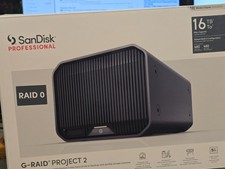
SanDisk Professional G Raid Project 2 16TB Hard Drive (Space Gray)
$700.00
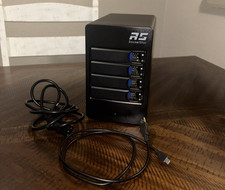
HighPoint RocketStor 6114V 4-Bay USB-C SATA RAID STORAGE ENCLOSURE
$140.00

HP controller P3410-69003 NetRAID-1M SCSI 64-bit U160 32MB Cache (PCI)
$359.00
Intel RAID Expander RES2SV240 SAS 40mm Cooling Fan Included + Shroud Cooler
$31.95

Broadcom LSI 9305-16i 12Gbps SAS-3 PCIe x8 HBA 16-Ports Raid Controller
$64.99

MegaRAID 9580-8i8e 16-port 12G SAS/SATA/NVMe 8GB PCIe RAID - 05-50076-00
$1619.30

Inspur LSI YZCA-00424-101 12Gbps SAS 3.0 RAID Controller CARD HBA HDD
$14.99

LSI 9305-16i SATA SAS 12Gbs Controller card PCIe 3.0 IT-Mode w/SAS SATA cable US
$119.98

BROADCOM 05-50077-01 PCI-E 4.0 x8 PCI-Express MegaRAID 9560-8i RAID Controller
$714.99
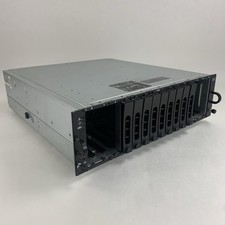
Dell PowerVault MD3000i AMP01 Storage Array 2x PSUs No HDDs/Controllers/Caddies
$144.95



 Reply With Quote