

I racked my brains for the better part of a day trying to figure this one out...and the worst part is it's not documented anywhere that the networking option is off by default (except in the config file where it's turned off).
You should be in a terminal as root.
To enable networking (i.e. listen on port 3306) open up /etc/msql/my.cnf in an editor.
Scroll down to the line that says "skip-networking" (it was line 47 in mine), and comment it by putting a # in front. Save and exit.
stop the server:
/etc/init.d/mysql stop
start it up again:
mysqld &
That's it! Now you can connect from another machine with mysqlcc or whatever else.
 Posting Permissions


GIGABYTE A520M DS3H AC AMD AM4 Motherboard mATX
$59.99

GIGABYTE Z790 AORUS ELITE AX LGA 1700 Intel Z790 ATX Motherboard with DDR5
$119.99

Corsair RMe RM850e 850W 80 Plus Gold Fully Modular Low Noise Certified Refurb
$56.99

Gigabyte GA-B85M-D3H Motherboard
$54.99

GIGABYTE B365 HD3 LGA1151 Intel 9th Gen motherboard
$59.99

Asus Prime B660M-A AC D4 Motherboard Intel LGA 1700 14th 13th 12th Gen DDR4
$79.99

Intel H81 Motherboard M.2 NVMe LGA 1150 mATX w/ IO Shield (Random Slot Color)
$29.90

ASUS PRIME H410M-K LGA 1200 Intel 10th Gen H410 DDR4 USB3.2 Motherboard M-ATX
$59.99

ASUS PRIME Z490-V Motherboard Intel Z490 10th gen DDR4 LGA 1200 ATX w/ IO Shield
$84.99
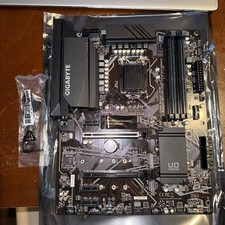
GIGABYTE Z490 UD Motherboard Intel Z490 DDR4 LGA 1200 ATX w/ IO Shield
$89.99


 Reply With Quote