


 Reply With Quote
For the sake of someone who has never remastered, can you provide information on how to change this default or a link to the information? (I wouldn't mind adding the few cheat codes I need when booting too.)Originally Posted by locutus


Today made the 4th household where Knoppix was used getting back online after MS Windows software had extreme "issues". Two of those households are now running Linux 100% of the time and soon a third will be. The forth site had already purchased a new computer before I was able to get them Knoppix for the old/corrupt PC. I might have to wait until this one gets corrupted before they'll relook at Knoppix/Linux but that probably won't take long.
Thanks Mr Knopper and associates.
BTW, changing the default boot parms to include home=scan and myconfig=scan makes for a nice reuseable boot system. I use this in cases where a potential user isn't quite ready to fully switch to Linux but wants to use Knoppix over and over for awhile before deciding.
For the sake of someone who has never remastered, can you provide information on how to change this default or a link to the information? (I wouldn't mind adding the few cheat codes I need when booting too.)
I hope you know how to make a bootable CD. You'll need to know that to do this little "hack" of Knoppix.
The boot file you need to edit is found on the Knoppix CD:
/boot/isolinux/isolinux.cfg
ADD the following two items to the first APPEND entry:
myconfig=scan home=scan
NOTE: don't make them the first/second item or one of them won't work. Funky, but that's what I ran into.
FYI: I used the handy Remastering scripts( see Remaster forum and look for something about Remastering the Easy Way ) to build my system so you might need to look at those scripts on how to specify the boot image needed when burning your updated Knoppix back to CD.
As a guerilla fighter in the war against microsoft, burn a dozen Knoppix cds, take them to Compusa, bestbuy, circuit city, etc etc... Put the bootable knoppix in choice Pc's and power off....When a customer decides to check out the computer theyre looking to buy theyll boot the Linux Os and fall in love.

As a Splinter Cell (PS2) addict make sure to shoot out any cameras and disable any Microsoft insergents before you pop knoppix in.

Yea, don't get caught, you'll be in big trouble for putting weird cds into their computers.
 Posting Permissions

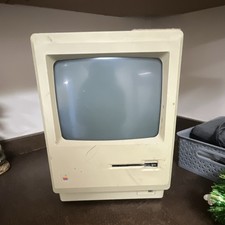
Apple Macintosh 512K Vintage Compact Desktop Computer Classic Mac
$197.00
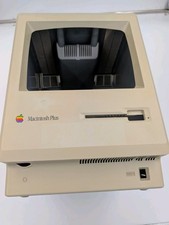
Apple Macintosh Plus Vintage Mac Computer Shell Front/Back Only (260200)
$29.99
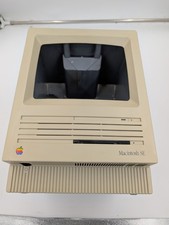
Apple Macintosh SE Vintage Mac Computer Shell Front/Back Only (260201)
$29.99

Vintage 1998 iMac G3 M4984 Mac OS + Keyboard Working but Needs Some Repair Read
$295.00

185--Sonnet Crescendo G3 PPCG3-375-5-K-06 G3 Add-On Card for Vintage Mac
$90.00
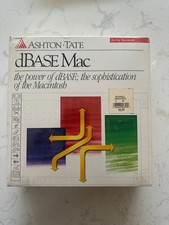
dBase 1.0 for Vintage Apple Macintosh Computers New in Box Sealed
$119.00
Apple Keyboard for Macintosh SE, II ADB Desktop Bus Vintage M0116 ORANGE ALPS
$129.99
Vintage 1989 APPLE MACINTOSH IIci M5780 Desktop Personal Computer UNTESTED
$99.90

Vintage Apple Macintosh Retro Computer - Ceramic Mug 15 oz
$15.70

Apple Power Macintosh PowerPC 7300/200 VTG w Keyboard Mouse Storage Drive Read
$199.99