-
effectively using mysql for web development in knoppix
I'm very new to knoppix and linux in general. I've saved the configuration etc to my HDD already. I want to be able to program in php using mysql on apache in knoppix. I can start apache and mysql and the server and look at pages on localhost, got that far. My problem now is that I cant find out how to
a) be the root in mysql so I can create new users with priveliges
b) databases I make in mysql don't exist after rebooting
c) will be trying to logon as root (just read how here a minute ago) nex time
Why do I need this option? Windows XP is a $@$% because it seems to have an issue where MySQL won't configure so PHP can access it. The easiest answer is to do it in knoppix. When I figure out how Linux ticks better I'll put it on my HDD and voila.
Any help would be much appreciated. 
-
I now know how to log onto Knoppix itself as root but am having the same trouble with MySQL.
As the user table in MySQL is read only how do I
## Get better access as root, ie grant options etc for users
I looked at the config files etc but they are all read only so how do I
## Reclaim control of file and configuration access. Chmod doesn't work in this case....
Thanks in advance for any replies as I'm a linux newbie bar for some minor unix commands from school one time.
-
Ok I've figured most everything I needed to know out from trolling the forum and experimentation - gasp!
Only thing is that mysql databases I make for development can't be saved, or I can't see how, if I jsut put them on the desktop and reinsert them next boot up then they don't link properly. Anyway that's cool. I'll get an old box from the other room and set it up on my lan as a local web server for development work now I'm a bit more confident.
Although nobody replied to this post with advice I thank those who read it with interest for taking the time.
http://www.nortypig.com
http://www.blog.nortypig.com
-
MySQL should work under Windows w/PHP. Apache would be the tricky part, but that's for another forum ... there are many ways to solve your problem:
a. You can edit the 'saveconfig' script in knoppix to include the MySQL datafiles and make sure they are restored when you reboot. The modified 'saveconfig' will be saved automatically.
b. You can have a script by which you copy/tar/gzip your data files to persistent storage back and forth.
c. Set up MySQL Replication. While you work, your Knoppix DB is the master and somewhere else in the network you can have a MySQL slave (maybe in a Windows box?). When you launch knoppix, just copy the replicated files from the slave PC and restart the MySQL Master.
The last one is probably overkill, but you'll learn a neat MySQL trick.
Regards,
-GN
Similar Threads
-
By transistortoaster in forum General Support
Replies: 2
Last Post: 10-08-2005, 03:49 PM
-
By rangalo in forum Games
Replies: 2
Last Post: 07-11-2005, 02:06 PM
-
By HCSS in forum The Lounge
Replies: 0
Last Post: 03-13-2004, 09:32 PM
-
By Coume in forum General Support
Replies: 5
Last Post: 08-06-2003, 06:42 AM
-
By xound in forum The Lounge
Replies: 1
Last Post: 04-15-2003, 07:06 PM
 Posting Permissions
- You may not post new threads
- You may not post replies
- You may not post attachments
- You may not edit your posts
-
Forum Rules

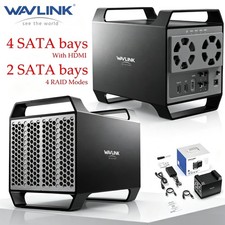
WAVLINK RAID 2 Bay Hard Drive Docking Station SATA 2.5''3.5'' SSD HDD USB C 4Bay
$107.99
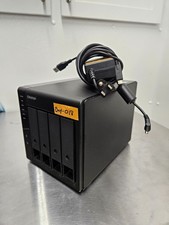
QNAP TR-004 4 Bay USB-C Hardware RAID Enclosure DAS 3.5 2.5 SATA Tested Working
$149.99

9300-8i LSI SAS3008 8-Port 12Gb PCIe IT mode ZFS FreeNAS unRAID 2*SFF-8643 US
$49.50

Vintage Promise EIDEMAX Enhanced IDE Disk Controller ISA Non-RAID Card Boxed
$34.99

Broadcom LSI 9305-16i 12Gbps SAS-3 PCIe x8 HBA 16-Ports Raid Controller
$64.99

2-Bay/4-Bay Hard Drive Enclosure for 3.5"/2.5'' SATA HDD/SSD 10Gbps USB-C 3.2
$75.99
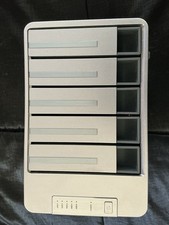
TerraMaster D5-300C 5-Bay USB-C Hard Drive Enclosure
$115.00

LSI 9305-16i SATA SAS 12Gbs Controller card PCIe 3.0 IT-Mode w/SAS SATA cable US
$117.16

Broadcom 9600-24i Tri-Mode RAID Controller 4.0 NVMe SAS SATA NEW 05-50111-01003
$639.69
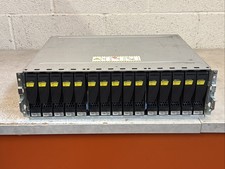
Dell EMC 15-Bay 3.5" SAS Disk Array Enclosure 12Gbps Dual LCC - 2x Power Supply
$249.00



 Reply With Quote