

 Reply With Quote
as a root you mount the HD.
look in the /etc/fstab, normally knoppix creates /mnt/hdX as a mount point for /dev/hdX
put as default the mount like this
/dev/hda5 /home ext3 defaults 0 0
you can use now
mount /home for example
best regards


One question. How can I setup within Knoppix to read/write to my HD devices? I right-click on my HD and selected "change to read/write". But this doesn't seem to work or do anything. I still only get read-only access to my HDs.
Cheers
Kevin
as a root you mount the HD.
look in the /etc/fstab, normally knoppix creates /mnt/hdX as a mount point for /dev/hdX
put as default the mount like this
/dev/hda5 /home ext3 defaults 0 0
you can use now
mount /home for example
best regards
If your desktop HD icons are not working you can mount the drive manually.
'sudo mount -rw /dev/hdaX' should mount /dev/hdaX to the default location as specified in /etc/fstab. Usually this will be /mnt/hdaX but you can mount it elsewhere with 'sudo mount/-rw /dev/hdaX /home/knoppix/hdaX' for example. You will have to mkdir /home/knoppix/hdaX first.
Thanks you guys. This is very useful.
Hello,Originally Posted by CrashedAgain
I'm trying to get write access to an empty EXT2 formatted drive. The icon for the drive comes up on the desktop as I would expect. I removed the "Read Only" check in the properties for the drive and gave Owner, Group, and Other "Can Read & Write" access. When I try to drag anything to the root of that drive though, I get a "You cannot drag items into a directory that you do not have write permission" message.
I tried from terminal doing "umount /mnt/hdd1" and then "sudo mount /mnt/hdd1" and that didn't fix anything. There must be a straightforward way to write to a hard drive? Any advice would be greatly appreciated.
Update: I ran "sudo mount -o remount,rw /mnt/hdd1" from the terminal and still could not write anything to the drive. I then tried a "mkdir test" from the terminal and got rejected. Finally, I did a "sudo mkdir test" and that worked! So apparently I have to run every write operation as root? Is there a way to become root in the GUI so I don't have to perform write operations from the terminal?
Thanks!
 Posting Permissions


ATARI XF551 DISK DRIVE WITH AC POWER ADAPTER AND PARALLEL PORT ADAPTER, UNTESTED
$250.00
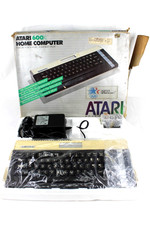
VTG Atari 600XL Home Computer System in Box ** Powers On ** Clean * Tested Works
$148.75

GreaseWeazle v4 board USB floppy drive adapter Retro All Formats
$35.00
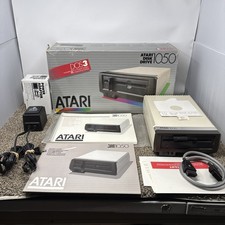
Atari 1050 Floppy Disk Drive Tested With All Cables Power And Data SIO In Box
$200.00
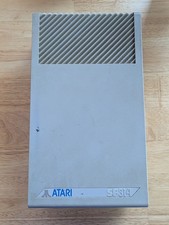
Vintage ATARI SF314 DS/DD 3.5" External Drive TESTED but can't read/write disks
$69.99

Fujinet 1.7.1 Atari 400 800 800XL 130XE 65XE XEGS Assembled, Tested, Working
$99.99
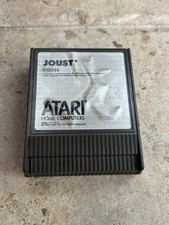
⭐️Atari RX8044 Joust Vintage Computer Game Cartridge⭐️Vintage 1983⭐️
$7.93
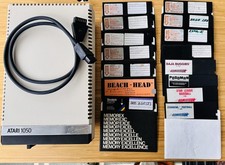
Vintage Atari 1050 Disk Drive w/ SIO Cable & 32 Games/Programs - UNTESTED
$67.76

Atari 400 Home Computer System includes Power Cord G2U
$159.99

DEFECTIVE Atari 810 Vintage Computer Disk Drive powers on Unit Only Boo G3D
$49.29