

 Reply With Quote
It's most likely a bad cd.
Also, if you boot with knoppix vga=normal you may be able to see some error messages.


I have two computers that hang at the Tux screen. I have tried booting with several cheat codes including the following:
noscsi noapic
noapic modules-disk
testcd
failsafe
Every time it either hangs right after Tux appears, or when it tries to find the CD drive.
Scanning for USB/Firewire devices... Done.
Enabling DMA acceleration for: hda
Enabling DMA acceleration for: hdc
Looking for CDROM in: /dev/scd0
(Isn't that a scsi CD device? I told it noscsi)
At that point the laptop sits there with the CDROM spinning away and it never progresses. On my other machine (Tower) it only makes it to Tux and never gets to scanning.
I've seen several others with similar issues, but haven't found a consistent answer.
Laptop is an HP 4100 Omnibook, in somewhat clunky condition
Tower is an ASUS CUV4X-E, 512MB Crucial memory (I ran memtest86 and found no errors in RAM)
It's most likely a bad cd.
Also, if you boot with knoppix vga=normal you may be able to see some error messages.
The MD5 of the ISO and the CD check out, and the same error occurs using different media brands of CD. I tried the vga=normal switch but again, it hangs at the CDROM part.
I tried another variant of Knoppix, called Helix (ver 1.5), and got the same error. This has been happening since Knoppix version 3.4 for me.
I am able to boot up with an older specialized version called the Penguin Sleuth Kit (dated around July 2003), using xmodule=vesa noscsi on the laptop. The Tower boots fine without any codes using this older version.
Try the cheatcode nodma. DMA is enabled by default in Knoppix versions 3.4 & up. In previous versions if you wanted DMA, you would then use the cheatcode dma.
I have found that older PCs (pre Pentium II 440BX chipset) tend to fail when DMA is used.
I hope this helps.
James
Tried the "nodma" code on my Tower last night, but same results of hanging at the Tux screen. It never even gets the USB scan going.
The laptop did work with the "nodma noscsi", so I'm thrilled about that. Thanks for the suggestion!
I wonder if there are some chipsets or something that just don't work with Knoppix.
 Posting Permissions


Vintage GTE XT300 Action Station Terminal 1984 - Tested Works Orig. Box & Foam
$889.00
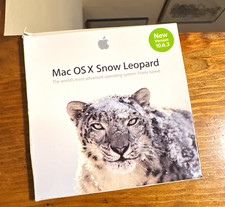
Apple Mac OS X Snow Leopard 10.6.3 Operating System Software DVD Disc, vintage
$120.00
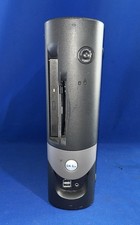
Dell OptiPlex GX150 Vintage PC SFF Pentium III CPU 64MB RAM 40GB HDD with OS
$199.99
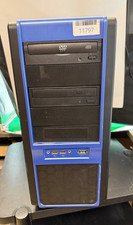
VINTAGE Custom Desktop No [email protected] 4GB Ram 300GB HDD NVIDIA Win XP Pro
$200.00

Vintage Tumi Alpha Leather Compact Laptop Computer Briefcase Brown Bag Work
$149.99
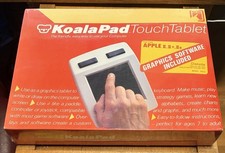
VINTAGE KOALA PAD TOUCH TABLET + GRAPHICS SOFTWARE APPLE II II+ IIe NOS SEALED
$175.00
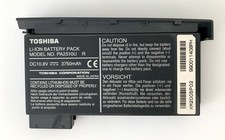
Vintage Toshiba Li-ION Battery Pack PA2510U R Laptop Tecra 8000
$40.00
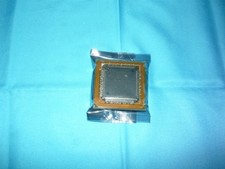
Vintage AMD Am386DX-40 386 CPU 40MHz QFP Package PGA Used
$89.98
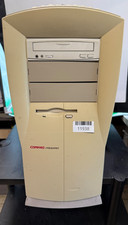
VINTAGE Compaq Presario 4770 DOM-Penti MMX-32MB Ram 3.8GB HDD S3 Trio GFx W98SE
$150.00
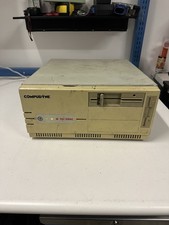
Compudyne Model 25/386C Vintage Retro Gaming Desktop Computer + RAM Powers On
$249.00